Key concepts
Knowledge Hub is an Early Access release. Refer to the Early Access disclaimer for details.
This topic defines the terms you encounter in Knowledge Hub. Understanding these concepts helps you configure, manage, and troubleshoot your Knowledge Hub setup effectively.
Asset hierarchy
Knowledge Hub organizes your data in a one-to-many hierarchy: one Knowledge Hub service contains multiple repositories, each repository can contain multiple Knowledge Bases, and each Knowledge Base can contain multiple Sources.
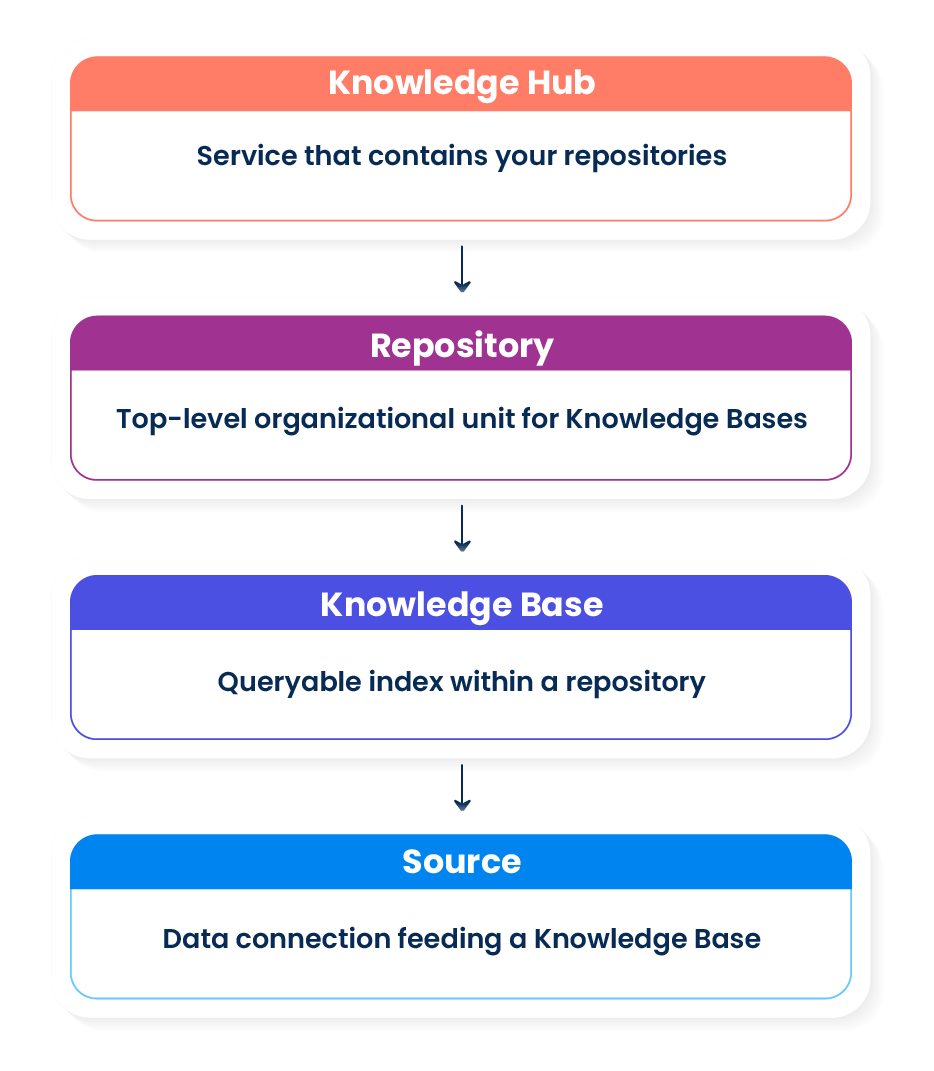
Terms and definitions
Repository
A repository is the top-level container for Knowledge Bases in Knowledge Hub. Repositories allow you to separate knowledge by department, compliance boundary, or data residency requirement. In Early Access, Knowledge Hub provisions and manages the underlying infrastructure for every repository (managed repository). Customer-owned repositories are planned for a future release.
Knowledge Base
A Knowledge Base (KB) is a searchable index of embedded content within a repository. Each KB can receive data from one or more Sources, and agents query it to retrieve relevant chunks. A KB has a lifecycle with states that control whether it is queryable and whether ingestion runs. The embedding model you select when you create a KB is immutable after the first ingestion run. Refer to Embedding below.
Source
A Source represents a single data connection between a Data Integration flow and a Knowledge Base. It carries the ingestion configuration (schema scope, chunking strategy, embedding target, and schedule) that governs how your data is processed. A Source is created automatically when you deploy a configured data flow from Data Integration to Knowledge Hub.
Activity
Activity refers to the log of ingestion and retrieval executions recorded in Knowledge Hub. The ingestion activity table shows each run's status, source, duration, and any errors. The retrieval activity table shows query outcomes, latency, and result counts.
Chunking
Chunking is the process of splitting source content into smaller segments before embedding. Smaller chunks improve retrieval precision because the vector for a short, focused passage more accurately represents that specific idea than the vector for a long document. You configure chunk size (in tokens), overlap (the number of tokens shared between consecutive chunks to preserve context across boundaries), and chunking strategy (fixed-size or sentence-aware splitting) when you set up a Source in Data Integration.
Vector database
A vector database is a database built to store and search vectors: the numerical representations that embedding produces. Instead of matching on exact values like a traditional database, a vector database finds the records whose vectors are mathematically closest to a query vector. This is what lets Knowledge Hub locate content that is semantically similar to a query, even when the wording does not match.
Vector store
The vector store is Knowledge Hub's vector database: it stores embedded chunks and serves similarity queries at retrieval time. Knowledge Hub uses OpenSearch as its managed vector store in Early Access. Boomi provisions and maintains the vector store; you do not configure it directly.
Embedding
Embedding is the process of converting a chunk of text into a numerical vector: a series of numbers that captures the semantic meaning of the text. Vectors allow Knowledge Hub to compare chunks mathematically so it can find content that is semantically similar to a query, even if the exact words do not match.
For example, the sentence "Knowledge Hub uses managed embedding models" might be represented as a vector like [0.041, 0.056, -0.018, -0.012, ...]. Two chunks with similar meaning produce vectors that are close together in vector space; unrelated content produces vectors that are far apart.
The embedding model you choose for a Knowledge Base determines which types of queries it serves best. Because changing the embedding model requires re-processing all ingested content, the model is immutable after the first ingestion run.
Ingestion
Ingestion is the end-to-end process by which data moves from a source system into a Knowledge Base. It covers extraction from the source, chunking, embedding, and writing the resulting vectors to the vector store. Ingestion runs are triggered on the schedule you configure in Data Integration, or manually from the Source detail view.
Retrieval
Retrieval is the process by which an AI agent queries a Knowledge Base and receives a ranked list of relevant chunks. Knowledge Hub supports three retrieval modes (Semantic, Lexical, and Hybrid) configured as a default on the Knowledge Base. AI agents can override the mode per request. Refer to Retrieval modes for a full explanation of each mode and guidance on choosing one.
Top-K
Top-K is the maximum number of chunks returned in a single retrieval response. You set the Top-K value on the Knowledge Base retrieval configuration. Agents can override this value per request.
Next steps
- Refer to Prerequisites to confirm your account requirements before setting up Knowledge Hub.
- Refer to Access and permissions overview to understand roles and how to get access.
- To set up your first Knowledge Base, refer to Quickstart: ingest your first data source and query it.
