MFT Release Notes for September 2025

Automated File Transfer ver 6.6.5
This update to the MFT Automated File Transfer application includes a series of security patches, bug fixes, and new feature enhancements. This update strengthens application security through updates to core system libraries and includes fixes to improve the reliability of scheduled transfers and endpoint connections. Additionally, we are introducing new functionality, including expanded authentication options for Azure Blob storage via IDP and greater self-service capabilities for organization administrators.
-
Azure Blob - External Identity Provider Authentication - Two new authentication options are being introduced for Azure Blob Storage access:
-
Azure Machine/Client Credentials - Direct communication with Azure and blob storage.
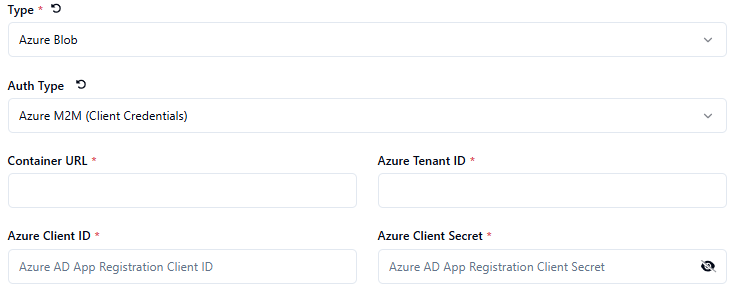
-
External Identity Provider Authentication - Authentication through external providers like Okta or Auth0
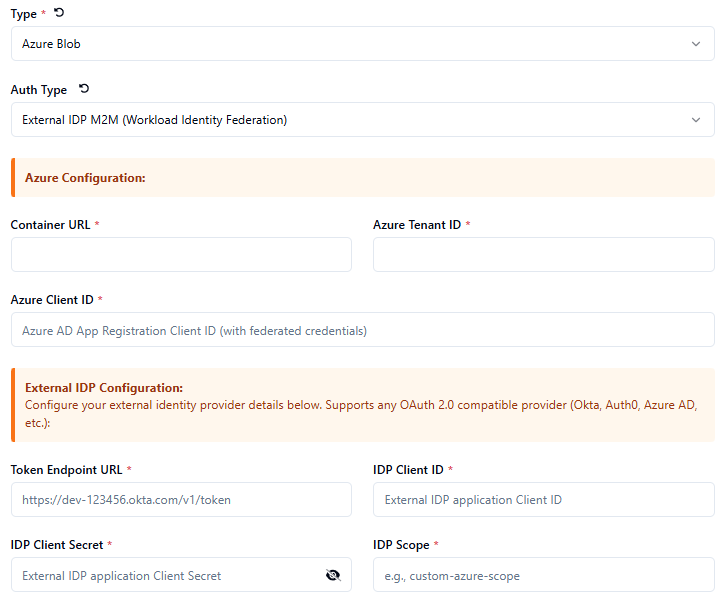
For more information, refer to Azure Blob - External Identity Provider Authentication.
-
-
External Endpoints - Configurable Concurrent Transfer Support - Implemented a setting which allows a user to define a number of concurrent connections up to a limit. The number of concurrent files must be between 1 and 5.
cautionThis setting is not currently available in MFT Node (MFT Runtime). It will be added in a future release.
-
CSP Security Headers Enabled
-
CSP Policy - Click jacking prevention
-
Azure Blob - Added support for Premium ZRS Storage Account type
noteIf required for MFT Node (MFT Runtime), contact your account representative.
- Api Key - Did not respect allowed Orgs; added logic to the API key handling to prevent org users from stepping outside of their assigned orgs.
- Schedules - Weekly Schedules did not display the day of the week after being saved.
- Schedules - Flow Endpoint Schedules were not running as configured.
