MFT Release Notes for April 2025

Automated File Transfer ver 6.6.1
-
Azure files endpoint - A new endpoint type has been introduced, enabling MFT to directly pull from or push to Azure Files.
The configuration process mirrors that of the Azure Blob Endpoint type. It supports three authentication methods: Shared Access Token, Connection String, and Access Key.
cautionNode Direct is not available for this endpoint.
-
Reports - A new button, titled “Export,” has been introduced on the Activity Page.
Clicking the “Export” button will generate a .CSV file containing the results of the activity page, based on the filters you have selected.
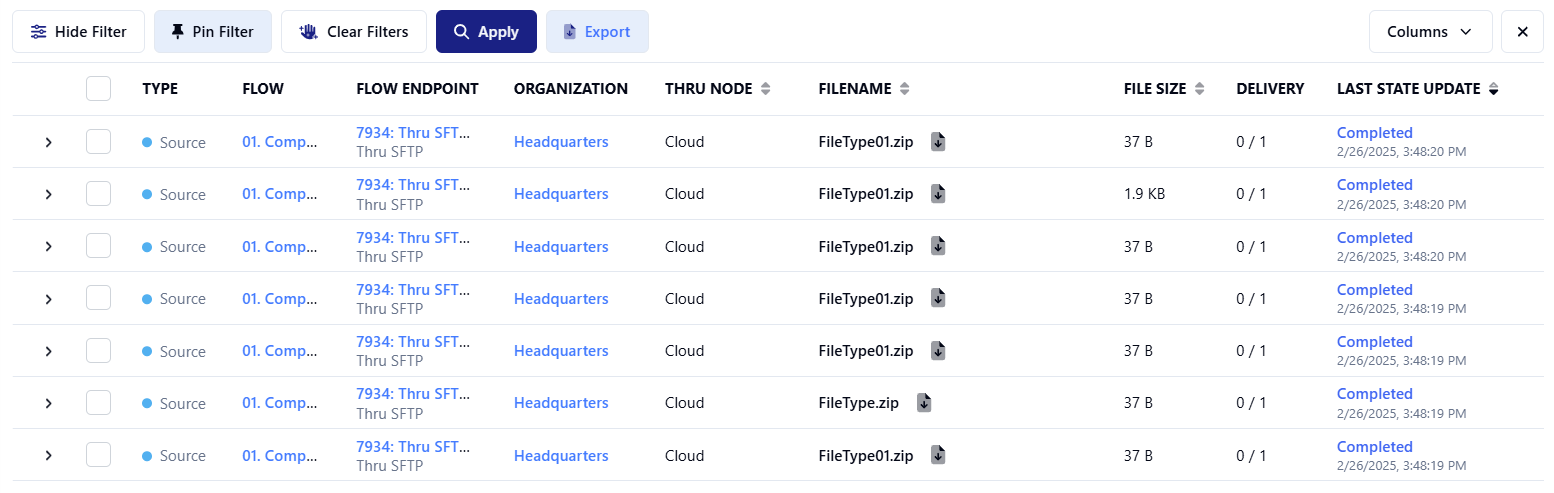
The report generation process begins once you click the button. If you leave, log out, or return later, you will be able to download it from the new reports page.
-
SSO Mapping
Administrators now have enhanced control over SSO user creation. They can set up SSO mappings that automatically pull attributes from their IDP and assign specific roles and permissions during onboarding. This streamlines user management and ensures a more flexible, automated approach to handling SSO access.
The new "SSO Mapping" section within the Admin interface empowers customers to automatically assign roles and organizational associations based on specific traits identified in Single Sign-On (SSO).
-
MFT Node Alerts
Node email alerts now offer three configuration modes
New Node Alert Configuration Options:
- Alerts Disabled: If alerts are turned off, you won't receive any alert emails, though UI alerts will still appear.
- Default Email Alerts: When alerts are enabled without specifying an email list, all instance admins will automatically receive alert emails.
- Custom Email Alerts: If you enable alerts and provide an email list, only those specified addresses will receive the alert emails.
infoUsers have the ability to easily transfer lists of email addresses from one node to another, facilitating the configuration of email lists across multiple nodes.
-
Customer Instance Code - The current customer instance code is now shown next to the User Profile.
-
Activity - Organization users may see sources or targets that are not intended to be visible to them.
-
Endpoints - View associated flows modal window formatting updated.
-
Flows - Subscribers corrected a spelling mistake.
-
Flows - Users with Organization associations see unexpected Flow Endpoints.
-
Internal SFTP - Fixed issues with virtual paths, some SSH_FXP_OPEN commands were adding double-slashes to the beginning of a file path.
-
MOTD - Back end fix to resolve issue with MFT’s Message of the day function.
-
Node - The MFT Node heartbeat alert e-mail has inconsistent time stamps.
-
Processing - Batch Decompression using Zip would not work if folders were included.
-
Processing - PGP decryption failing.
-
Rename - Cancel Button on Rename tab stopped working.
-
Transfer Manager - Client Error messages too long.
