Accessing AI Search
AI Search is an intelligent, unified search feature embedded directly within the Boomi Enterprise Platform and official documentation sites. Powered by Boomi Answers, AI Search instantly parses and synthesizes technical knowledge from Boomi Documentation (help.boomi.com), Boomi Developer (developer.boomi.com), and the Boomi Community (community.boomi.com).
Instead of requiring you to manually locate your answer across multiple documentation links, AI Search evaluates your queries to deliver immediate, contextual summaries and step-by-step guidance right where you are working.
You must log in to Boomi Enterprise Platform to access AI Search.
Benefits of AI Search
Accelerated time-to-resolution: Eliminates manual digging through individual links by presenting compiled, accurate technical answers immediately at the top of your search query.
Reduced context switching: Allows you to retrieve configuration procedures and troubleshooting steps without breaking your workflow or leaving your active design canvas.
Unified knowledge sourcing: Combines official user guides, developer specifications, and peer-validated community solutions into a single, comprehensive search experience.
Methods of Accessing AI Search
You can access AI Search in the documentation search infrastructure and the core Boomi Enterprise Platform interface.
Method 1: Using AI Search on the Help or Developer sites
You can utilize AI Search directly from the documentation search to get comprehensive answers.
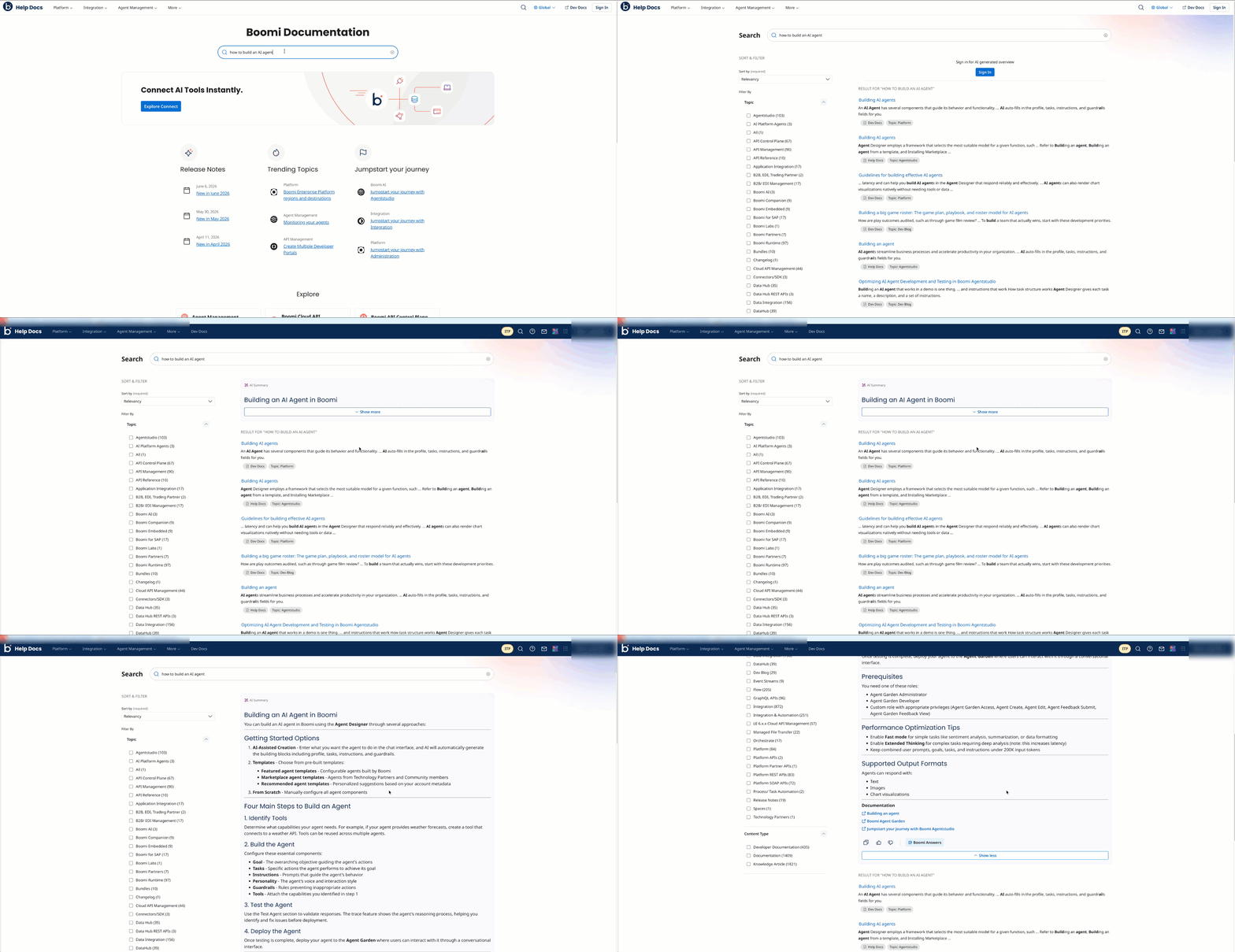
- Navigate to help.boomi.com or developer.boomi.com.
- Locate the global Search bar at the top center of the page. Enter your query or technical question (for example, How to build an AI agent) and press Enter.
- Review the AI Summary panel generated at the top of the search results page.
- (Optional): Click Show More to expand the full step-by-step instructions, or click the hyperlinked reference tokens to navigate to specific source articles.
Method 2: Using AI Search within the Boomi Platform
You can utilize AI Search directly while developing and managing solutions inside your Boomi account.
- Log in to the Boomi Enterprise Platform.
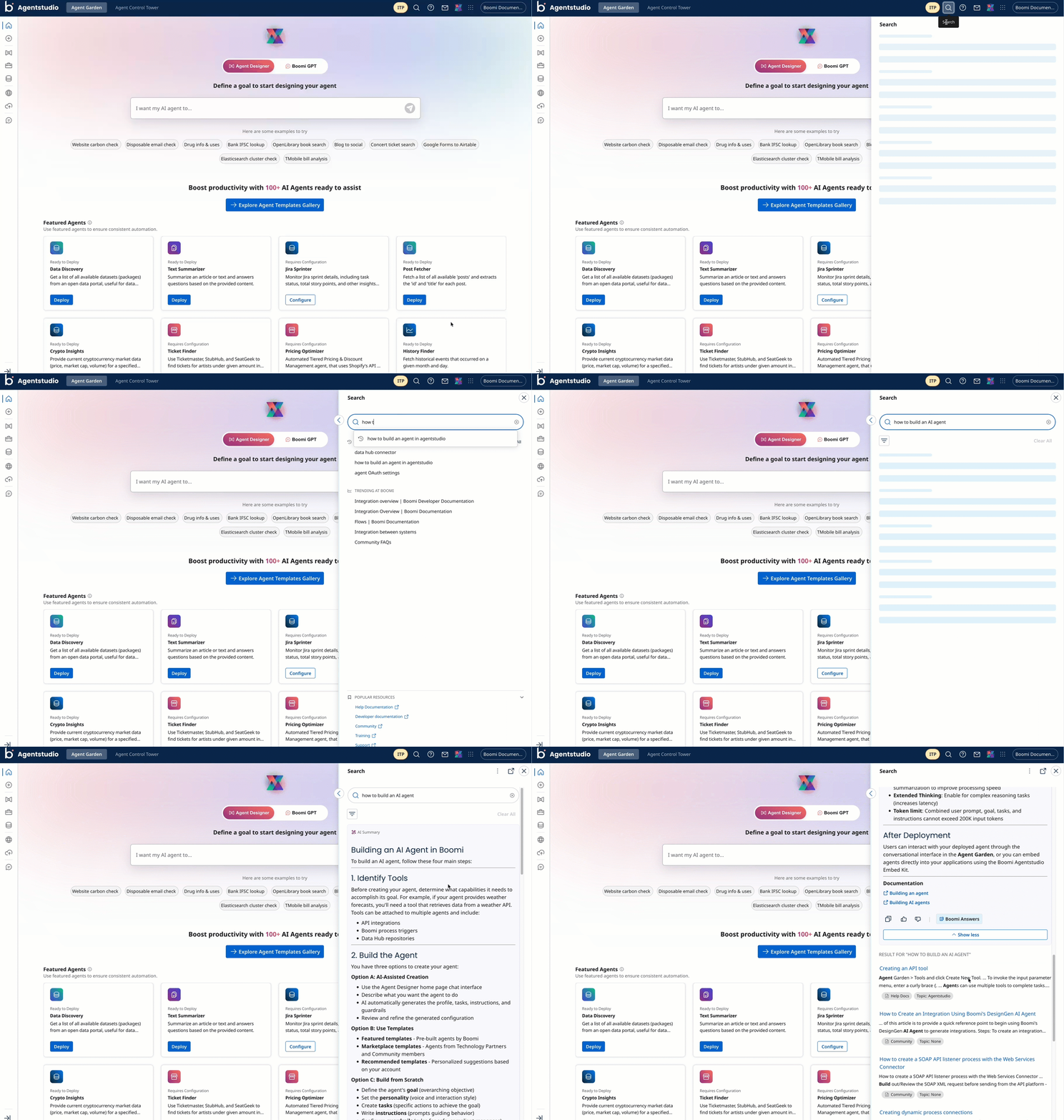
- In the top-right header menu, click the Search (magnifying glass) icon. A search side panel slides open from the right side of the screen.
- In the side panel search field, enter your technical query. For example, “How do I build a data quality step?”
- Review the dynamically generated instructions, prerequisites, and reference links provided inside the panel pane. This allows you to view configuration guidance while keeping your core platform workspace or active canvas visible.