Using the Marketplace user interface
Home page
The Latest AI Solutions section showcases the newly added AI capabilities available on Marketplace. This area helps you explore AI solutions tailored to diverse business needs. These offerings leverage AI-powered functionalities to enhance your integration and automation initiatives, driving greater efficiency and effectiveness in your processes.
The Popular Solutions section highlights the most sought-after integration and automation tools available on the Marketplace. This feature allows you to quickly identify and access widely recognized solutions for their effectiveness in addressing various business challenges.
The user interface features a Get Started with Boomi AI banner that offers quick access to six Platform AI agents. You can navigate directly to the details of these offerings with a single click. These AI Agents helps to automate routine tasks, optimize decision-making, enhance customer service, and streamline business processes, enabling organizations to operate more efficiently and effectively. Refer to Platform AI agents to learn more.

All Solutions page
Searching and filtering solutions
This page facilitates searching and filtering solutions, making it easier for you to navigate through Marketplace offerings. You can choose and install solutions that enable to connect, integrate, and automate workflows easily. These solutions tailor to user needs and highlight their functionalities and benefits.
You can explore the catalog by browsing categories or using the search feature to locate specific Recipes, AI Recipes, Agents, AI Agents, Accelerators, Connectors, Data Integration Kits, and Task Automation solutions.
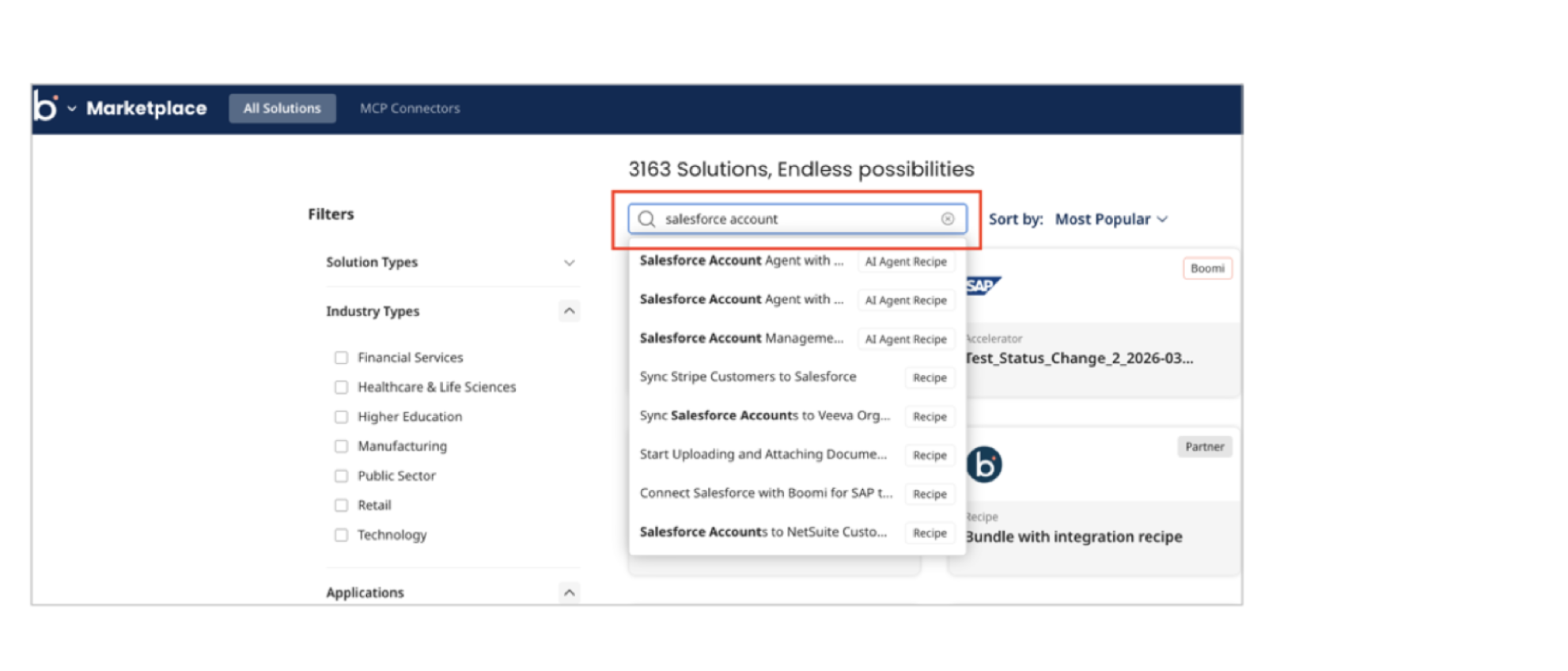
You can search for solutions based on the their name, short description, or their attributes like:
- Solution Types
- Industry Types
- Applications
- Job Functions
- Use Cases
- Built By
- Service Type
Alternatively, you can filter based on the attributes above.
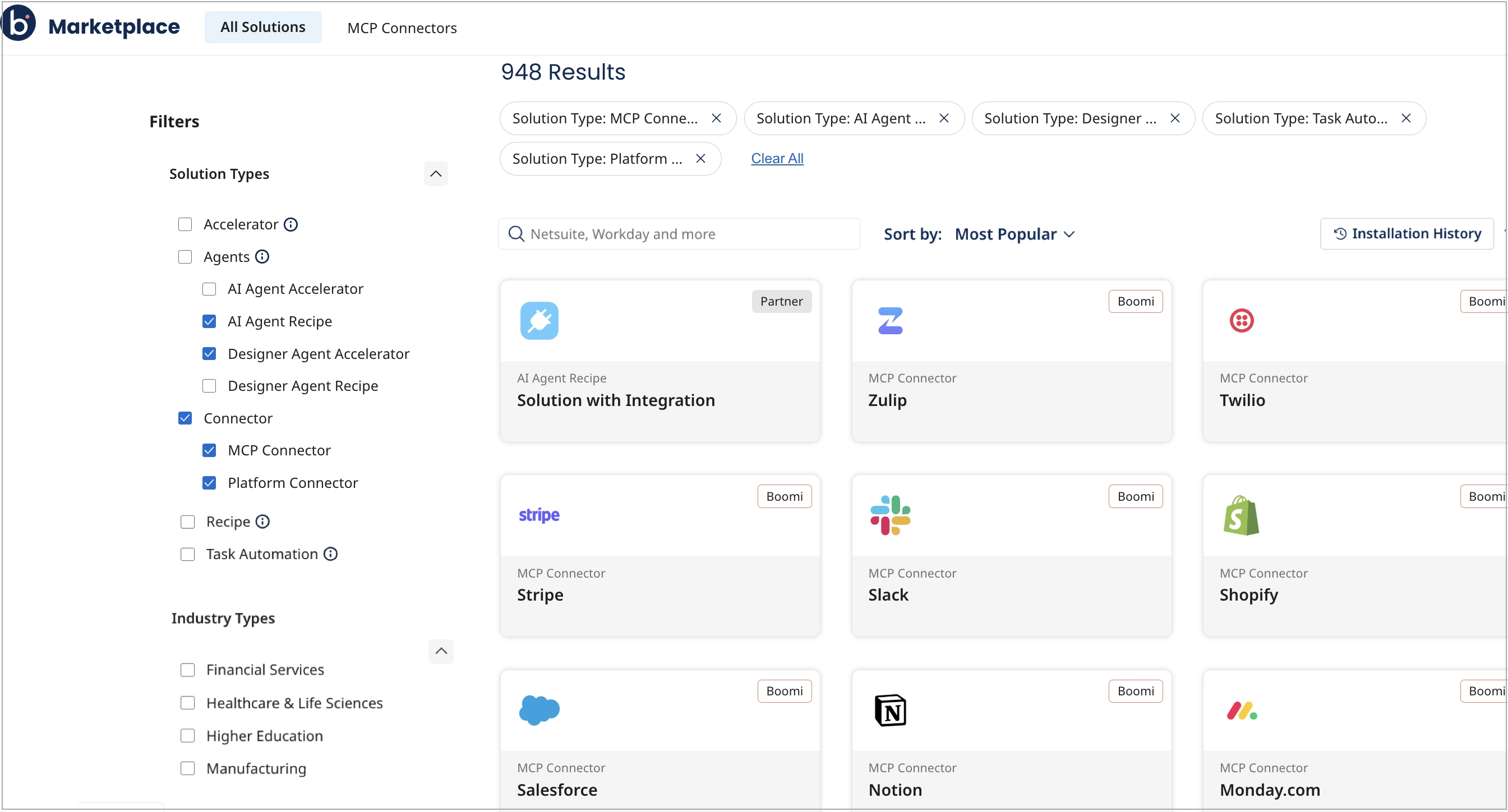
Click one of the Solutions to view asset descriptions under the Details tab.
You need to be signed in to the Marketplace to view the details of the solution and install or open it. If you are not a registered user, click Get Started to sign up for trial access.
Viewing the installation history
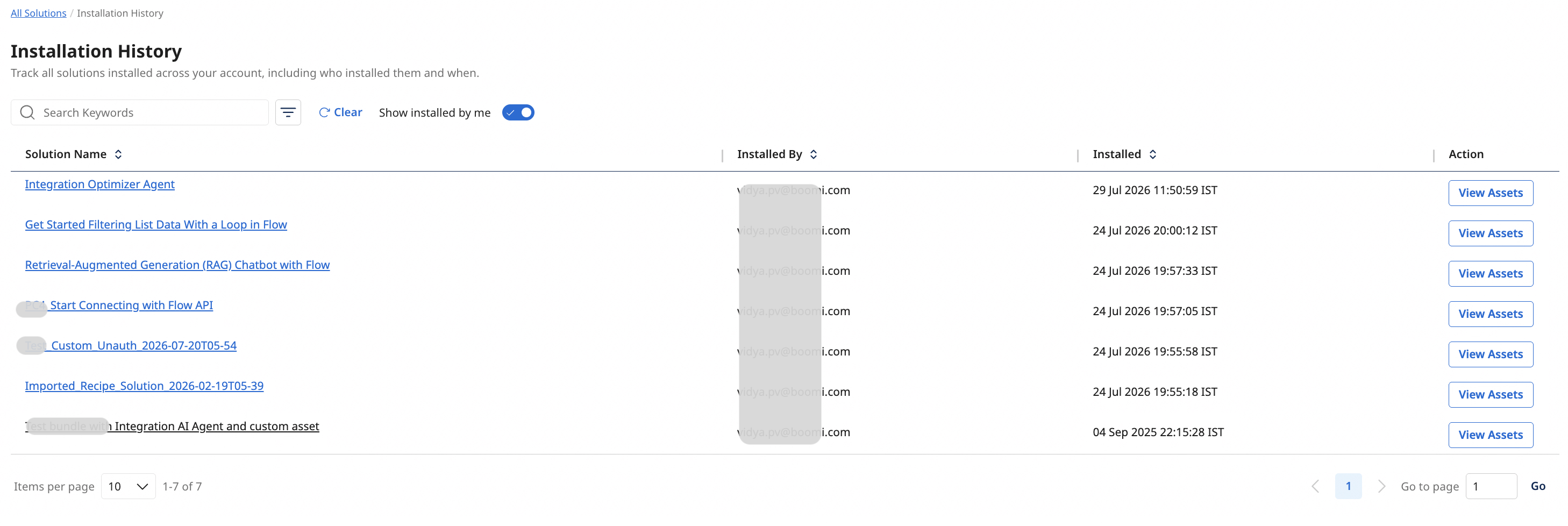
You can view a detailed history of all marketplace solutions installed across your account by clicking the Installation History button. The view includes details about the user who installed the Bundle, the date and time of installation, and assets included in the installed Bundle.
Viewing Solution details
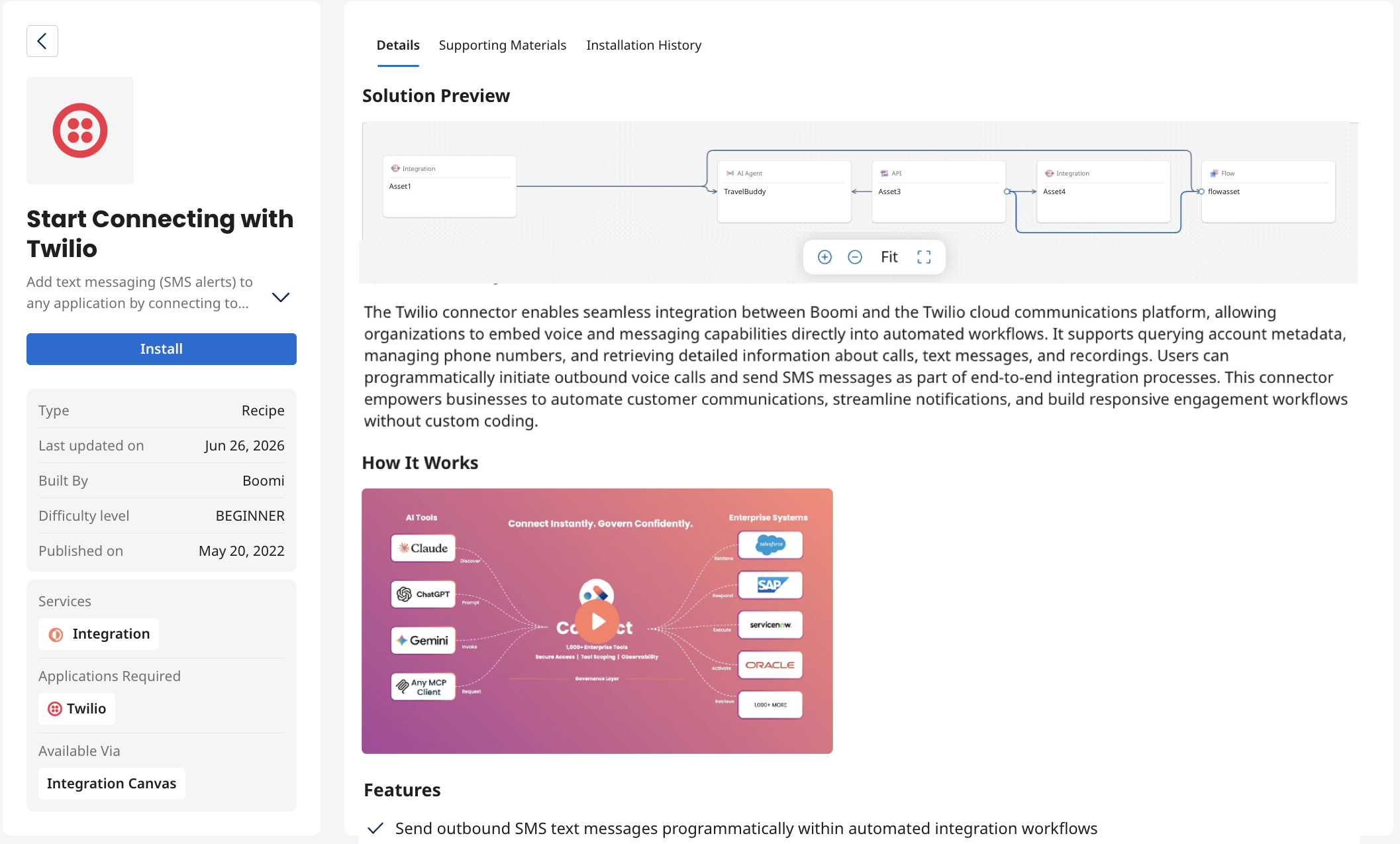
The Solution details page can include the following information, depending on the type of solution and data available:
-
Left Pane - Comprehensive details about the featured solution.
- Install / Open / Contact Us action.
- Basic details like Difficulty level, Built By, and Solution Type.
- Applications Required - External applications required to use this solution.
- Services - Boomi services associated with the solution.
- Available Via - The area of service in which the solution is configured.
-
Right Pane - Detailed information and resources available for the solution.
-
The Details tab: The details page includes the following information:
- Available Tools - This section is displayed only for MCP connectors and includes a searchable, paginated list of all tools exposed by the connector.
- Quick Summary of the solution.
- Solution Preview: A graphical preview of the components of the solution and their interactions. You can go through the graph, get an idea of the components and their interactions and make an informed decision about installing the solution. The view includes options to zoom in / out of the graph or view it full screen.
- How it works video - Video showcasing the solution.
- Features - Key characteristics of the solution.
- Detailed Instructions / Learn More - Link to an article describing how the solution works.
-
The Supporting Materials tab - Downloadable files to support the solution (i.e, Architecture diagram, Instructions to configure, and so on).
-
The Installation History tab - Shows a complete installation log for the solution, including user details, timestamps, and included assets.
-
-
Related Solutions - Suggestions based on the current selection.
Using a Solution
Recipes: For solutions of type Recipe, AI Agent Recipe or Designer Agent Recipe, click the Install button to install the Recipe directly into your Boomi Enterprise Platform account. After installation, you will be able to view a list of all the assets (such as Integration, Flow, Agent, and more) that were installed as part of this solution. You can then choose to view these individual assets in their respective service.
Platform AI agents and Task Automation solutions: These solutions are available as preinstalled assets on Marketplace, eliminating the need for manual installation. If you are a registered user, you can access them by clicking the Open button. Otherwise, click the Get Started button, which will prompt you to sign up for trial access.
Accelerators: To avail personalized support from professional services for implementing Boomi solutions using Accelerators, click Contact Us on the Accelerator Details page.
Connectors: If you are a registered user, click Open on the connector details page to launch and use the connector from the source application. If not, click the Get Started button, which will prompt you to sign up for trial access.
MCP Connectors page
The MCP Connectors page on Boomi Marketplace includes a new class of non-SDK MCP connectors that operate independently of the traditional Boomi SDK and standard Marketplace workflows. These connectors feature a distinct publishing lifecycle and are available on Connect, a managed Model Context Protocol (MCP) connector service that gives AI agents, copilots, and developer applications instant access to hundreds of enterprise systems through a single, unified interface.
If you have signed in to the Marketplace, click Open to view the Connector details in the Connect interface. If not, log in or click Get Started to sign up for trial access.
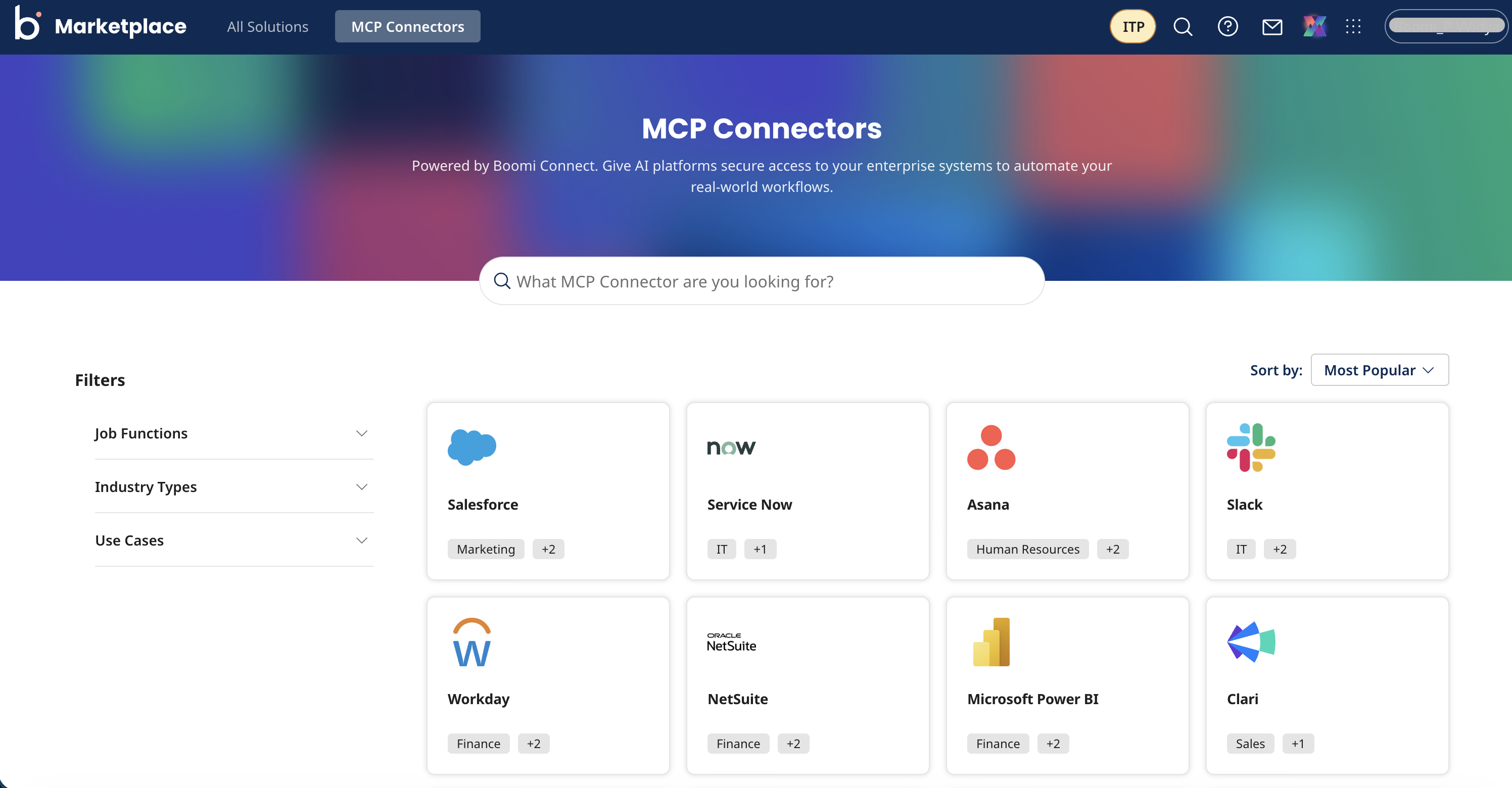
You can also access the list of MCP connectors directly from the Boomi website.
For more information on MCP connectors and Boomi Connect, refer to the Connect documentation.
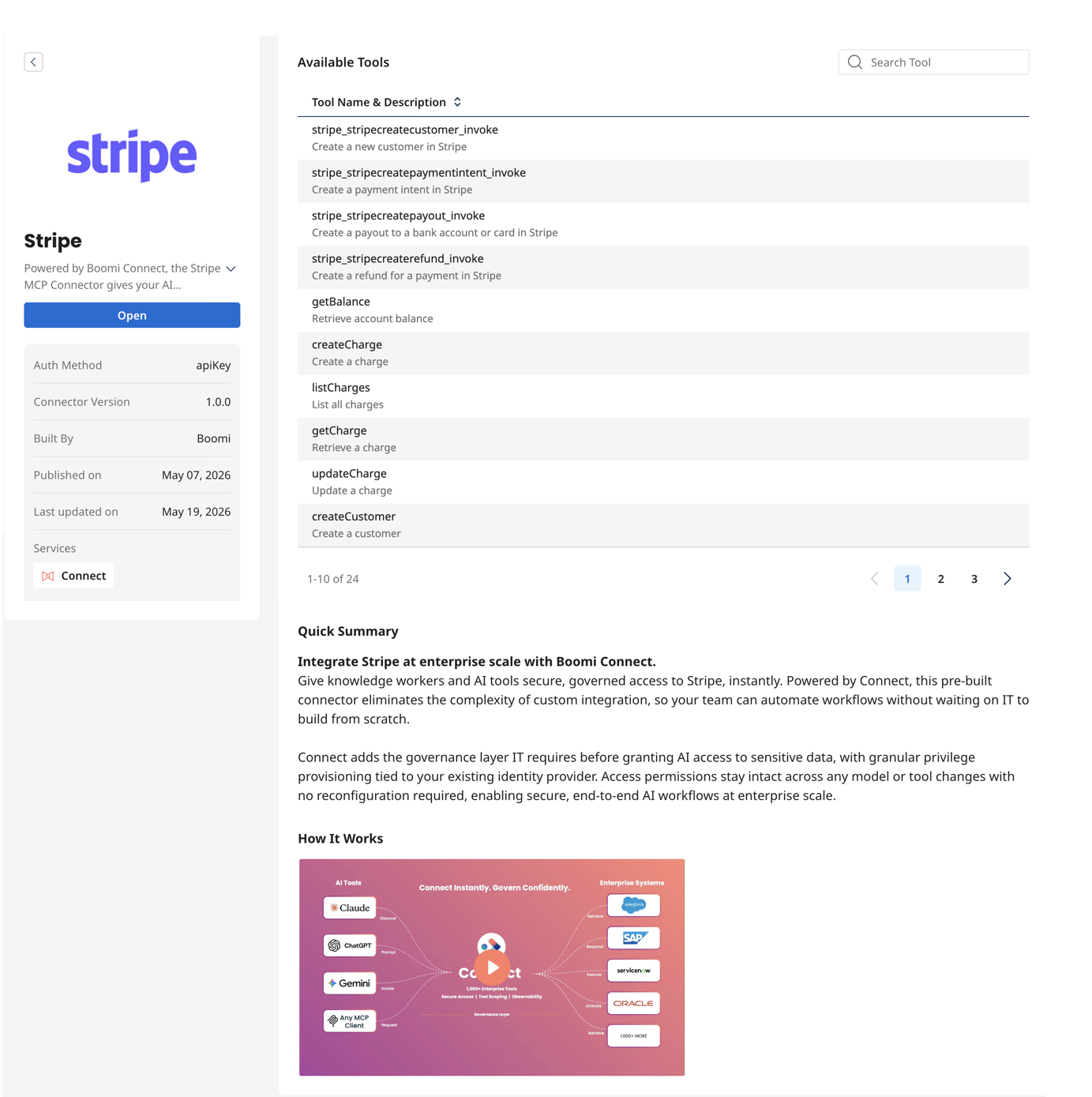
Viewing MCP Connector details
On clicking an individual MCP connector tile in the MCP Connectors page or the All Solutions page, you can view the following information:
- Basic details including Auth Method, Connector Version, and Built By.
- Open button to view the MCP connector in the source application.
- Boomi Services associated with this connector.
- Available Tools section containing a searchable, paginated list of all tools exposed by this MCP connector.
- Quick Summary section, if summary information is available.
- How It Works video section, if video is available.
- Features section, if the feature information is available.
Support
If you have any inquiries on the catalog or suggestions for new recipes, reach out using the contact link in the Marketplace UI. The Boomi team is ready to assist you and ensure a smooth experience with Marketplace.
