Deploying agents
Boomi Agent Garden lets you deploy AI agents where your users and data are located. You can package and deploy agent versions to runtime clouds in the US, UK, Japan, and Australia (availability depends on your Boomi Platform location). Regional deployment reduces latency and keeps data within your region's boundaries for regulatory compliance purposes.
Agents remain in draft status until you publish them. When ready to publish, package a version and deploy it to an environment. You can edit and refine agents without affecting those in production. Each environment operates independently, so you can update regions separately, run multiple versions, and scale globally without disruption.
Agent Control Tower evolves alongside your deployments, giving you per-runtime visibility across all regions. You can view metrics, session logs, and anomaly detection so you always know how your agents are performing, wherever they run.
You can deploy agents to self-hosted runtimes using the new Flex runtime and the Bring Your Own Model feature currently in Early Access. Refer to Using your own models with agents and Deploying an agent to a Flex runtime for details.
Benefits
Agentstudio multi-region instances benefit your business by:
- Deploying and executing agents within specific regions to meet compliance requirements
- Reducing latency by running agents closer to your users
- Deploying versioned agent updates across regions without disrupting live traffic
- Running different agent versions simultaneously across regional runtimes
Key concepts
Environment: The destination you deploy an agent package to. Each environment is tied to one regional runtime cloud, so the environment you choose controls where your agent runs geographically. Refer to Linking an agent runtime cloud to an environment to learn how to set up your runtime environment for agent deployment.
Agent Runtime Cloud: The regional infrastructure that runs your agents. Boomi provides and manages four runtime clouds: US, UK, Japan, and Australia. You don't configure them directly; you select one by linking it to an environment. Refer to Agent environments and runtime clouds for details.
Package: A package is a snapshot of an agent’s setup at a certain time. Agentstudio numbers each agent's packages automatically (1.0, 2.0, 3.0, and so on). Once created, you cannot change a package, but you can deploy it to different environments. You can only delete a package if no deployments use it.
Agent deployment lifecycle
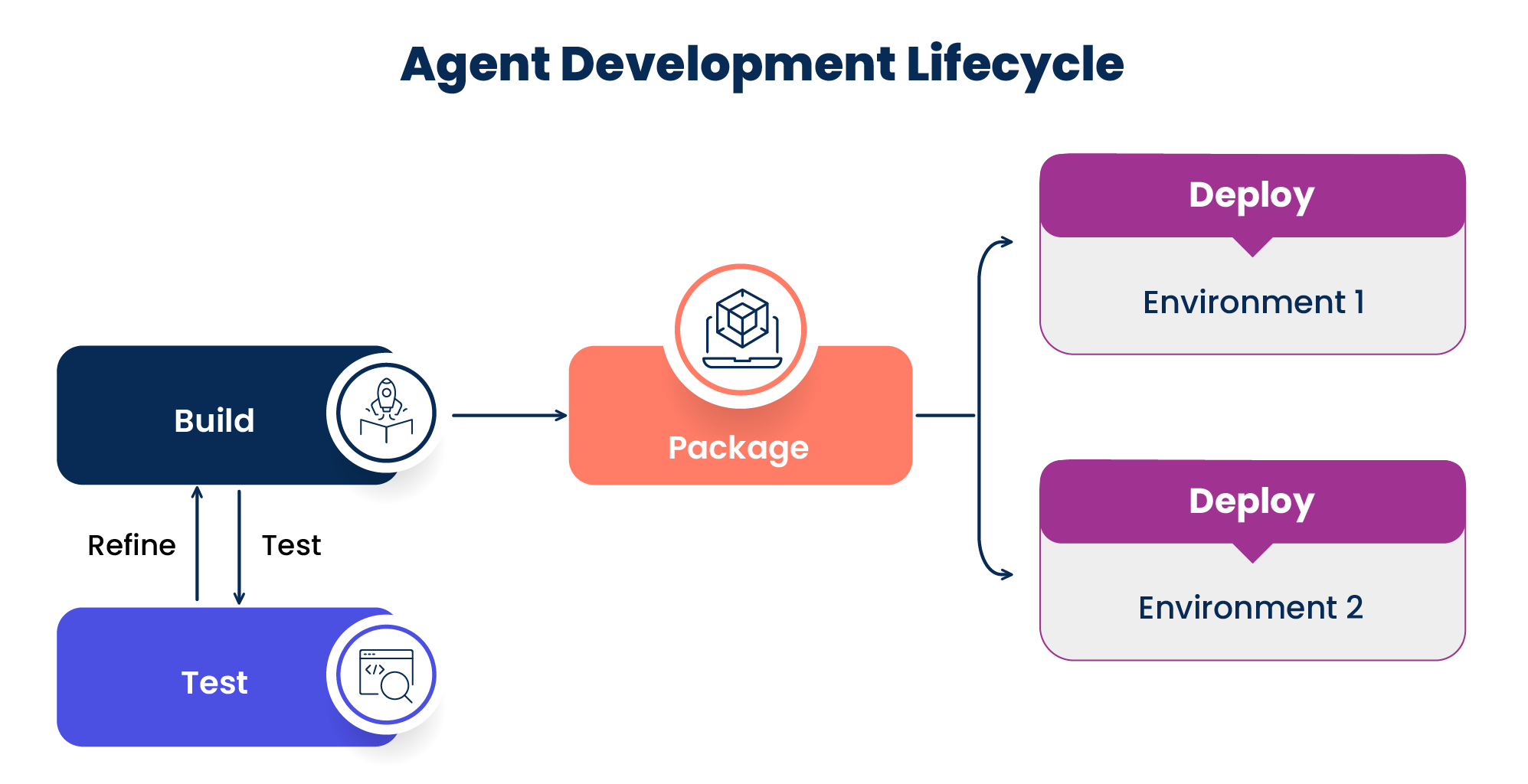
In Agentstudio, building an agent and running it in production are separate steps. There are four main components to the agent development lifecycle.
-
Build: Build the agent configuration, tasks, tools, and guardrails in Agent Designer. An agent is in a draft state until you deploy it. You can edit it at any time without affecting anything currently running in production.
-
Test: Before creating a package, test your agent directly in the Agent Designer. In the Test panel, select a test runtime cloud to control which regional infrastructure runs your test session. Test sessions do not appear on the Deployments page and have no effect on active deployments.
-
Package: When you are ready to release your agent, you create a package. A package is a versioned snapshot of your agent at that point in time. This means you always have a record of exactly what was deployed and when.
-
Deployment: A deployment is a running instance of a package in a specific environment. When you deploy a package, you choose which environment it runs in, which determines the runtime cloud and geographic region that handles your agent traffic. A deployment has a status of Active or Disabled.
You can deploy the same package to multiple environments at once, or run different package versions across different environments at the same time. For example, you might deploy version 3.0 in USA East while version 2.0 is deployed in GBR. Each environment runs one package version at a time, so deploying a new version replaces the one currently running there. Changes to your agent only go live when you create and deploy a new package. Refer to Packaging and deploying an agent for details on deploying agent packages.
After you deploy, each deployment appears in Agent Control Tower alongside its source Draft Agent. Refer to How does a Boomi Agent Garden agent appear in Agent Control Tower across its lifecycle? to understand how Agent Control Tower lists Draft and deployed entities.
Agent Garden classifies environments as Production or Test. Agent Garden provides two default environments, Agent Garden Production and Agent Garden Testing. The runtime cloud they are pre-linked to depends on your Boomi Platform location:
- North America Platform: Both environments are pre-linked to USA East Agent Garden Cloud 01.
- European Platform: Both environments are pre-linked to GBR Agent Garden Cloud 01.
If your account has environments configured in Boomi Integration, those are automatically available in Agent Garden. However, you must manually link them to a runtime cloud before you can deploy agents to them.
Prerequisites
- You must have an active Boomi account with access to Agent Garden and Agent Control Tower.
- Environments must already exist in the Boomi Integration platform for them to appear in Agent Garden. Environments cannot be created within Agent Garden itself.
- To link an Integration environment to an Agent Garden runtime or to set account-wide default environments, you must have Account Administrator permissions.
- To use Agent Step with multi-region agents, you must run a version of the Boomi Integration platform that includes the updated Agent Step connector.
Backward compatibility
- Any agents deployed before May 2, 2026, run automatically in the default Agent Garden Production environment. The runtime cloud depends on your Boomi Platform location:
- North America Platform: USA East Agent Garden Cloud 01
- European Platform: GBR Agent Garden Cloud 01
