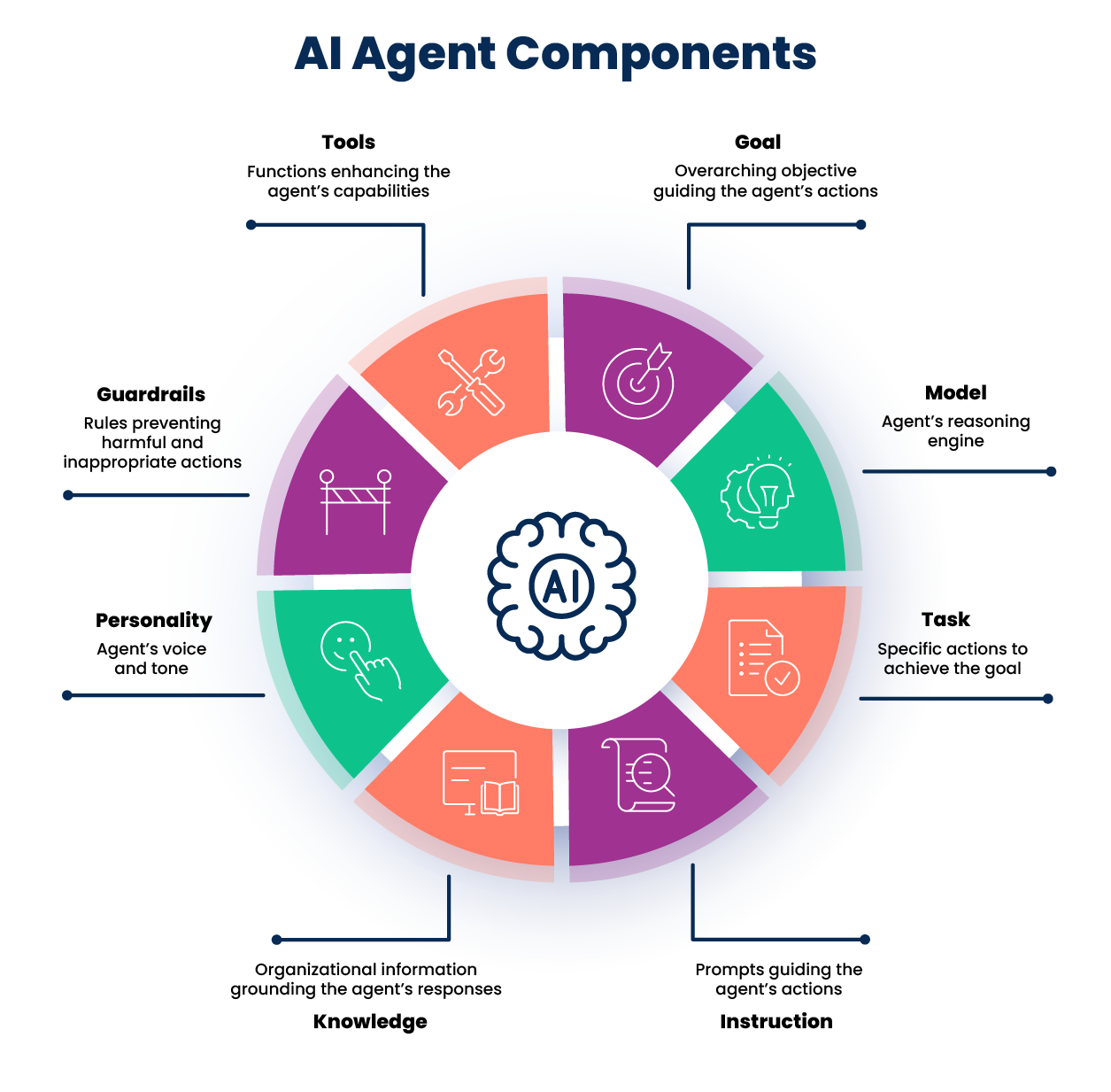
AI agent components
An AI agent has several components that guide its behavior and functionality.
-
Goal - The agent goal is a high-level statement that defines the agent's overall purpose/objective. It provides context and boundaries for how the agent should behave and what tasks it will support. For example, "Help users retrieve order statuses and create support tickets."
-
Model - A Large Language Model (LLM) powers an agent's reasoning, allowing it to understand natural language inputs, determine intent and context, and generate output in natural language. Refer to Choosing an LLM model setting and Adding a model to an agent for information on configuring models.
-
Task - Tasks are functional units of work or specific actions the agent performs to achieve its main goal. A task can have one or more tools attached to it. For example, "Fetch pending orders." Refer to Best practices for writing agent tasks and instructions for more information.
-
Instructions - Instructions are natural language prompts that guide the Large Language Model (LLM) to achieve a task. It influences how the agent interprets user inputs, how the agent responds, and how the agent behaves when performing a task. Instructions can support conditional logic ("if the user does this, do this") and can prevent unwanted behaviors and responses ("do not do this"). For example, "If the user cannot provide an order ID, offer to search orders by first and last name." Refer to Best practices for writing agent tasks and instructions for more information.
-
Personality - Personality settings control the agent's voice and tone as well as the response and reasoning style. Refer to Setting agent personality and tone for details on configuring these settings.
-
Guardrails - Guardrails are filters and controls that manage agent behavior. It prevents unsafe and off-topic responses to ensure an agent performs within your rules and guidelines. Guardrails allow you to define topics you prohibit the agent from discussing and define text and regex filters that trigger and prevent the agent from responding. In addition to custom guardrails you set, each agent contains default, pre-set guardrails to prevent harmful responses. Refer to Creating guardrails for details on default guardrails and how to configure custom guardrails.
-
Tools - Tools are functions that extend an agent's capabilities and help it achieve results related to a task. For example, an agent could use an API tool to call an API endpoint and retrieve an order status. Refer to Identifying and adding capabilities to agent to learn about the different tool types available and how to configure them.
-
Knowledge - Business glossaries and knowledge bases help the agent generate accurate, context-aware responses. Attach Meta Hub business glossaries or Knowledge Hub knowledge bases to agent tasks to ground the agent in your organization's language and knowledge. Refer to Connecting a business glossary to your agent and Connecting a knowledge base to your agent to learn more.