Unlinking a golden record from a source entity
Sometimes a golden record is linked to the wrong source entity. You can remove the source entity link.
About this task
If you remove a source entity for a source that accepts channel updates, a Pending link indicates that the source could receive a channel update for the golden record but currently, it is not linked. A Pending status does not indicate there is an action waiting to be performed.
You cannot unlink the source entity if it is the only contributing source linked to a golden record. Before removing the source entity, configure another source to contribute data.
It is not possible to remove Pending links.
Procedure
-
Select Stewardship > Golden Records.
-
In the repository/domain list, select the domain.
-
In the data grid, click the Updated Date of the golden record whose link you want to remove.
The detail view opens.
-
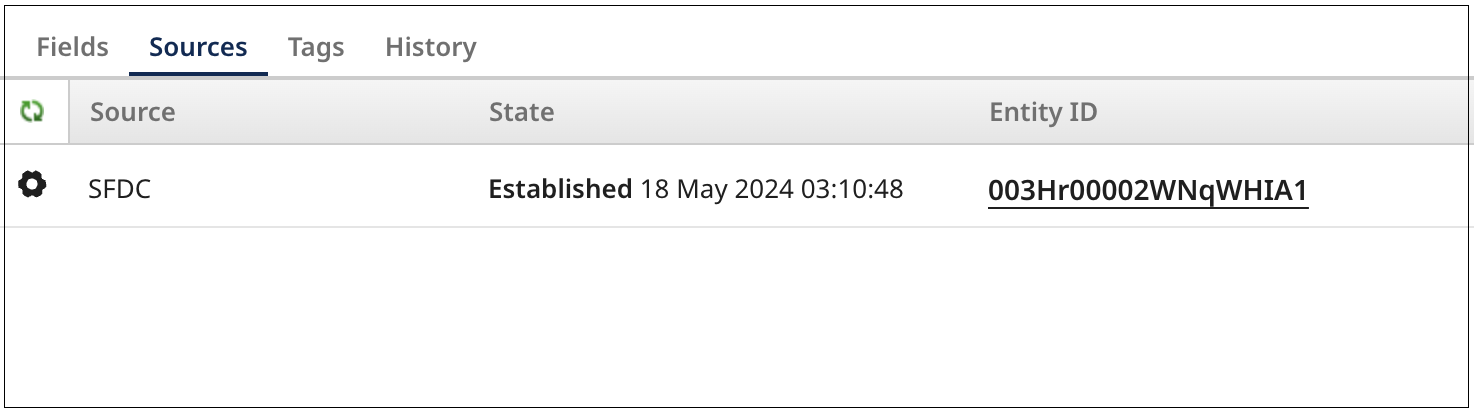
Select the Sources tab.
The tab shows a list of the golden record’s links to source entities.
-
Click the gear icon and select Unlink this Source. This option is not available if it is the only contributing source linked to the golden record.
-
To confirm, click Unlink Source. If the source does not accept channel updates, the link is removed. If the source accepts channel updates, the link status changes to Pending.
