Viewing the Model Relationship Graph
The Model Relationship Graph gives you a visual map of how your data models relate to each other through reference fields. To access it, select Graph in the segment control at the top of the Models page — no need to leave the page.
Use the graph to understand inter-model dependencies before deploying changes, troubleshoot unexpected reference behavior, or communicate your data architecture to stakeholders.
Prerequisites
- You must have the MDM - View Models privilege to view published models.
- At least one model with a reference field pointing to another model must exist in your repository.
Key concepts
Reference field — A field in one model that points to a golden record in another model, creating a relationship between the two domains. For example, a Contacts model may reference an Accounts model via an Account field.
Segment control — The toggle at the top of the Models page that switches between the List view (tabular model list) and the Graph view.

Switching to the Model Relationship Graph
- In Boomi Data Hub, navigate to your repository.
- Select Models from the left navigation.
- At the top of the Models page, locate the segment control and select Graph. The Models page displays the graph view. Each model in your repository appears as a node.
- To return to the tabular list of models, select List in the segment control.
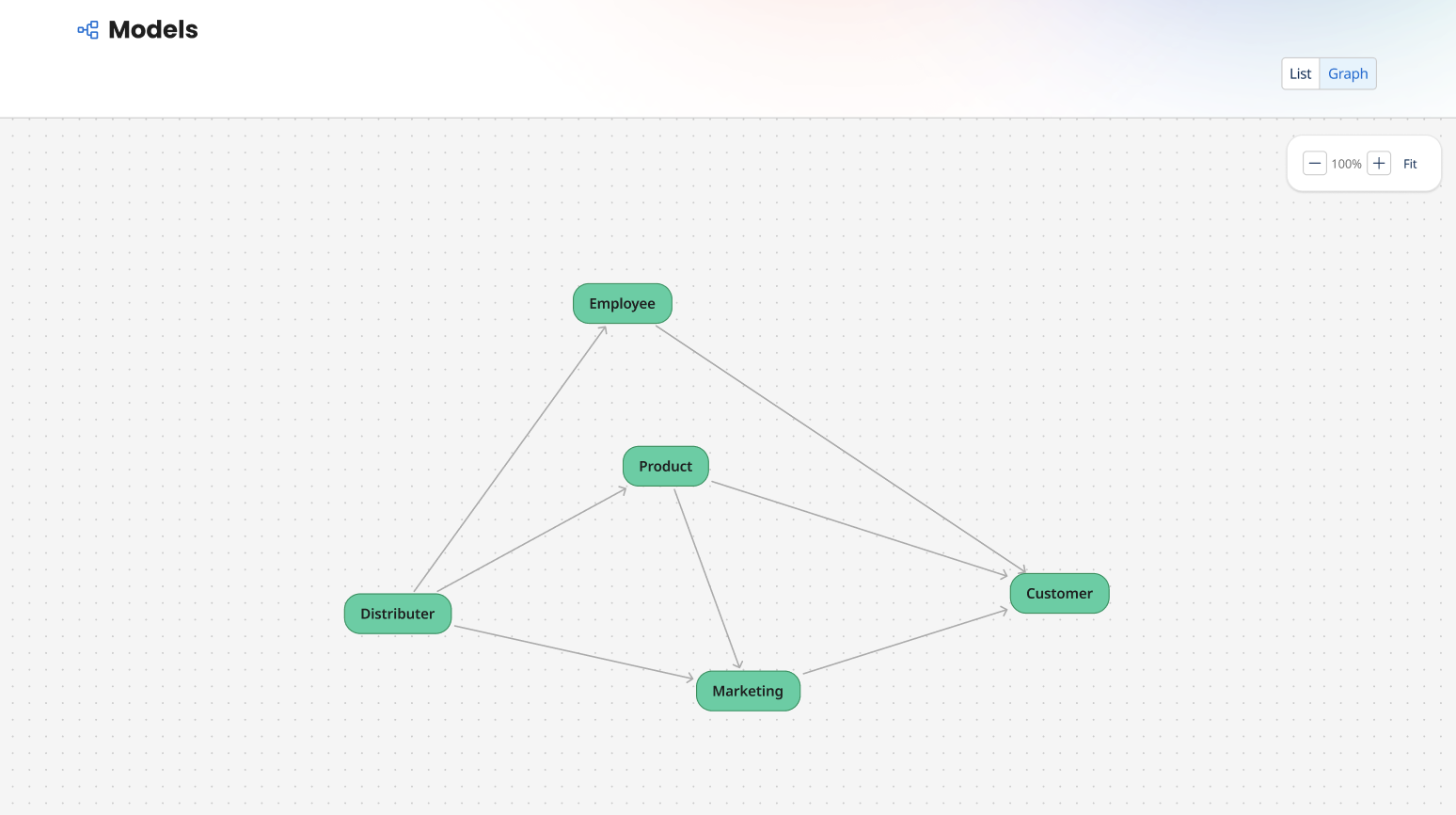
Reading the graph
Each node represents a deployed model. Edges (connecting lines) between nodes represent reference fields — an arrow points from the main model to the referenced model.
Navigating the graph
- Pan — Click and drag a node or the canvas background to move around the graph.
- Zoom — Use your mouse scroll wheel, or pinch on a trackpad, to zoom in and out.
