Set Properties step example
You can use multiple parameters to create complex dynamic values for file names or directories.
For example, to write data out to disk with the following file naming convention:
NEW_ORDER_<ordernum>_<current timestamp>.txt
You can use the Set Properties step to dynamically set the disk file name with five parameters like this:
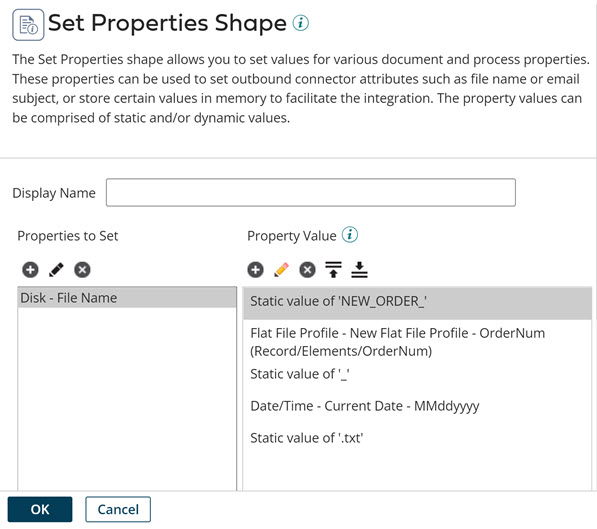
The parameters are:
-
Parameter 1: Type=Static, Static Value="NEW_ORDER_"
-
Parameter 2: Type=Profile Element, choose the appropriate profile type, profile, and element
-
Parameter 3: Type=Static, Static Value="_"
-
Parameter 4: Type=Date/Time, Date Mask="MMddyyyy", Date Type=Current Date
-
Parameter 5: Type=Static, Static Value=".txt"
