Managing contacts and contact lists
Updated 2 April 2026
You can view and manage contacts and distribution lists for any user in Contacts from the Administration dashboard.
info
You must be a member of the CONTACTS ADMINISTRATORS group.
-
Contacts are email addresses and email lists that you can use when sending emails only through the MFT web portal.
-
Contacts are not related to actual MFT users and contacts cannot be included in MFT groups.
-
MFT users can or cannot be included in the Contacts.
-
Contacts can also be grouped into Contact lists, unrelated to MFT groups.
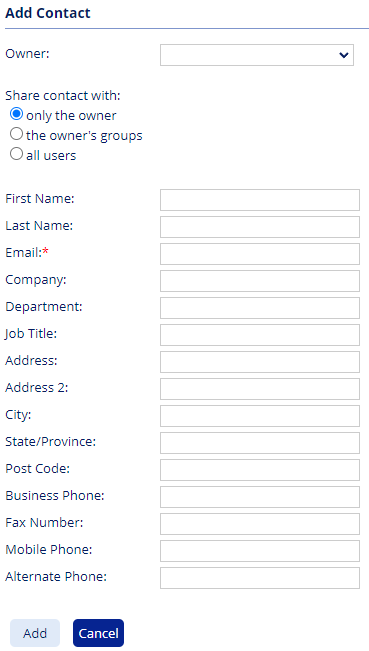
You can add New contacts and store contact details and control who can access them.
note
You can choose to share contact with:
- only the owner – visible only to the selected owner.
- the owner’s groups – visible to groups the owner belongs to.
- all users – visible to all users in the system.
