Select location
From the Flow Endpoint Editor, the Select Location option defines whether transfers should initiate from the MFT Cloud or from an installed MFT Node.
-
To select an MFT Node, go to the Configuration tab of the Flow Endpoint Editor.
-
Under Select Location, choose a MFT Node from the dropdown.
The default option is ‘Cloud’. -
After selecting the location for a source endpoint, click Save.
A confirmation dialog appears, warning you that it is possible for existing files left on the source to be re-transferred.
We recommend using a date filter to prevent this.
This is because our Cloud machines have their time set to UTC, and we cannot force customer Nodes to be UTC. The varying servers they connect to may provide times that differ from what we had previously recorded for a file. Even though it may be the same file on the same external endpoint, we consider different timestamps to be different files, so we will re-pull these files.
If the customer does not keep files on the server (e.g. Delete From Source or Archive On Source enabled), this message can be ignored.
If not, we recommend filtering by date to intentionally exclude the old files.
Also note that if the Node time is set to UTC, the timestamps should match, and files will not be re-pulled.
Cloud to External Node Message

External Node to Cloud Message
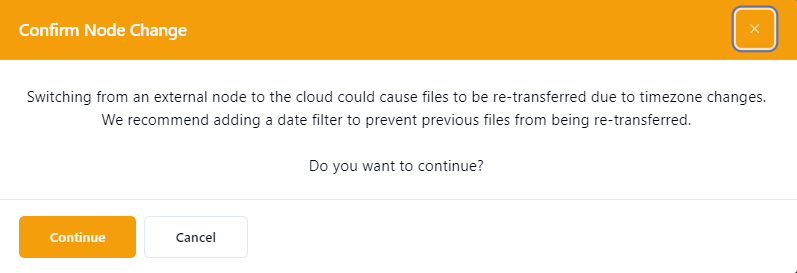
These messages will only appear under the following conditions:
- The endpoint has "delete from source" disabled.
- The transition occurs from either cloud to node or node to cloud.
Switching processing between cloud and node, or vice versa, can lead to delays if immediate retention is enabled. This occurs because the original schedule may still be active, requiring a specific number of retries to be completed before the initial transfer request is finalized.
Before switching, it is recommended to disable the flow or flow endpoint. Ensure that all pending transfers have been completed before proceeding to switch the processing and re-enable the flow or flow endpoint.
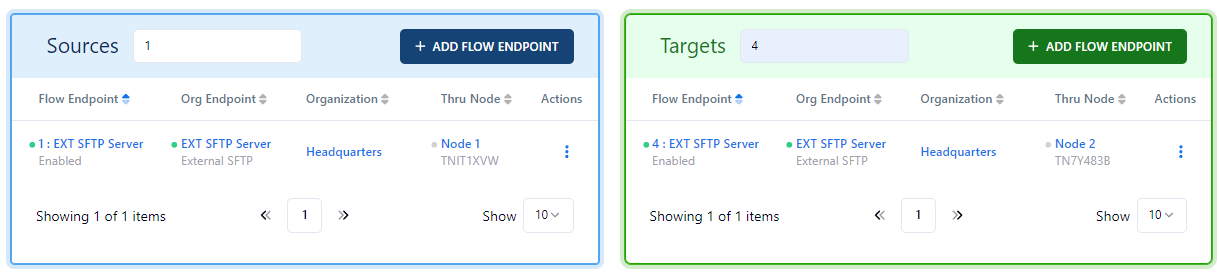
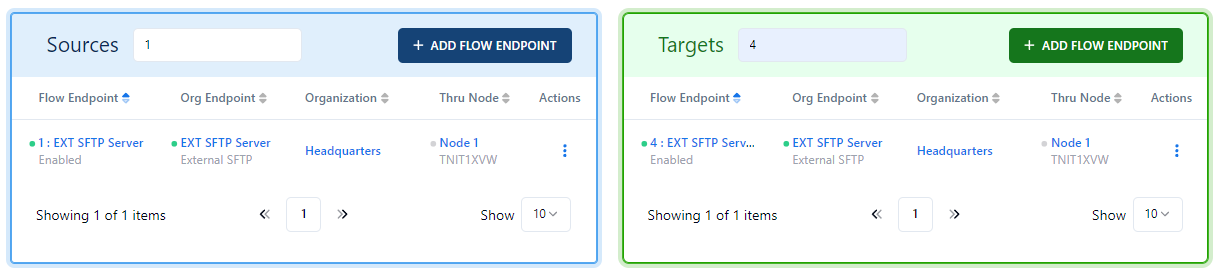
When setting up a flow that involves external endpoints linked to the same node on both the source and target, the file transfer will occur directly, bypassing the cloud. Refer to the following example:
When setting up a flow that connects external endpoints to two different nodes on the source and target, or utilizing a single node on the source, the file will be transmitted via the cloud.
Refer to the following example: