Flow schedule history
Flow Schedule History records and displays the scheduled runs of external endpoints.
You can filter by Flow Endpoint and by a date/time range.
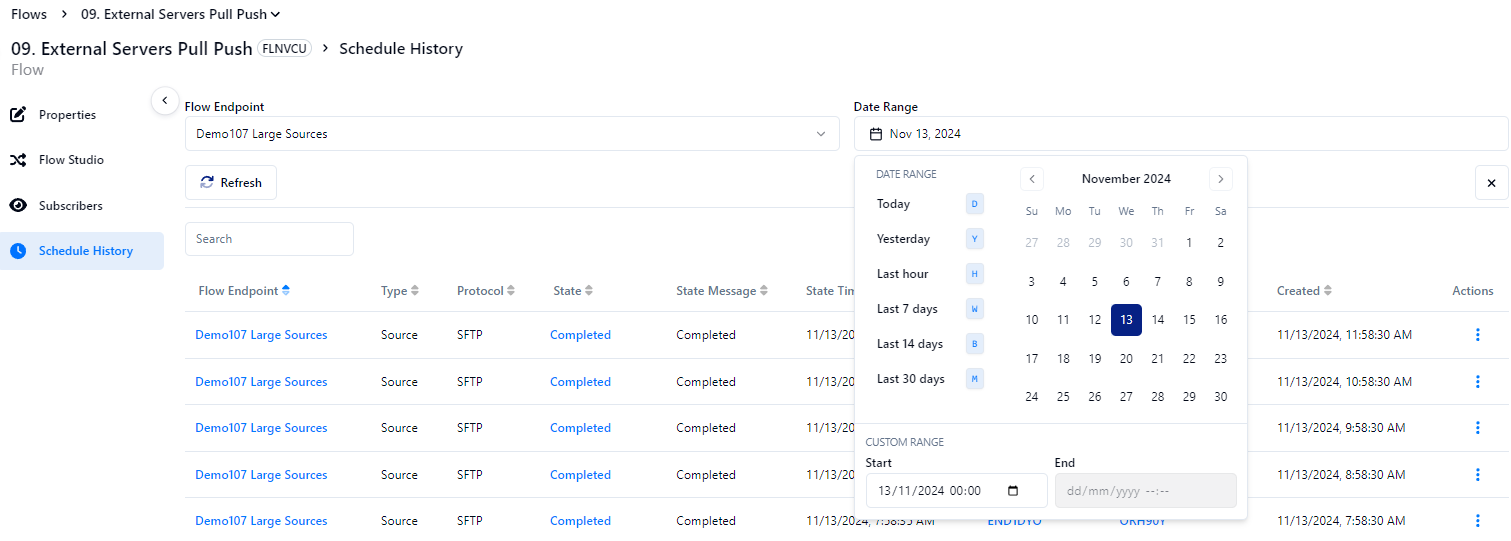
You can also select Actions to view the response of schedule run.
info
Historical data for schedule history is automatically deleted after 3 months. You should back up the data locally if you want to maintain data archives for longer than the supported storage period.
Transfer worker states
Client responses show the actions taken by the MFT transfer worker with the endpoint.
| 1 | Queued | Indicates that a transfer request is awaiting pickup by the transfer worker pool. |
| 2 | Received | Indicates that a transfer request was received by a transfer worker. |
| 3 | Busy | Indicates that a transfer request was skipped as a concurrent transfer is in progress. |
| 4 | Connecting | Indicates that a transfer worker is connecting to an external endpoint. |
| 5 | ConnectionError | Indicates that a transfer worker was unable to connect to an external endpoint. |
| 6 | Connected | Indicates that a transfer worker successfully connected to an external endpoint. |
| 7 | Listing | Indicates that a transfer worker is listing files to include in the current transfer. |
| 8 | TransfersStarted | Indicates that a transfer worker has started transferring the listed files. |
| 9 | TransfersCompleted | Indicates that a transfer worker has completed transferring the listed files. |
| 10 | Completed | Indicates that a transfer worker has successfully completed the transfer process. |
| 11 | Error | Indicates an error in the transfer worker process. |
info
When MFT connects, we use dirlist to find the files. After finding the files, we start pulling based on size. Smaller files are pulled first, then larger files. We do not pull based on the date.
