SSO Mappings
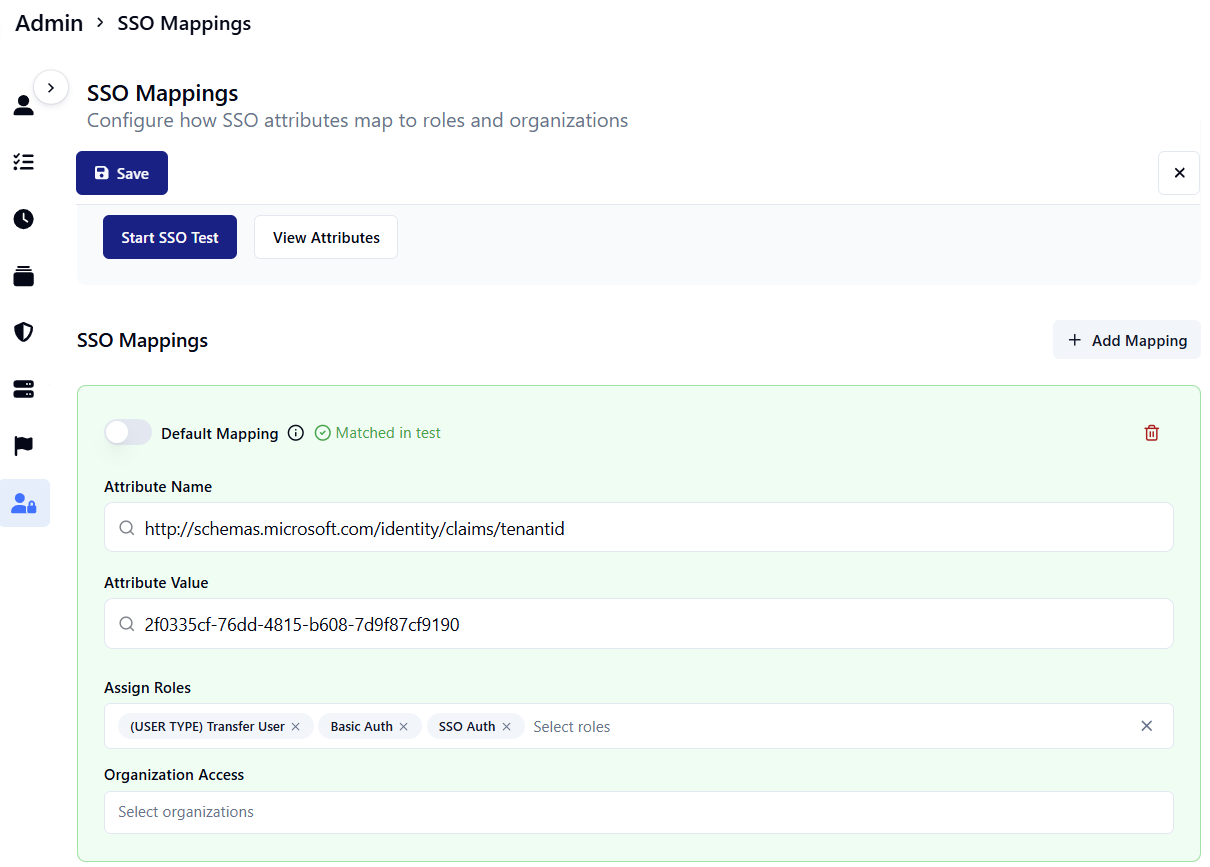
SSO Mappings enables customers to automatically assign roles and organizational associations based on attributes in Single Sign-On (SSO).
caution
SSO mappings work for testing or configuration if you have set up SSO with your instance.
Overview
This guide explains how SAML authentication works in the system, focusing on role assignments and user management.
Role assignment behavior
Initial user creation
- When a user first authenticates through SAML, the system assigns roles based on the SAML configuration.
- The mapping rules in your SAML configurationR determines the role assignments.
- Default mappings are applied when no specific mapping rules match.
Important notes about role updates
- Role assignments occur only during initial user creation.
- The system does not automatically update roles on subsequent logins.
- Changes to group membership in the identity provider are not automatically reflected.
Updating user roles
To apply new role assignments from the SAML configuration:
- Delete the existing user account.
- Ask the user to log in again through the corporate login.
- New roles will be assigned based on the current SAML configuration.
Limitations
- Manual user modifications will be preserved until the user is deleted.
- There is no automatic synchronization between identity provider groups and system roles.
- Changes to SAML role mappings will only affect new users or deleted/recreated users.
Best practices
- Plan role assignments carefully before initial user creation.
- Document any manual role modifications.
- Consider the impact of deleting users before performing role updates.
- Communicate to users when they need to re-authenticate after role changes.
Future considerations
We are considering the following improvements:
- Optional automatic role synchronization
- Configurable behavior for role updates (preserve vs. override)
- Integration with identity provider group changes
Notes for Administrators
- Only one default mapping can be configured in the system.
- Default mappings are applied when no other mapping rules match.
- Consider the trade-off between automatic updates and preserving manual modifications.
