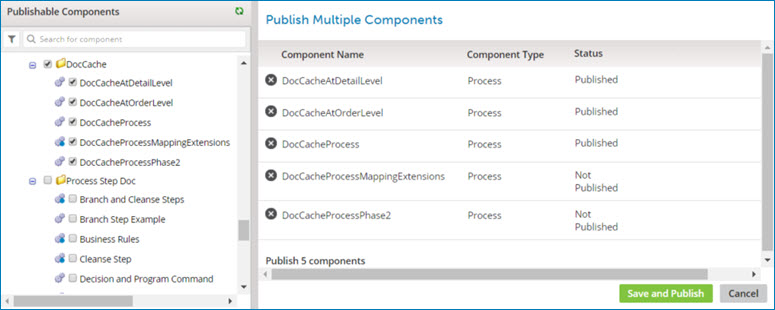
Process Library page (Legacy, non-environment)
Selecting Manage > Process Library opens the Process Library page.
The page consists of the following areas:
-
Publishable Components list — A list of processes and API Service components that are available for publishing.
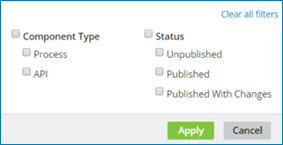
At the top of the list there is a filter icon
 and a search box. You can search for components to publish by using one of the preset filters or by typing all or part of a component name. The available preset filters are:
-
Component Type — Process and API Service
-
Status — Unpublished, Published, and Published with Changes
-
-
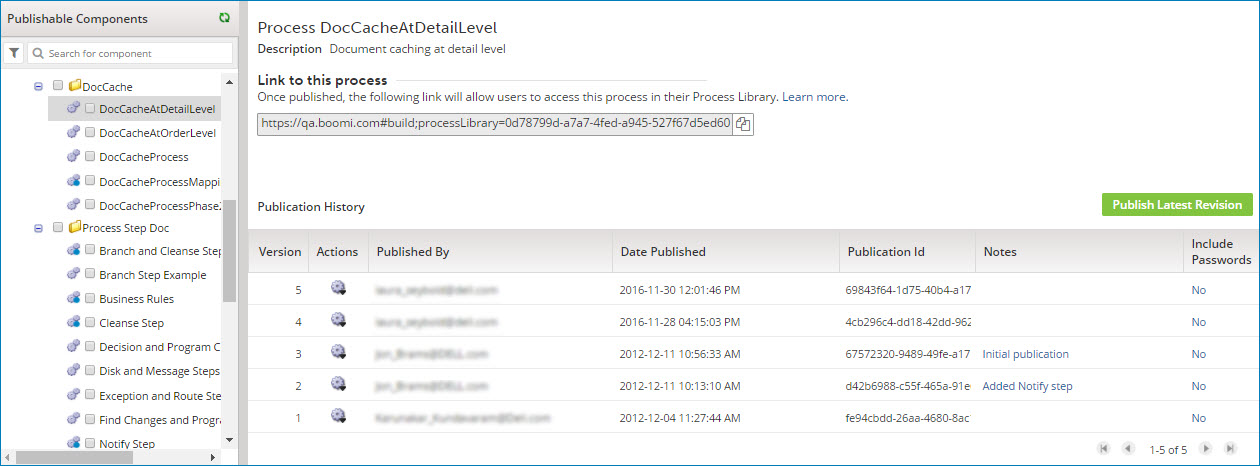
Single selected component (when one component is highlighted)
-
Publish Multiple Components (when one or more component check boxes are turned on)