Deploy page
The Deploy page is the central point in which you can attach and deploy processes, integration packs, APIs, process routes, processing groups, custom libraries, and flow services.
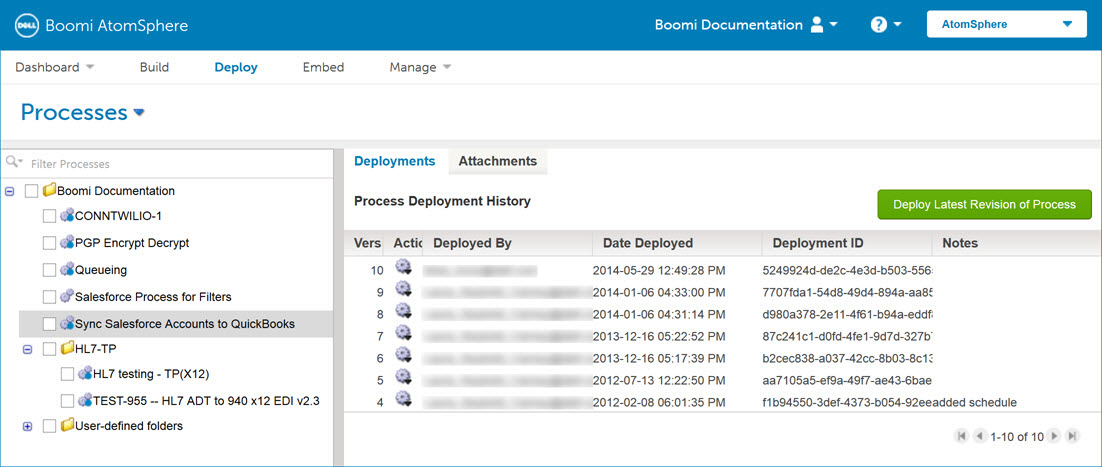
The Deploy page consists of several areas:
-
Component list, where you select the type of component that you want to deploy
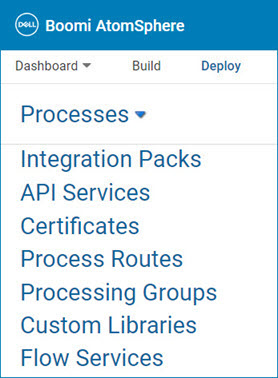
-
Deployments tab, which shows the environment(s) to which the component is attached and its deployment history (this tab is not available for integration packs)
-
Attachments tab, which shows all available basic runtimes or environments and can be used to attach or detach basic runtimes or environments
You can select one component by highlighting it or multiple components by using the check boxes.
To use API Service/Proxy components, API Management must be enabled in your account.
