Salesforce outbound messaging setup
Within Salesforce, use Workflow Rules to set up outbound messages to Integration.
Following are the high-level steps for outbound messaging setup in Salesforce. Consult the Salesforce help documentation for detailed reference information.
-
Select Setup > Create > Workflow & Approvals > Workflow Rules.
-
Configure a workflow rule for triggering the outbound message.
-
Click New Rule.
-
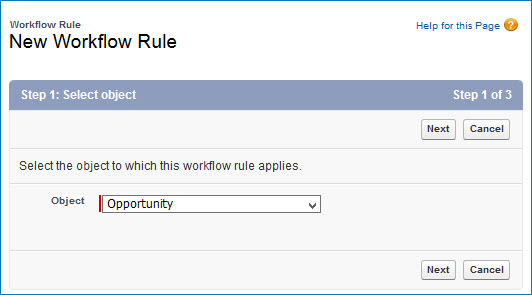
Select the Object.
-
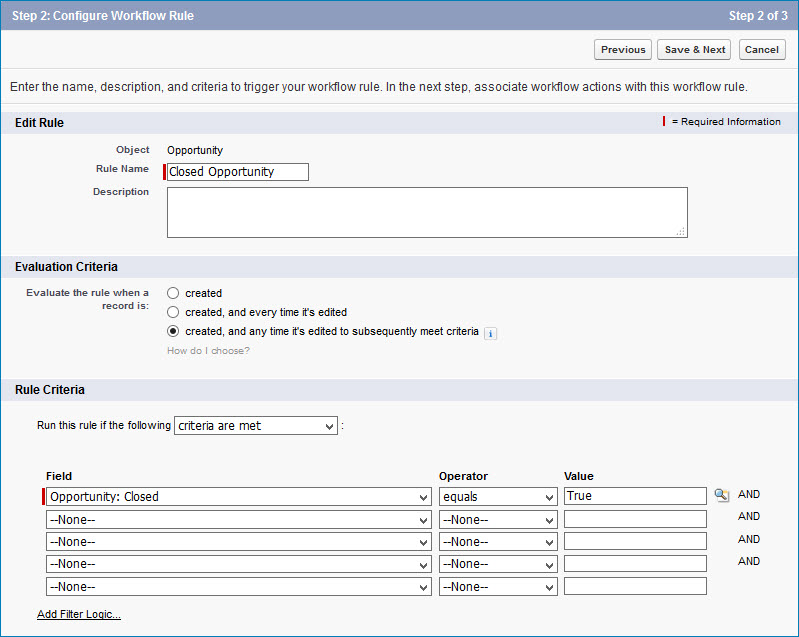
Set the Rule Name and, optionally, the Description.
-
Select the Evaluation Criteria.
-
Select the Rule Criteria, which can be based on the modification of fields in Salesforce.
-
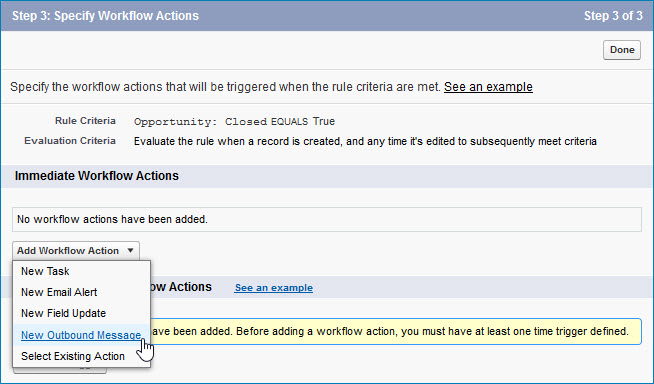
Select New Outbound Message as the Workflow Action.
-
-
Define the outbound message.
-
Set the Message Name.
-
Select the Fields to Send.
-
Set the Endpoint URL, which must include the
boomi_authURL parameter. For more information and examples, see the topic API security, linked below.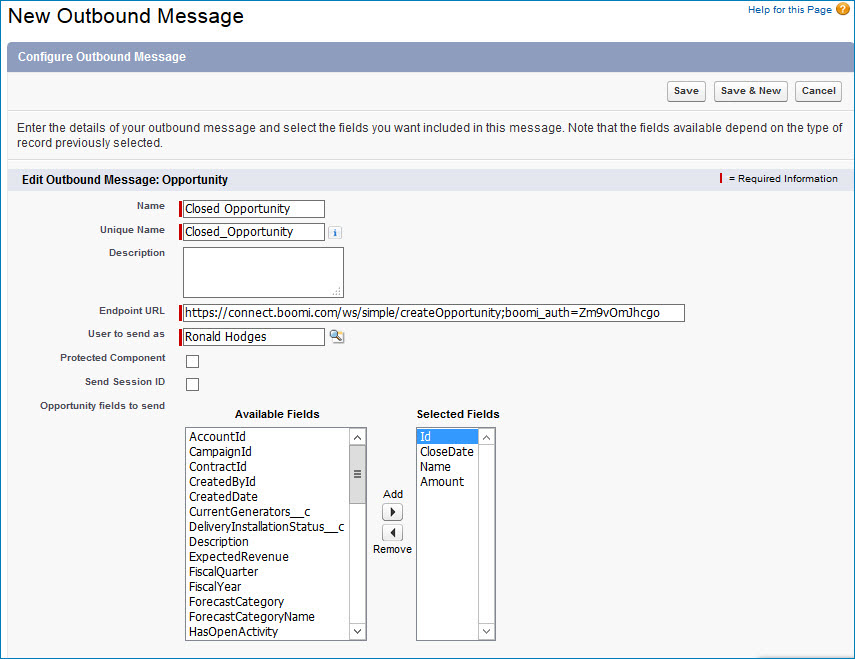
-
If the outbound message will have multiple triggering workflow rules, you can then configure the additional workflow rules and select the outbound message as the Workflow Action for each.
