Displaying a package's deployment history
The Deployment History table displays a list of all the deployments for a given package. While reviewing the deployment history, you can display detailed information about a deployed package and compare the contents of two deployments.
Procedure
-
On the Deployments page, select the package whose deployment history you want to review.
-
In the
 Actions menu for the package, select View Deployment History.
The Deployment History table is displayed.
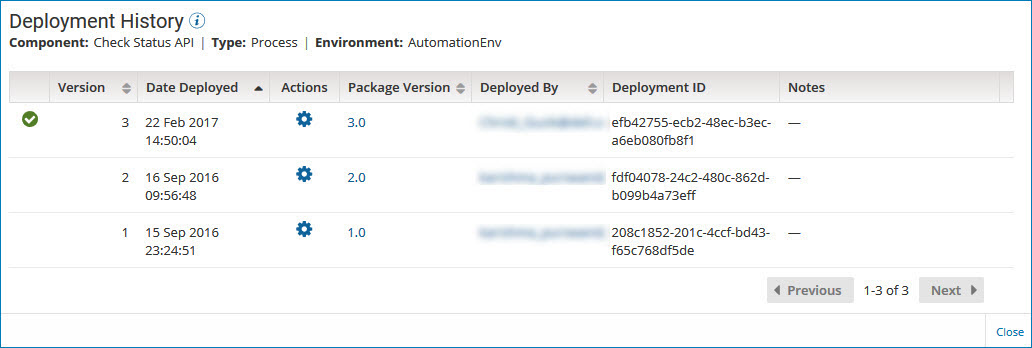
A green check mark identifies the package version that is actively deployed.
By default, the deployments are sorted by deployment date in descending order. You can also sort the list by:
- Deployment version
- Package version
- The user who deployed the package
-
To display detailed information about a package version, click the version ID in the Package Version field.
The Package Details page is displayed.
-
To compare the contents of two deployments, click the Actions icon
for the deployment that you want to compare and select Compare Deployment.The Compare Deployment dialog is displayed.
-
To contact the user who deployed a specific package version, click the email address in the Deployed By field.
Your email application opens with the user's name in the To field of a new message.
-
To close the Deployment History panel, click Close or click outside the panel.
