Comparing two versions of a package
On the Package Manager page, use the Compare Package action to compare two versions of a component package.
Procedure
-
On the Package Manager page, select a component in the Component Explorer.
The Package History table is displayed.
-
Click the Actions icon
 for the package version that you want to compare and select Compare Package.
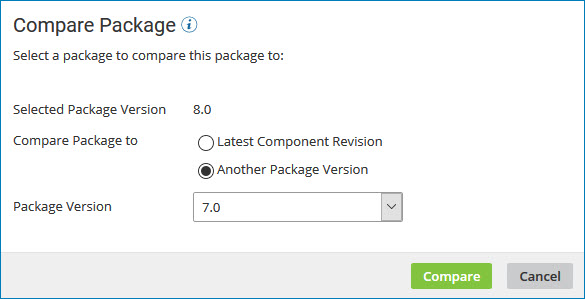
The Compare Package dialog opens with the selected version in the Selected Package Version field.
-
In the Compare Package to field do one of the following:
- Select Latest Component Revision.
- Select Another Package Version and select a version ID from the drop-down list.
-
Click Compare.
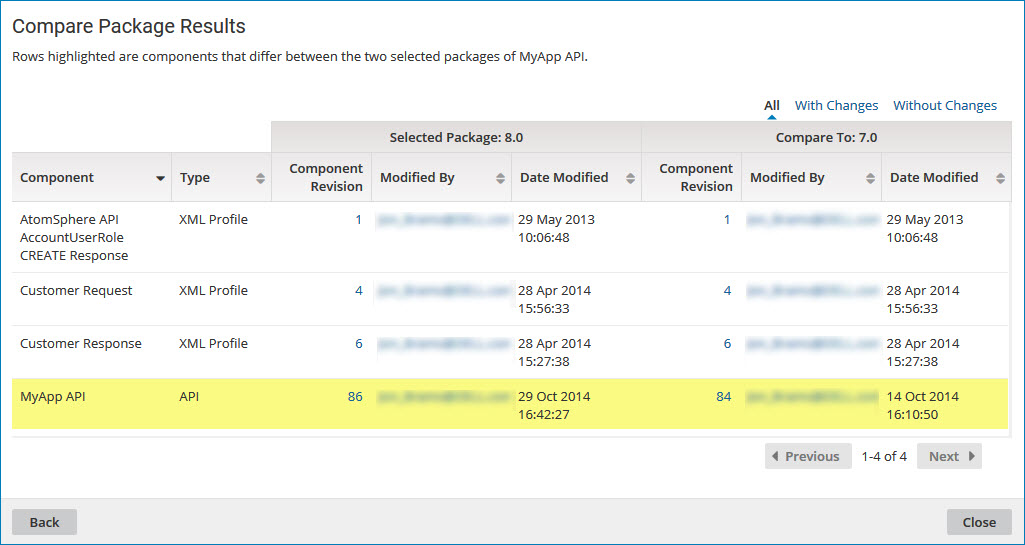
The comparison results are displayed. Differences between the two package versions are highlighted.
-
To contact the user who last modified a specific component within either version of the package, click the email address in the Modified By field.
Your email application opens with the user's name in the To field of a new message.
-
To select a different version with which to compare, click Back and repeat steps 3 and 4.
-
When you are done comparing the two package versions, click Close.
