Installing an update to the Connector SDK Tools in Eclipse
By installing updates to the Boomi Connector SDK Tools, you ensure that you have the latest tools to build your Eclipse projects.
About this task
releases updates to the Connector SDK Tools plug-in for Eclipse as needed. You should periodically use Eclipse to check for updates and install them. These steps assume that you have installed the Connector SDK Tools.
Procedure
-
In Eclipse, select Help > Check for Updates.
The Available Updates wizard opens, and Eclipse checks for updates to the base Eclipse IDE and your installed plug-ins. For the Boomi Connector SDK Tools plug-in, Eclipse checks the plug-in’s repository site at http://eclipse.boomi.com.
If an update to the Boomi Connector SDK Tools is available, the plug-in name appears in the Available Updates list and is selected. The remaining steps assume this is the case.
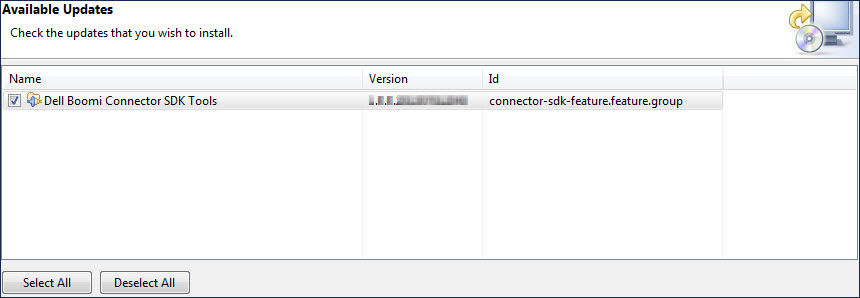
-
Click Next.
The wizard advances to the Update Details screen.
-
Click Next.
The wizard advances to the Review Licenses screen.
-
In the License text box, read the Boomi Connector SDK Tools license agreement.
Note:
You cannot install a Boomi Connector SDK Tools update unless you accept the terms of the license agreement.
-
Select I accept the terms of the license agreement.
The Finish button activates.
-
Click Finish.
An alert box warns you that you must restart Eclipse for the installation to complete.
-
Do one of the following:
-
To complete the installation now, click Yes.
-
To wait to complete the installation until the next time you start Eclipse, click No.
-
