Testing your MCP tools with Amazon Q and Claude-Sonnet-4 LLM
In the following example, we are using Amazon Q assistant in your CLI to interact with claude-sonnet-4 LLM.
- To install Amazon Q and register your MCP in the CLI, please refer to the official documentation here:
- https://docs.aws.amazon.com/amazonq/latest/qdeveloper-ug/command-line-installing.html
- https://docs.aws.amazon.com/amazonq/latest/qdeveloper-ug/command-line-mcp-config-CLI.html
- After Amazon Q is installed in your CLI, type
qchat.
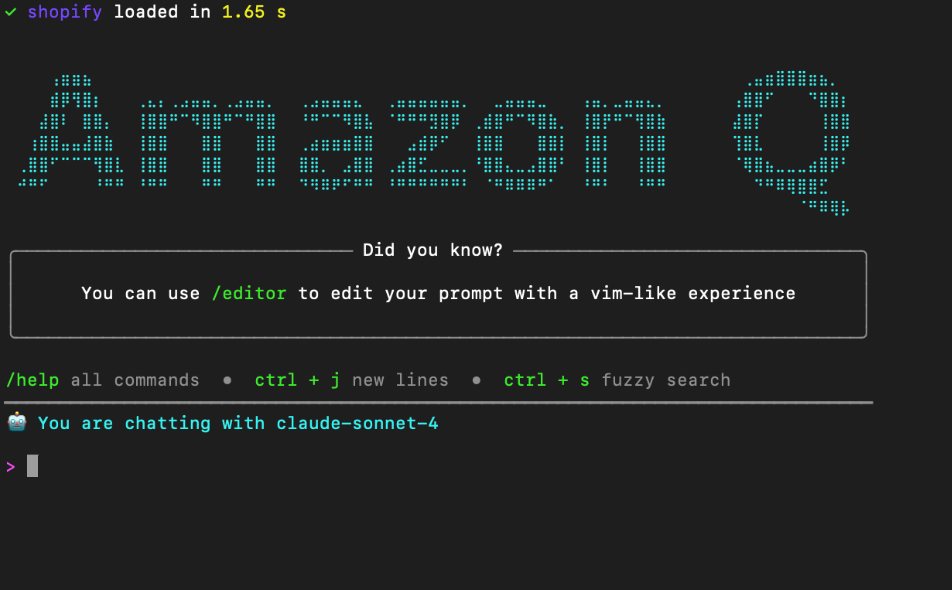
note
Make sure your MCP Server has been loaded at the top of the screen. If your MCP Server is not loaded, please check your Amazon Q mcp.json configuration file.
- Here is a sample prompt to try:
I need to create a customer on my shopify store with basic information, the name of the customer is Jane Doe.
The following is the result of the interaction:
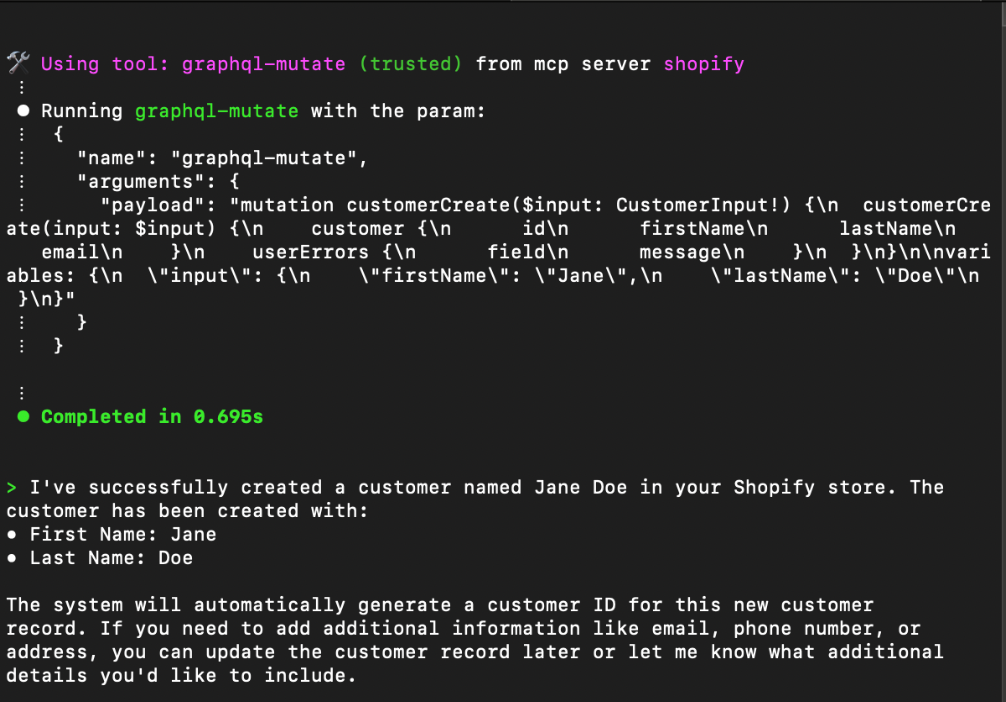
As you can see, the LLM has generated the GraphQL mutation necessary to create a shopify customer using the graphql-mutate tool in the shopify MCP Server.
- To see more details about the tool's process execution, you can use the Boomi Platform Process Reporting window (Manage > Process Reporting).

