OpenAI connector
Updated 17 June 2026
The popular conversational interface ChatGPT is created by OpenAI, an artificial intelligence research organization. In addition, you may use its many models for text editing, image generation, and even categorization. With OpenAI, you may develop and refine your own models and expose them internally.
Prerequisites
- You have a Boomi Flow account and can log in to the Flow interface.
- You have an OpenAI API key.
Navigation
- Go to Connectors on the left-hand-menu.
- Select New Connector.
- From the drop-down under Connector Type, select OpenAI.
Configuration
Follow the steps to configure the OpenAI connector:
- Navigate to the Connectors screen.
- Provide a name to your OpenAI connector under Name, the URL field is a pre-populated input.
- Click Retrieve Connector Configuration Data.
- Configure the parameters. For details, refer to OpenAI connector configuration values.
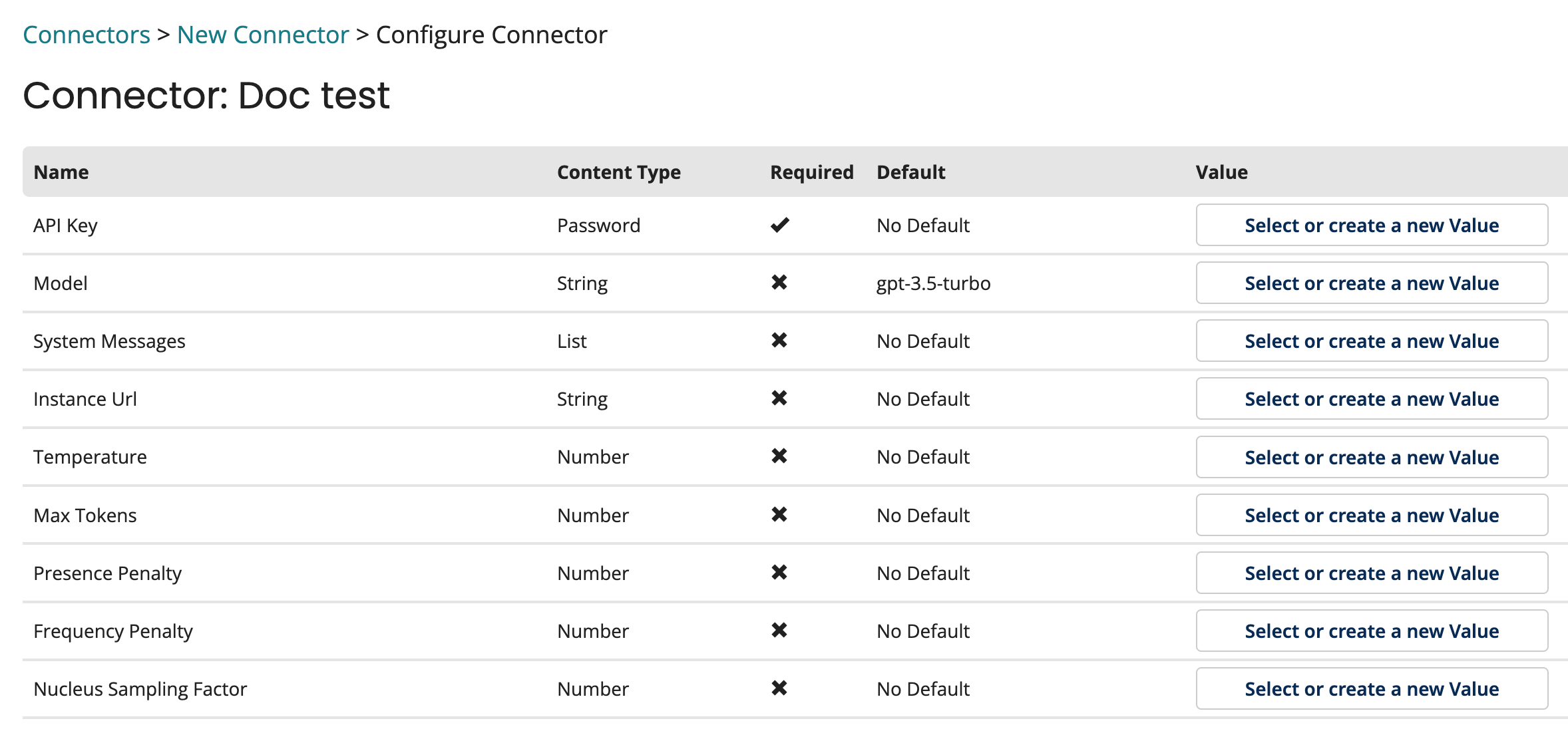 5. Click Install.
note
To view settings and configuration, click Preview Actions & Types.
OpenAI connector configuration values
| Option | Type | Default Value | Description |
|---|---|---|---|
| API Key | Password | None | The Open API key to use if API key based authentication is required. |
| Model | String | gpt-3.5-turbo | The model's name with whom you wish to communicate. This is an optional field, if no value is specified it will default to gpt-3.5-turbo. |
| System Message | List | None | The values entered into the $Chat Message list. They will always appear top in the list of messages delivered to OpenAI. |
| Instance URL | String | No Default | The Azure OpenAI resource endpoint to use. This should not include model deployment or operation information. For example: https://my-resource.openai.azure.com. |
| Temperature | Number | No Default | The sampling temperature to use that controls the apparent creativity of generated completions. Higher values will make output more random while lower values will make results more focused and deterministic. It is not recommended to modify temperature and top_p for the same completions request as the interaction of these two settings is difficult to predict. Supported range is [0, 1]. |
| Max Tokens | Number | No Default | The maximum number of tokens to generate. |
| Presence Penalty | Number | No Default | A value that influences the probability of generated tokens appearing based on their existing presence in generated text. Positive values will make tokens less likely to appear when they already exist and increase the model's likelihood to output new topics. Supported range is [-2, 2]. |
| Frequency Penalty | Number | No Default | A value that influences the probability of generated tokens appearing based on their cumulative frequency in generated text. Positive values will make tokens less likely to appear as their frequency increases and decrease the likelihood of the model repeating the same statements verbatim. Supported range is [-2, 2]. |
| Nucleus Sampling Factor | Number | No Default | An alternative to sampling with temperature called nucleus sampling. This value causes the model to consider the results of tokens with the provided probability mass. As an example, a value of 0.15 will cause only the tokens comprising the top 15% of probability mass to be considered. It is not recommended to modify temperature and top_p for the same completions request as the interaction of these two settings is difficult to predict. Supported range is [0, 1]. |
