Types
Types define the 'profile' and structure of data in Flow, allowing for efficient data organisation and scalability when working with complex values. A type uses 'Properties' to build and define the structure of the data that it is associated with.
For example, to store details about a car, a 'Car' type could be created, and properties defined for the type such as 'Manufacturer', 'Model', 'Mileage' and so on.
Types can be created automatically when a connector is installed, allowing Flow to interact with the data structure that already exists in a connector. For example, if the Salesforce connector is installed, an 'Account' type is created to represent a record type in Salesforce, with the fields of the account record ('Address', 'Phone', 'Company' etc.) being mapped to the relevant properties of the type.
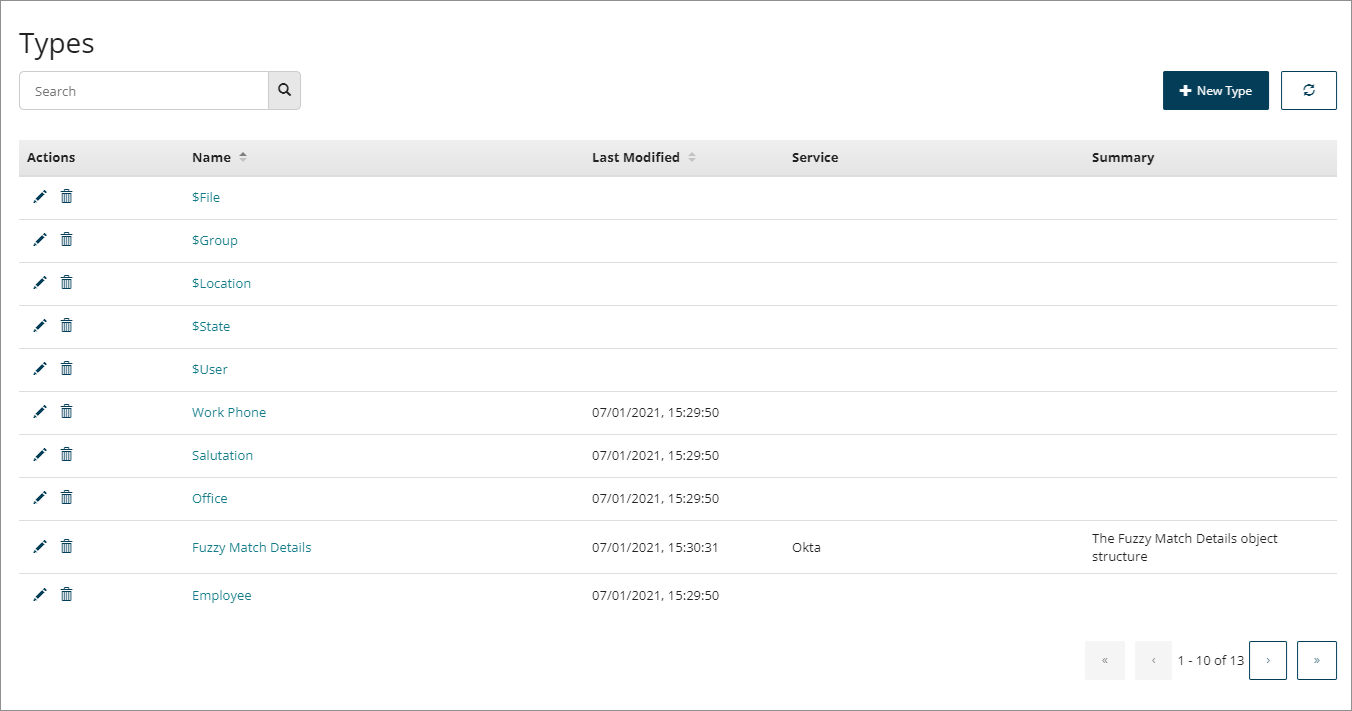
Types are managed and created on the Types page.
-
The Types page displays all the types currently set up within the tenant. Refer to Types page.
-
Although types are usually only created as part of a connector installation, you can create your own custom types. Refer to Creating a Type. You can also edit types that have been installed with a connector, refer to Editing Types.
-
Types themselves do not store data directly (values are used to store data in Flow).
-
Edit a type to view the type properties, and add, edit or delete properties as required. Refer to Editing a Type and Type Properties.
-
Types can be used as shared elements and imported into multiple flows within a tenant. Refer to Importing a Type into a Flow.
-
Default system types are available within Flow. Refer to System Types.
-
To learn more about using types, refer to Understanding Values, Types, Objects, and Lists.
