Data Hub Connector Types
When the Boomi Data Hub connector is installed, a number of types are automatically generated, along with types specific to your Boomi Data Hub Model.
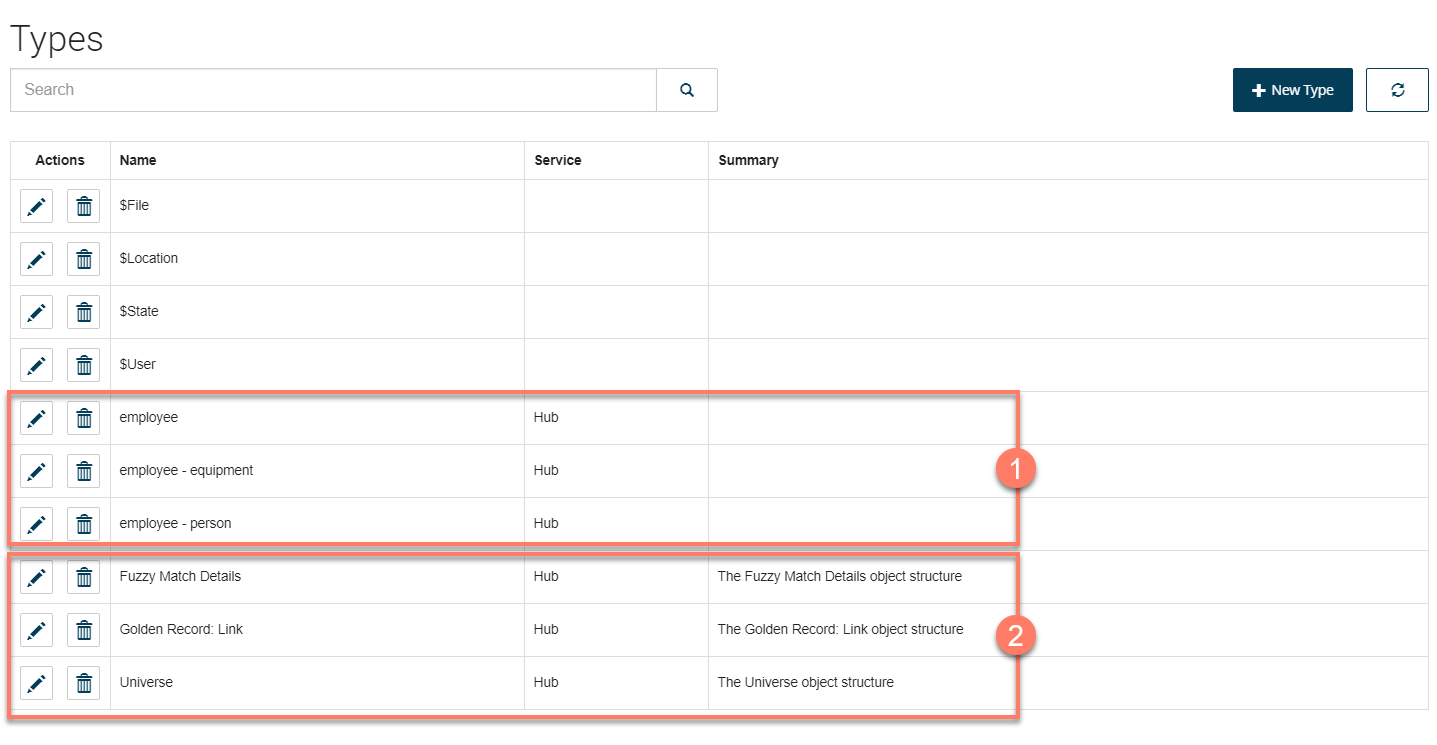
When the Boomi Data Hub connector is installed, the following types are created:
-
Each model in your repository and the field groups contained in the model are translated into a type

-
A number of default types are automatically generated by the connector

Model types
Each model in your repository is translated into a type. This model type has three bindings: "Match", "Golden Record", and "Quarantine", that allow you to work with and query the relevant information in a flow.
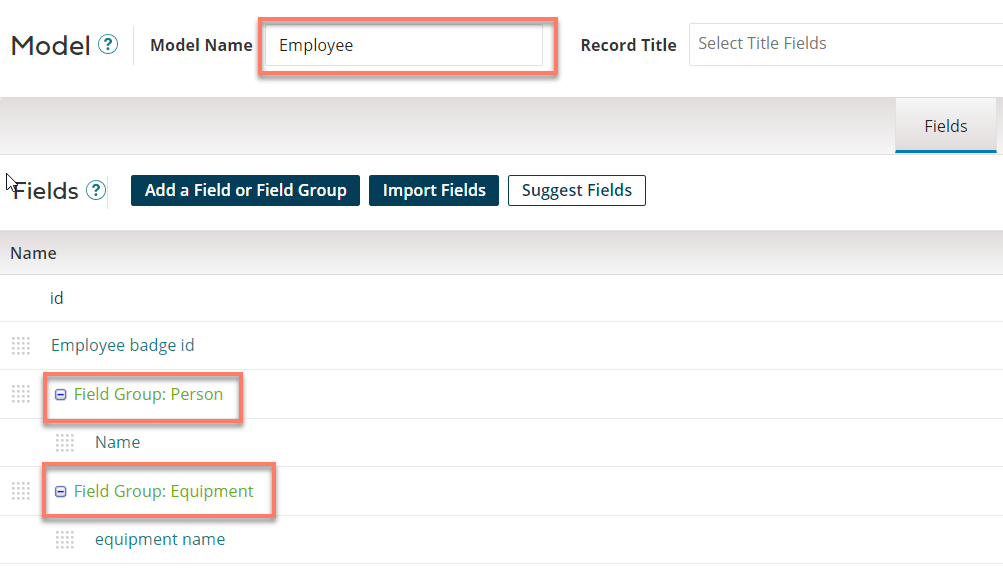
For example, in the following model, the model and the field groups contained within are translated into flow types as follows:
-
The overall "Employee" model is translated into an "employee" type.
-
The "Person" field group is translated into an "employee - person" type.
-
The "Equipment" field group is translated into an "employee - equipment" type.
Default types
These default types are automatically generated by the :
-
Fuzzy Match Details: This type contains the information for duplicated or matching records when a Match Entity request is performed. This information is only returned when using specific algorithms to match rules in Boomi Data Hub, for example using the similarity algorithm Jaro-Winkler in a match rules expression.
-
Golden Record: Link: This type contains the information of the list of entities associated with each golden record in Boomi Data Hub.
-
Universe: This type contains the information for the specified universe.
