Using Flow Service component Data Actions with Flow
This type of Flow Service Operation integrates with the database steps in Flow to handle Create, Read, Update, and Delete (CRUD) operations for a particular variety of record, using a single type in a Flow.
Database load steps, Database save steps, and Database delete steps allow Flow to integrate with your Flow Service Data Actions and their associated processes.
Data actions are useful if you intend to send/retrieve the same kinds of records through multiple processes, as using a Message Action will automatically create a Request and Response type in the Flow for any associated processes. Using database steps also allows you to display data from a service directly in a Flow page, using certain page components, such as a Combobox, Radio, or Table component.
For a worked example of how you can use Data Actions with Flow, refer to A worked example of using Data Actions with Flow.
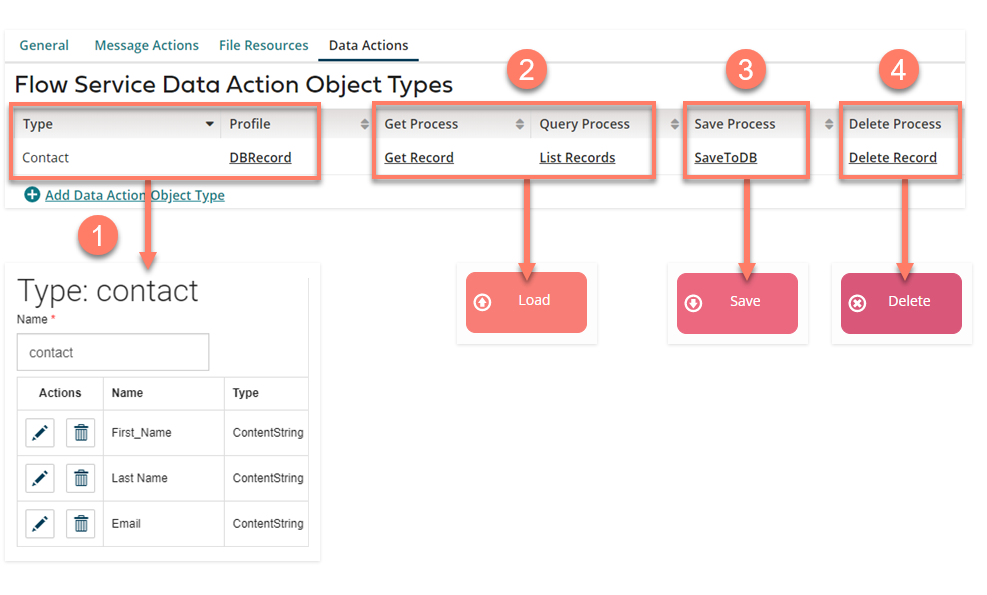
Flow Service Data Actions are mapped to Flow as follows:
-
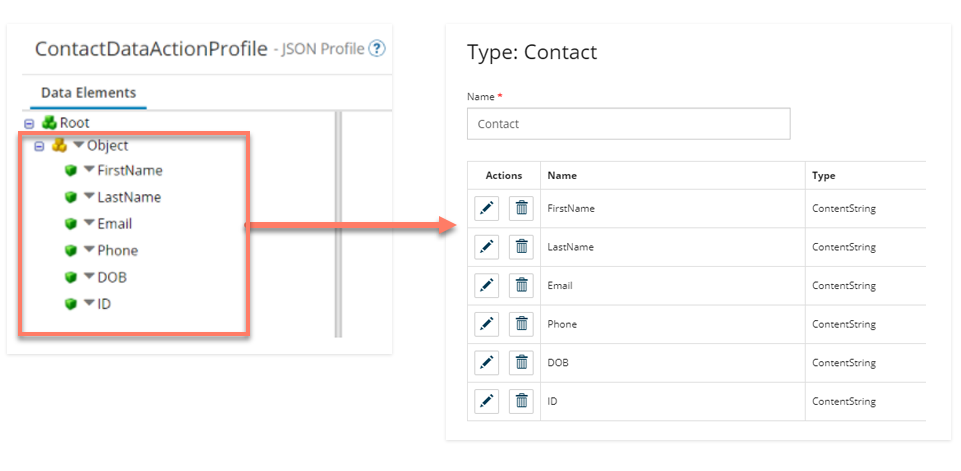
The JSON Profile you assign to the Data Action is used by the Flow Service to automatically create a corresponding type in Flow.

-
Either the Get Process or the Query Process will be initiated by a Database Load step in Flow, depending on the filter options specified in the step Data Action (refer to the details below).

-
The Save Process will be initiated by a Database Save step in Flow.

-
The Delete Process will be initiated by a Database Delete step in Flow.

When is a Get Process or Query Process used?
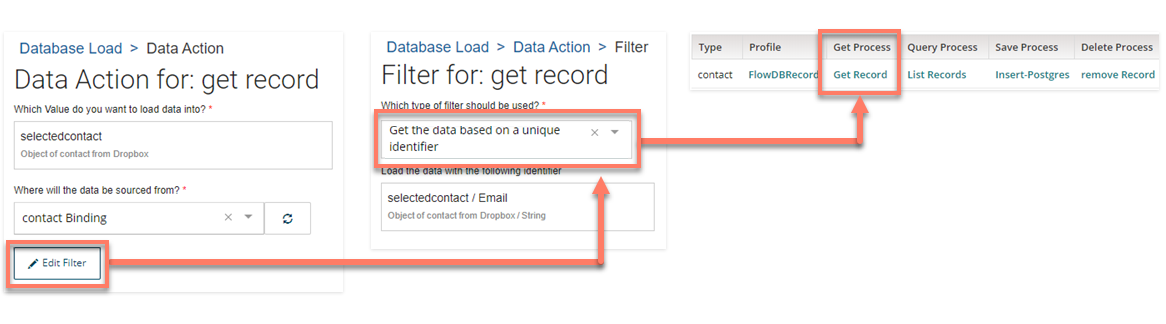
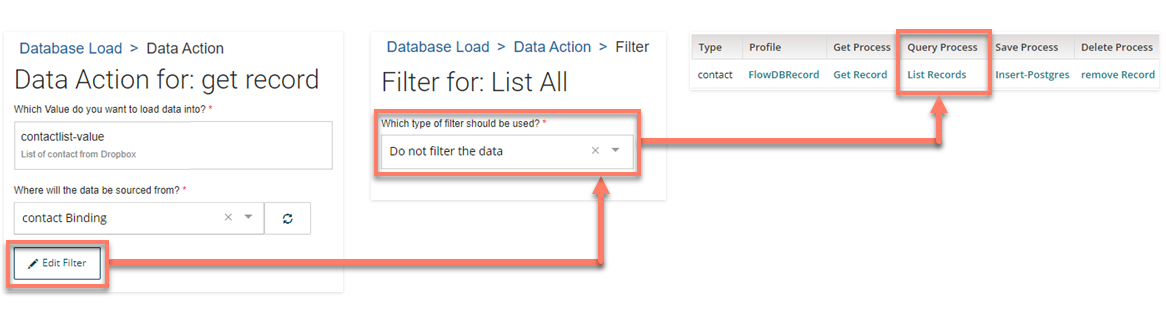
A Database Load step Data Action can initiate either a Get Process or a Query Process, depending on the filter options specified.
-
If a filter based on a unique identifier is specified for the Data Action in the Database Load step, the Get Process will be initiated. Only a single record is returned, and a unique identifier must be used.
-
If no filter or filter by ‘where’ is specified for the Data Action in the Database Load step, the Query Process will be initiated. Multiple records can be returned with a Query, typically by populating a List value with the query results. These results can then be surfaced by loading this data directly from the service into a table component.
Data Action profiles and Flow types
A Data Action profile always creates a single type in Flow; this type handles both Objects and Lists through the same single level JSON profile Object.
-
This is different to Flow Service Message Actions that do not always create a type in Flow, and also creates types that are specific to the Request or Response of a single particular process. Refer to Integration Profiles and Flow Types.
-
Profiles should typically be configured as a ‘flat’ JSON Object profile.
