Using the Flow Service component with Flow
A Flow Service component is set up in Integration to build and manage the connection to Flow.
This component is used to implement the callback logic required to continue Flow progression once the integration process completes. Timeouts are managed by returning wait responses to Flow while a process executes.
The Flow Service component is specifically used by Flow for:
-
Defining the Path to Service
-
Mapping Boomi Flow Service Operations to actions/steps
Defining the Path to Service
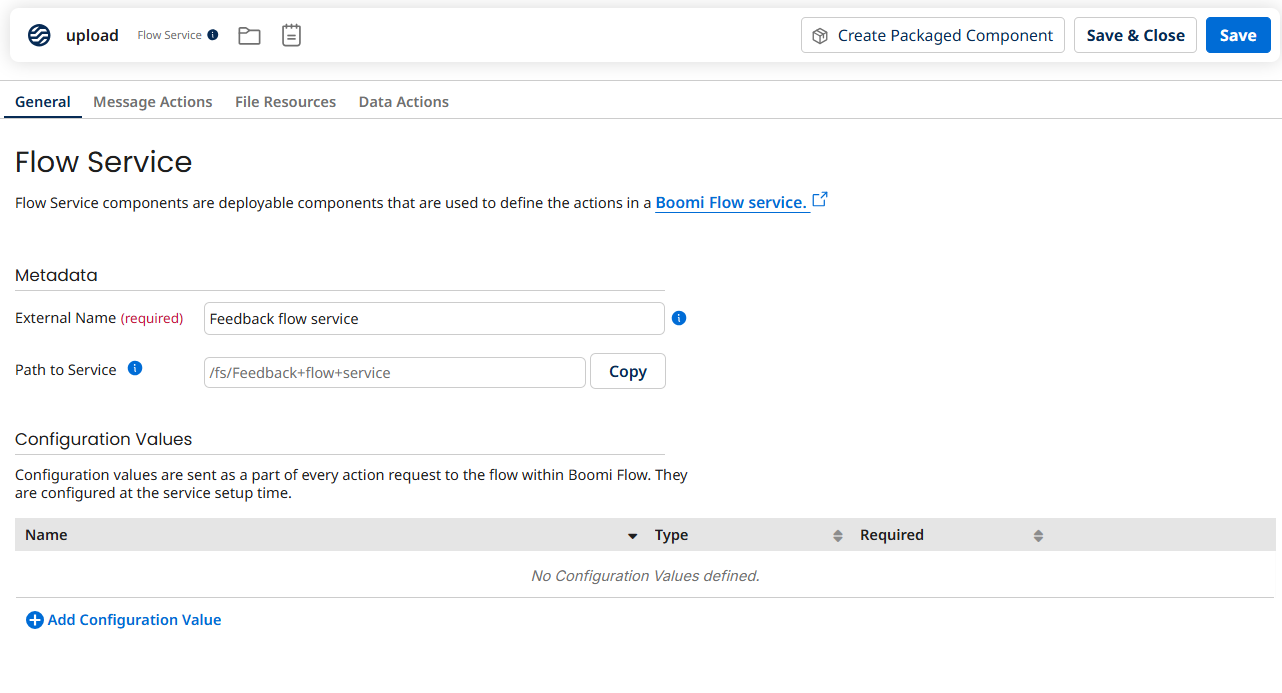
The Path to Service field on the General tab of the Flow Service is used to define the path to the connector on a basic runtime.
The connector URI used by the Boomi Flow Integration Service in Flow uses this Path to Service value.
Mapping Flow Service Operations to actions/steps
The Flow Service will need to be configured to match your operation/action requirements.
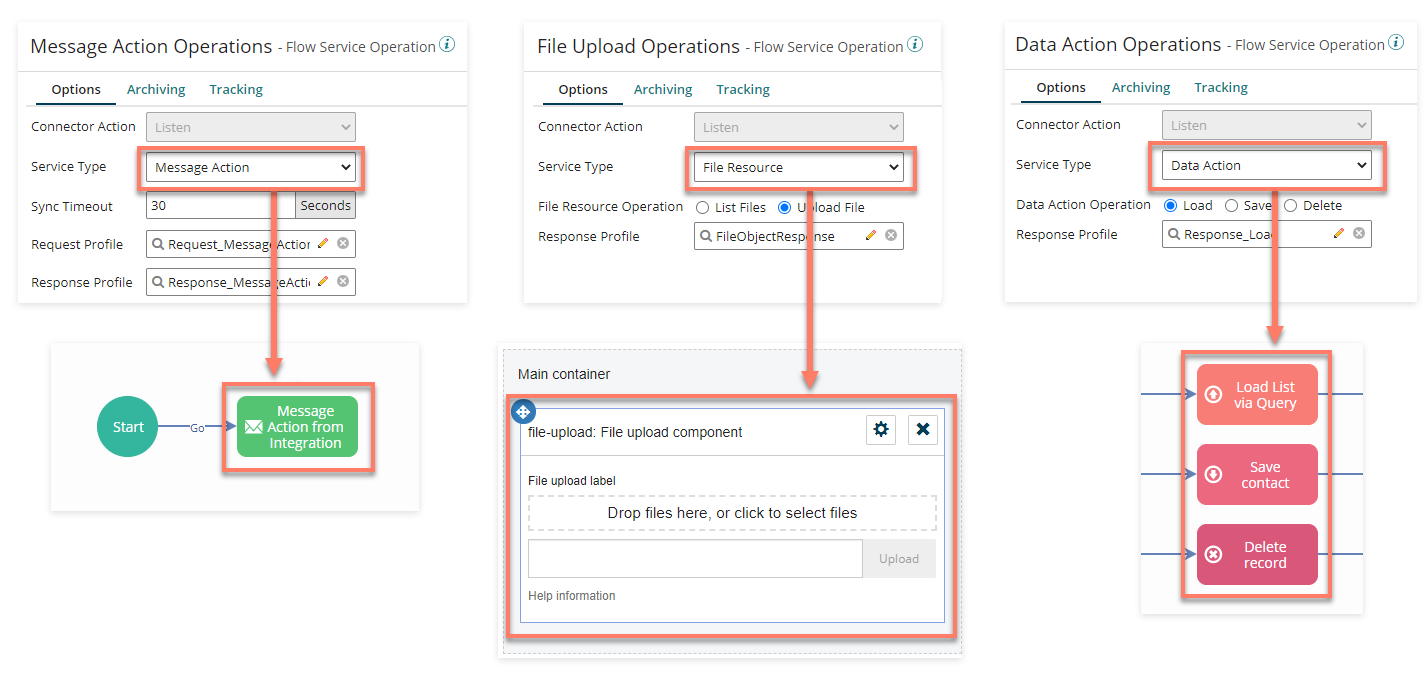
The Boomi Flow Service Operation that you have selected in your process Flow Services Server Start step is used to define what type of operation is going to be performed in your Flow. For example, whether the process supports a Message Action, a File Resource, or a Data Action, and what JSON Request/Response profiles should be used for exchanging data.
Message Actions
Flow Service Message Actions are used to map to message actions in a message step in Flow. A message step can be added to a Flow in order to send and receive message requests between Flow and the Integration Flow Service. Message actions are used by a Flow to define the interface of inputs/outputs when calling against your Flow Service Message Actions, allowing you to map values in a Flow to the inputs and outputs specified by your Flow Service.
For more information, refer to Message Actions tab in Flow Service components.
File Resources
Flow Service File Resources are used to map to either of the two page layout components available in Flow for interacting with files. The File Upload component allows you to upload a file, which can then be consumed by a process. The Files component allows you to both upload a file, and list files for download from an outside system.
For more information, refer to File Resources tab in Flow Service components.
Data Actions
Flow Service Data Actions are used to integrate with the database steps in Flow that are used to handle all Create, Read, Update, Delete (CRUD) operations for a particular variety of record, using a single type in a Flow. There are three types of database step that can be added to a Flow (Load, Save, and Delete) to allow Flow to integrate with your Flow Service Data Actions and their associated processes.
For more information, refer to Data Actions tab in Flow Service components.
Page Components
Table, Combobox and Radio page components can also be populated with data using the connector. For example, data can be loaded directly from the Flow Service (or via a list value) into a Table component on a page in order to display data to Flow users.
- Refer to Querying data from Integration in Flow for an example scenario of loading data into a table component.
For more information, refer to General tab in Flow Service components.
