Using Flow Service component File Resources with Flow
This type of Flow Service Operation is used to map to either of the two page layout components available in Flow for interacting with files.
A Flow Service File Resource Operation must be defined for any file resource process Start step.
-
List Files: This option should be selected if you will be using the Files component in Flow. A Request Profile and a Response Profile can be defined.
-
Upload File: This option should be selected if you will be using the File Upload component in Flow. Only a Response Profile needs to be defined when uploading files.
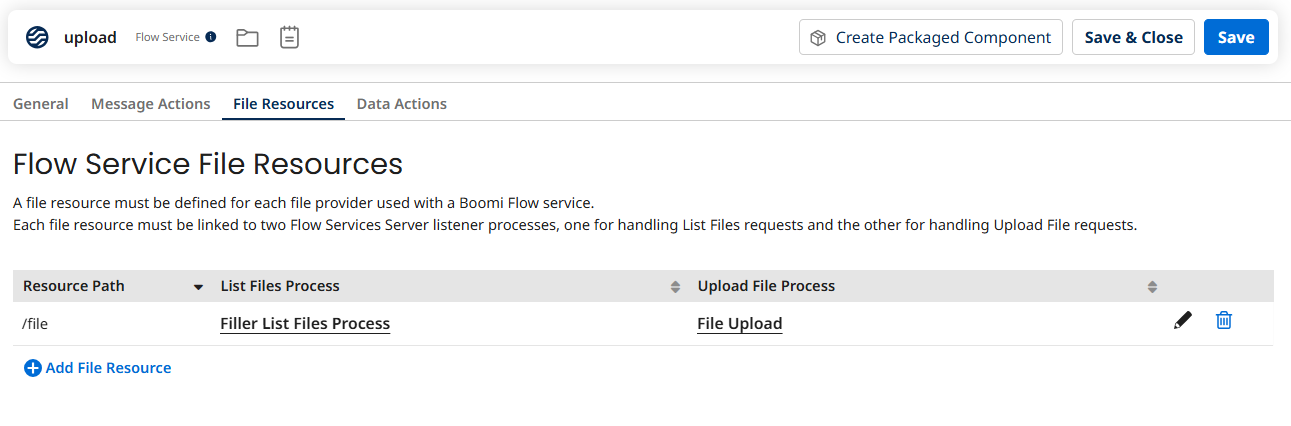
Your Flow Service will need to have a File Resource added to the File Resources tab:
-
The Resource Path will need to be defined for the File Resource, for example '/file'. This will be used as the Resource Path on the file upload/list component in Flow.
-
Both a List Files Process and an Upload File Process must be added/selected; if you are only uploading files however, a 'dummy' List Files process can be selected.
File Resource Response Profiles
Although you can build your profiles manually, clicking Import on the Flow Service Operation opens the Flow Service Operation Import wizard; this allows you to automatically generate a standard Response Profile template for either of the two File Resource Operations.
File Resource Operations and types
Unlike Flow Service Message Actions and Data Actions, File Resource Operations do not automatically generate your types when the service is installed/updated in Flow. Because of this, you will need to manually create any type required for mapping to the profile you have created.
Using file resource components in a flow
There are two file resource page components that can be added to a page step on the corresponding page layout for the page.
