Querying data from Integration in Flow
This section of the Flow uses a Database Load step to query data from and display the results in a table.
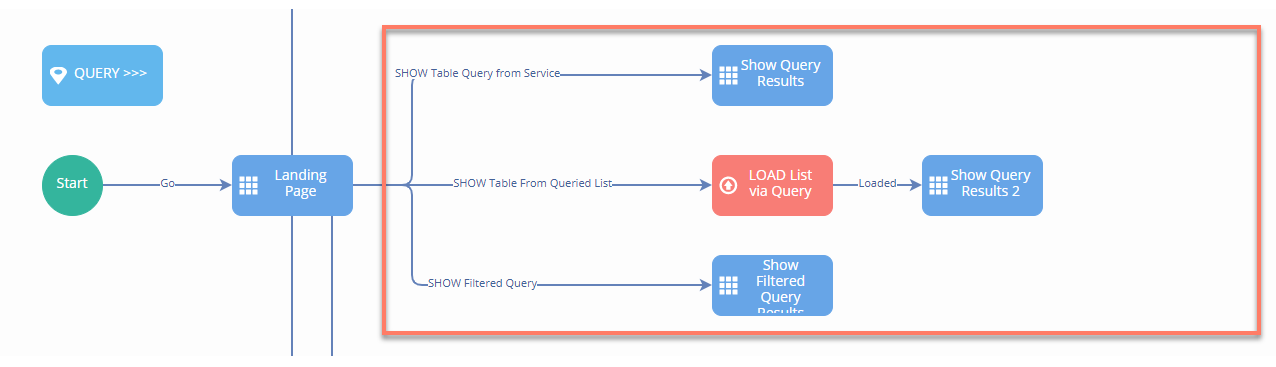
There are three different query examples in the Flow, each one using a Table component to display results:
-
Querying directly from the service
-
Querying a List value
-
Filtered Querying
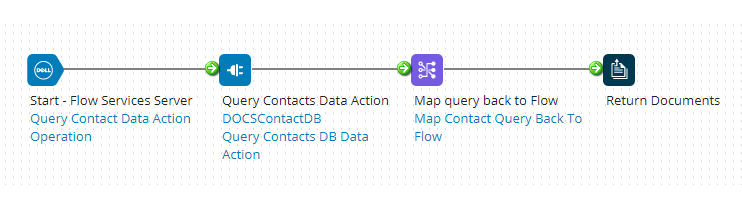
Each example query mechanism initiates the Get Process assigned to the Flow Service Data Action. In this example, the process retrieves the data records from a database, for example:
Querying directly from the service
The 'Show Query Results' page step directly retrieves and displays the query results using a table component.
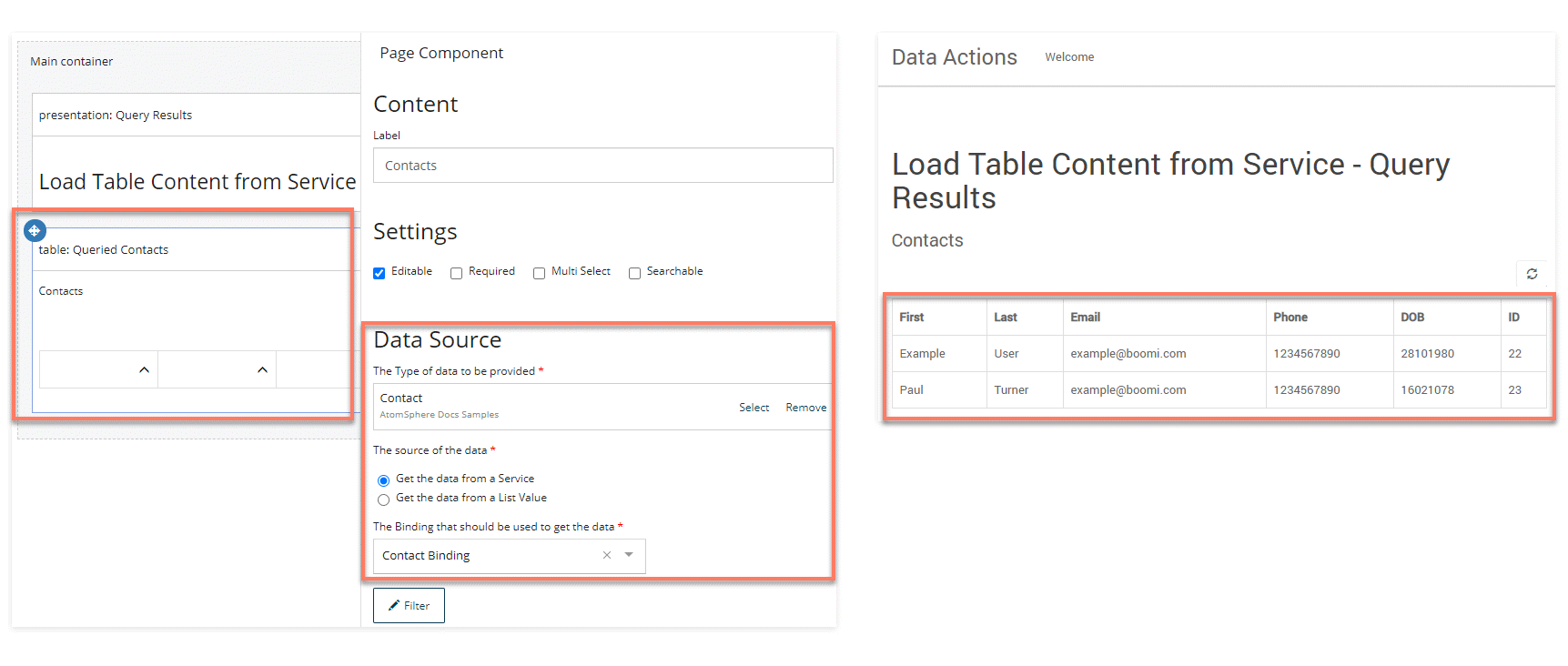
Search and pagination are not supported when querying directly from the service; if query results are likely to be large, you can use a Database Load step to load the query results data into a list value and then display the list value data using a table component (refer to the details below).
Querying a List value
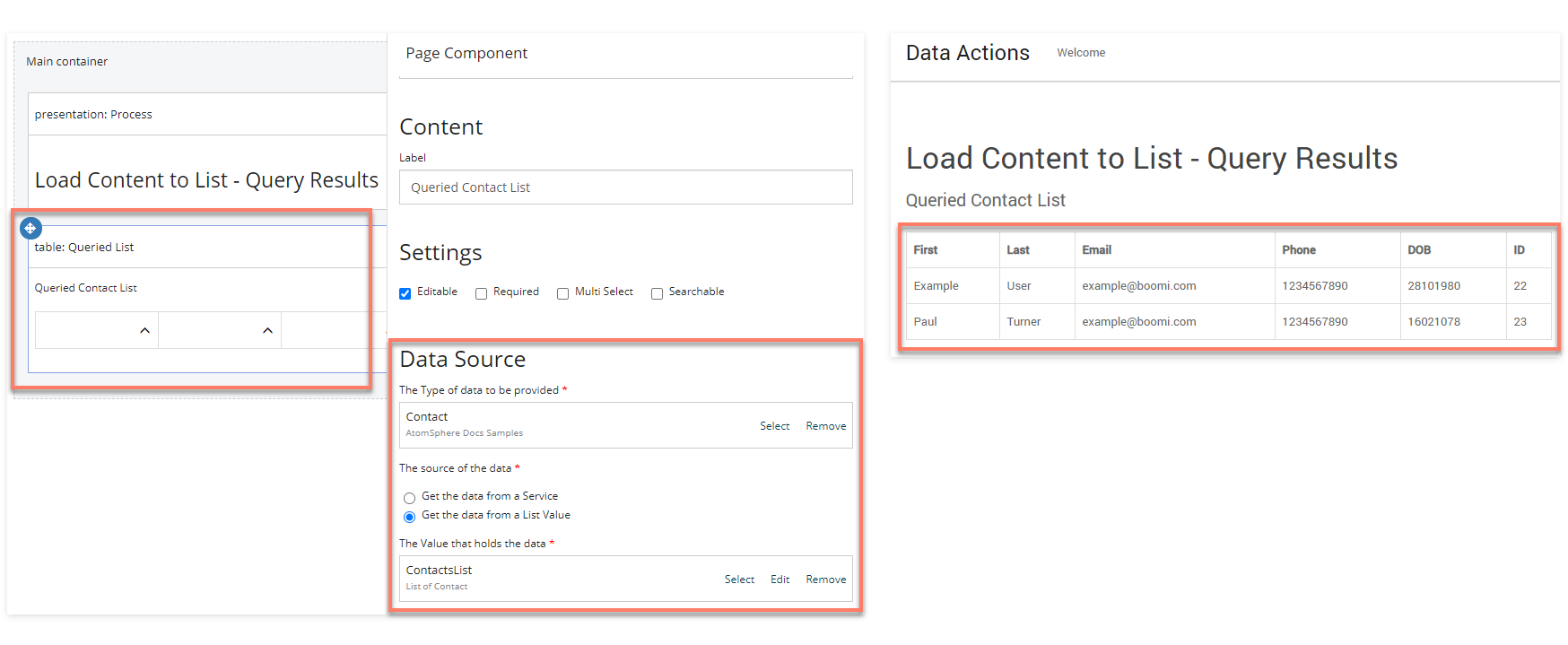
The 'LOAD List via Query' Database Load step loads the query results into a 'ContactsList' list value.
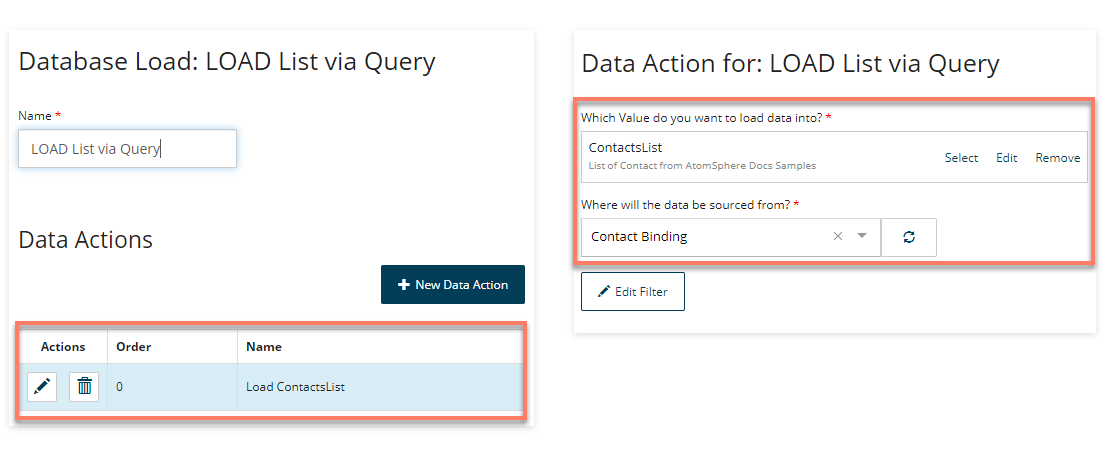
The Flow then progresses onto the 'Show Query Results 2' page step that retrieves and displays the data of the 'ContactsList' list value using a table component.
Filtered querying
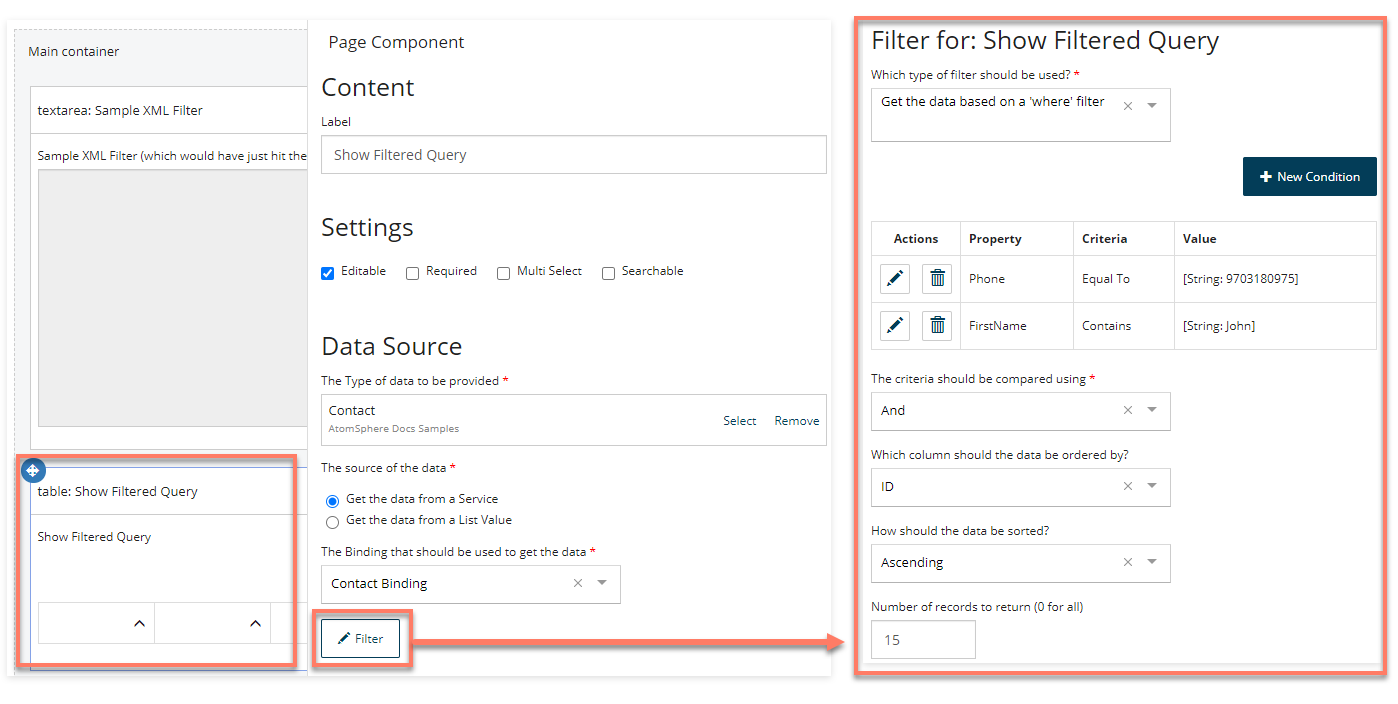
The 'Show Filtered Query Results' page step directly retrieves and displays the query results using a table component.
A filter is configured for the table component; this is then passed into Integration in XML format.
For example:
<QueryFilter>
  <expression operator="and">
    <nestedExpression operator="EQUAL" property="Phone">
      <argument>9703180975</argument>
    </nestedExpression>
    <nestedExpression operator="CONTAINS" property="FirstName">
      <argument>John</argument>
    </nestedExpression>
  </expression>
  <sort property="ID" sortOrder="ASC"></sort>
</QueryFilter>
In Integration this XML filter can then be converted into a database filter, for example by filtering an HTTP step call with an XML profile.
