Subflows
Flows can be called by other flows as 'subflows', allowing you to reuse flows across multiple workflows.
Subflows allows you to reuse flows and their feature within another Flow.
For example, if you have multiple flows (flows A, B, and C) that all require the same piece of feature provided by another Flow (Flow D), you can configure Flow D as a subflow to be referenced within each of the other flows. This means that if the feature needs to be changed, it only needs changing once, in Flow D.
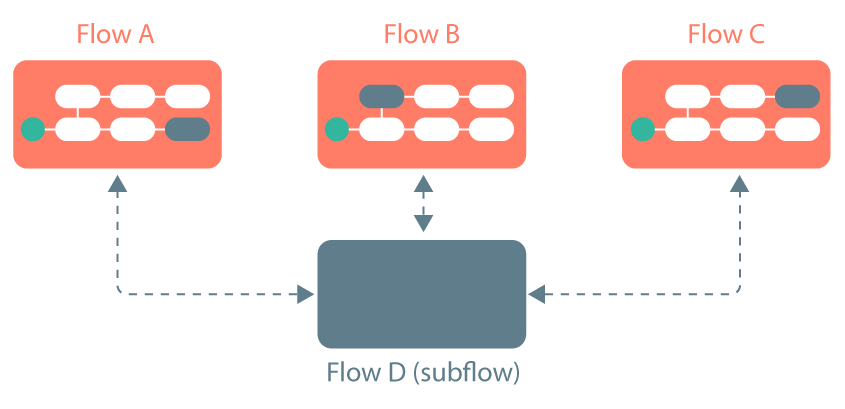
-
Subflows feature consists of a parent Flow and a subflow.
-
The parent Flow requires a Subflow step
 that calls the subflow.
 -
The subflow requires a Return step
 to define when it should rejoin the parent Flow. Subflows without a Return step will not re-join the parent Flow.
 -
Values can be passed between parent flows and subflows. Refer to Passing values using subflows.
To get started using subflows, refer to Adding and using subflows.
