Configuring Verbose Logging
The Verbose Logging feature enables you to debug the API in terms of the request sent to , (for example, InboundRequest), a request sent to the backend (for example, InboundProcessed(TargetRequest)), a response received from the backend (for example, OutboundResponse(TargetResponse)), and a response sent back to the client (for example, OutboundProcessed). Verbose logging also provides a feature to filter the API logs by different parameters such as service, endpoint, API keys, and duration.
To enable the functionality, make sure that you change the value of verboseLog from disable to enable in the values.yaml file.
Dashboard
Click the Verbose Logging link on the Configuration Manager page to view Verbose Logging page.
You can perform the following tasks for the verbose logging:
-
Creating a verbose logging configuration
-
Modifying an existing configuration
Consider the following points when configuring verbose logging:
-
Multiple configurations for a pair of the same service-endpoint are not allowed.
-
If a configuration is active for all services, then creation of a new configuration is not allowed.
-
Once the duration time is over, the configuration is inactive.
-
Only admin users can access the verbose logging.
-
You can activate or deactivate the configuration.
Creating a New Verbose Logging Configuration
Procedure
-
On the Verbose Logging page, click New.
-
Fill in the following values. Click Save.
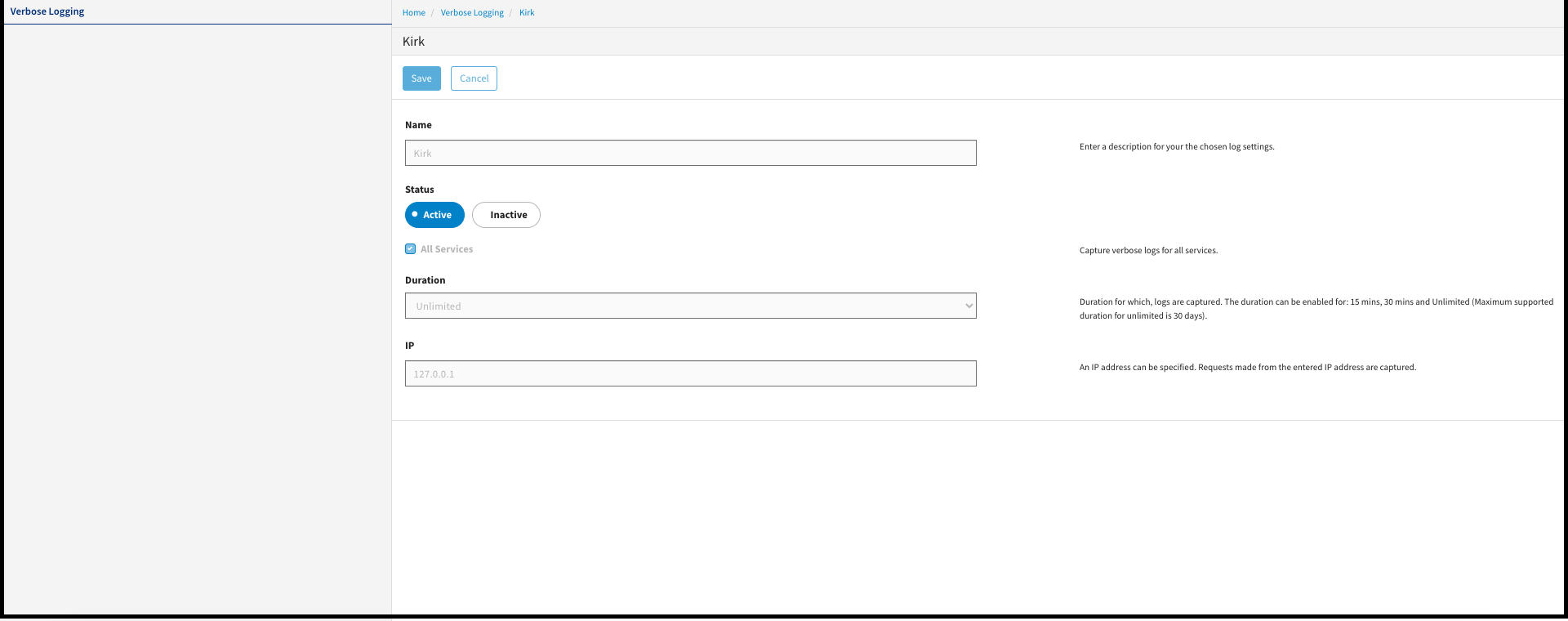
Field Description Name Name of the configuration. All Service It enables you to consider logs for all the services. Service It enables you to filter the logs for a selected service. Endpoint It enables you to filter the logs for a selected endpoint. Api Key Captures the logs for the associated API key. Duration It indicates the duration of logs captured in minutes.
Unlimited duration keeps the verbose logging active for 30 days.
IP It indicates requests made from the entered IP address are captured. Log Destination Specify the URL of the tool that you configured to forward the logs. Result
A new configuration is created.
Modifying an Existing Configuration
You can make an existing verbose logging configuration active or inactive.
