Configuring API Definitions and Endpoints
The API Definitions page displays a navigable list of API definitions. To add a new API definition, click New.
The following table describes the fields on the API Definitions page.
| Field | Description |
|---|---|
| Name | Name of the API. |
| Version | Version of the API. |
| API Service Key | Service key of the API |
| Organization | Organization of the API |
| Description | Description of the API. |
| Created | The date and time when the API definition was created. |
| Updated | The date and time when the API definition was updated. |
| Actions | |
 | Navigates to the API Definition Settings page, where properties of the API can be edited. |
 | Deletes the API definition. |
The API Definitions page has the following sub-pages with further fields and settings that can be configured.
API Definition Settings
General settings such as API description, API version, cross-domain, and robot policies can be defined on the API Definition Settings page.
The Robots Policy tab allows you to specify the instructions that are entered in a Robots.txt file. When a request comes in for a Robots.txt file, the instructions mentioned in the Robot Policy field are sent.
The following example directs a Google bot not to view index.html file and the images directory. This way you can restrict robots from accessing multiple areas.
User-agent: Google bot
Disallow: /index.html
Disallow: /images/
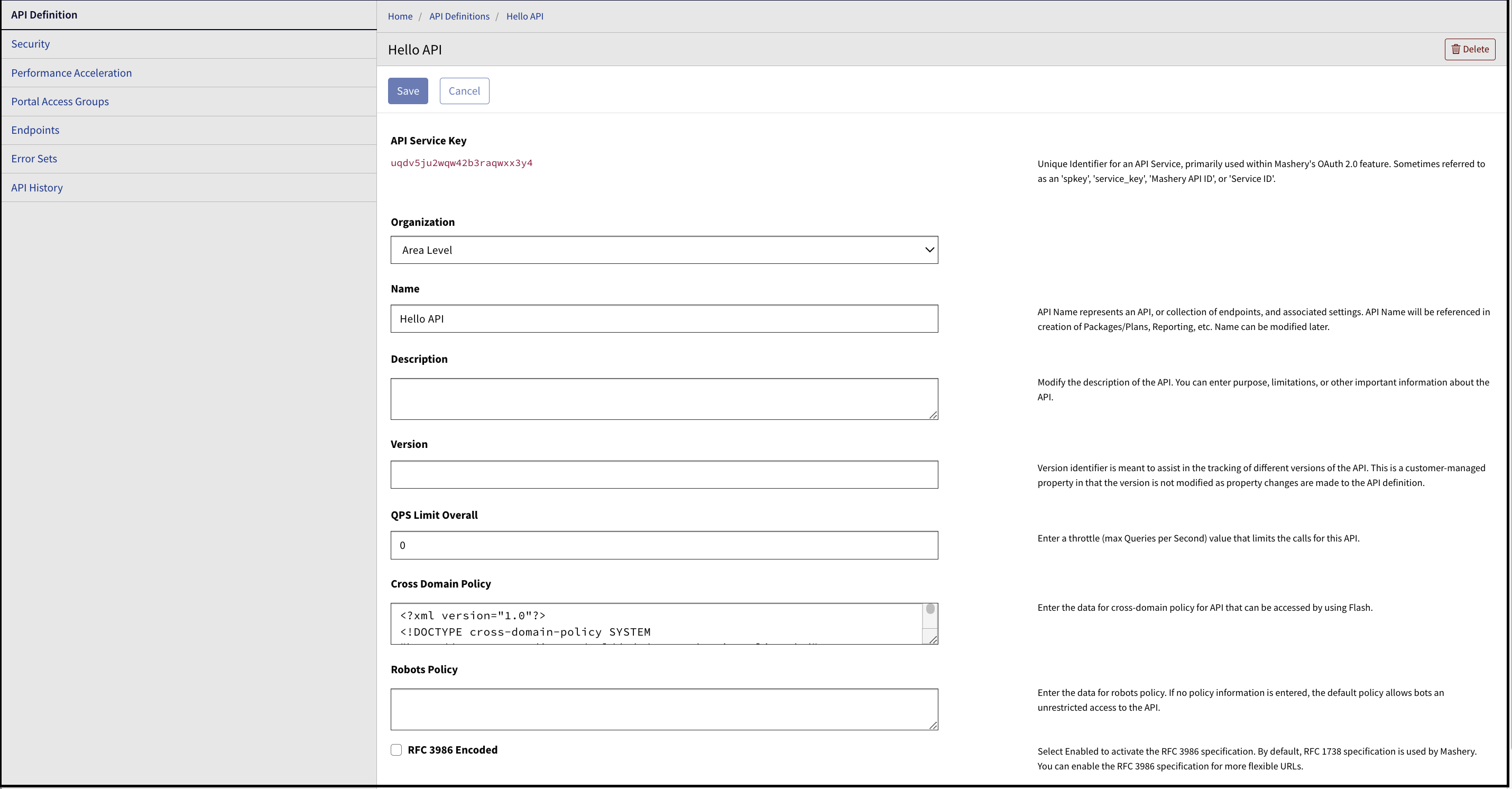
After entering the policy and other details, click Save to save the changes.
Security
The Security page allows you to enable OAuth 2.0 for an API. The OAuth settings are applied to all endpoints that are configured to use OAuth as the security mechanism. Some of these settings can be overridden at the endpoint level.
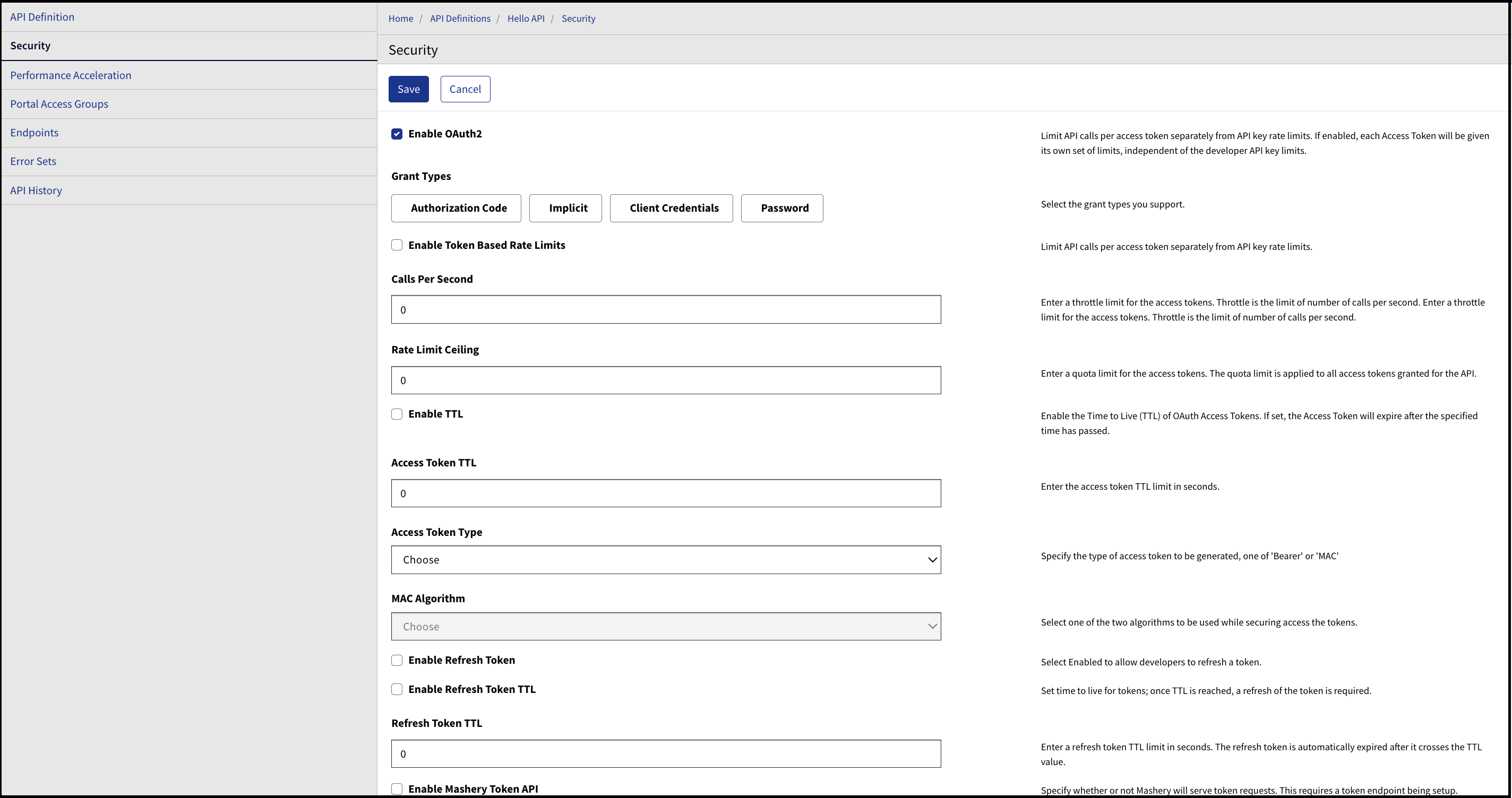
This section applies only to customers who have included the OAuth 2.0 Accelerator feature in their contract. If you have questions about the OAuth 2.0 Accelerator, contact Boomi Account Representative for more details.
Performance Acceleration
An API's performance can be improved by caching the responses in the cache.
The following table describes the field on the Performance Acceleration page.
| Field | Description |
|---|---|
| Cache Time-To-Live (TTL) | The length of time the data is stored in a cache. You can use the dropdown to select a TTL value. By default, the TTL is defined in increments of 0.1 minutes. |
Portal Access Groups
In the Portal Access Groups page, specify the roles that are applicable to the API definition in the Developer Portal. The portal displays only the interactive documentation that is appropriate for your given role.
Endpoints
After an API is created, you can create, modify, and delete endpoints associated with the API on the Endpoints page.
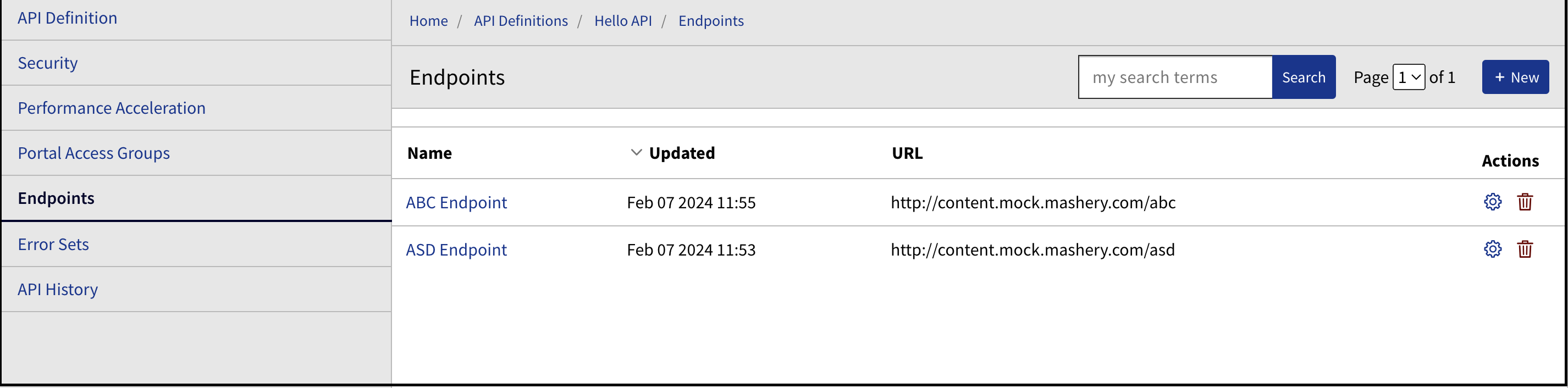
While you are viewing or creating endpoints, you can access the API Definition-related endpoint settings by using the navigational tabs on the left pane of the page.
The following sub-pages are available from the Endpoints page:
Endpoint
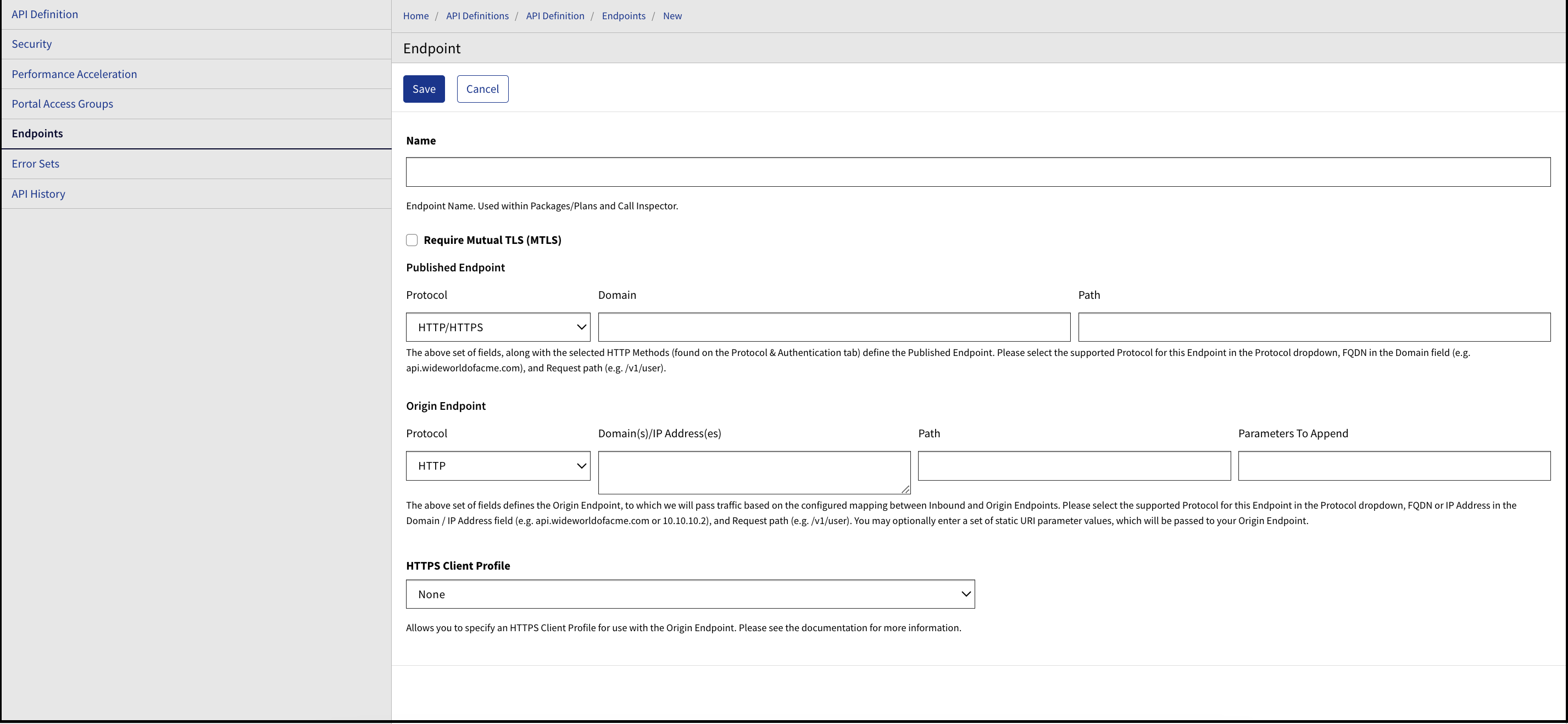
The Endpoint sub-page allows you to create the name of the endpoint, as well as configure Mutual TLS (MTLS), HTTP Client Profile, Public Endpoint Address, and Boomi Cloud API Management Endpoint Address.
To configure an endpoint to use MTLS, select the Require Mutual TLS MTLS checkbox.
Protocol & Authentication
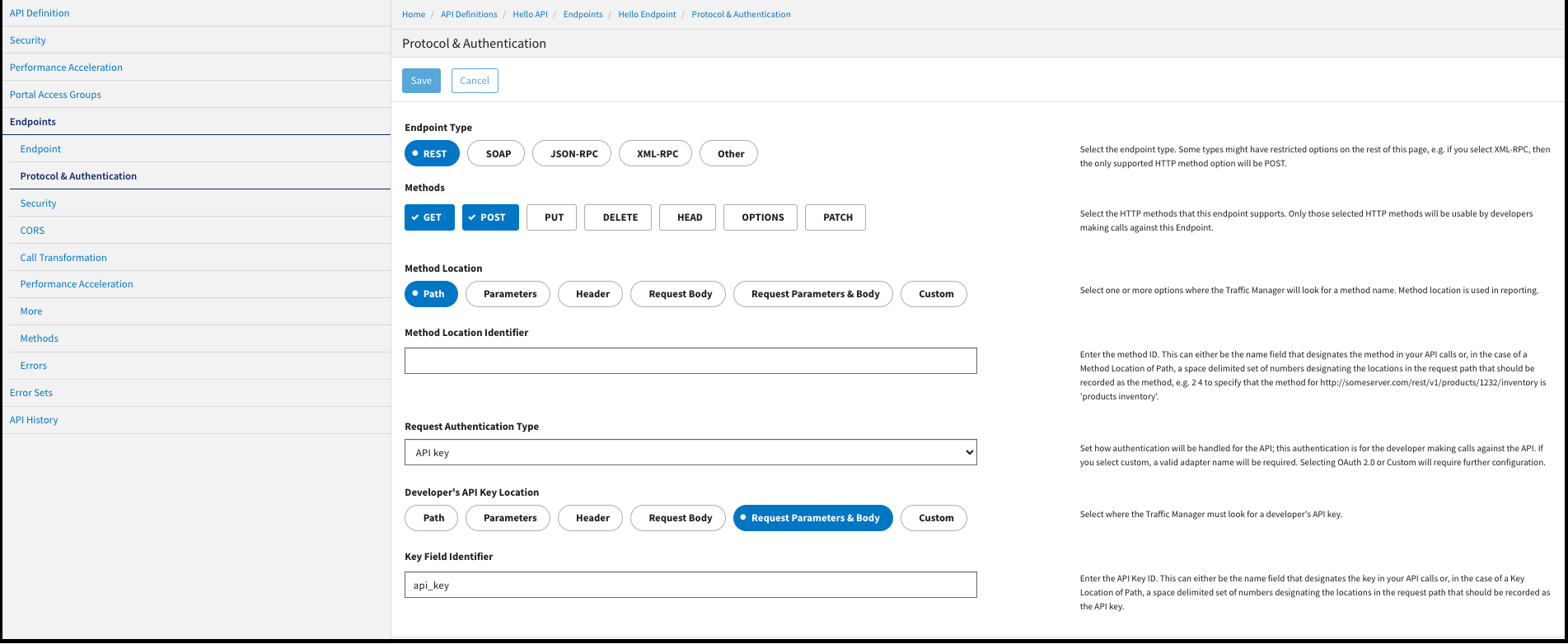
The Protocol & Authentication page allows you to set the key and method details related to an endpoint. You can select parameters such as the endpoint type, supported HTTP methods, method location, and Developer API key location.
Security
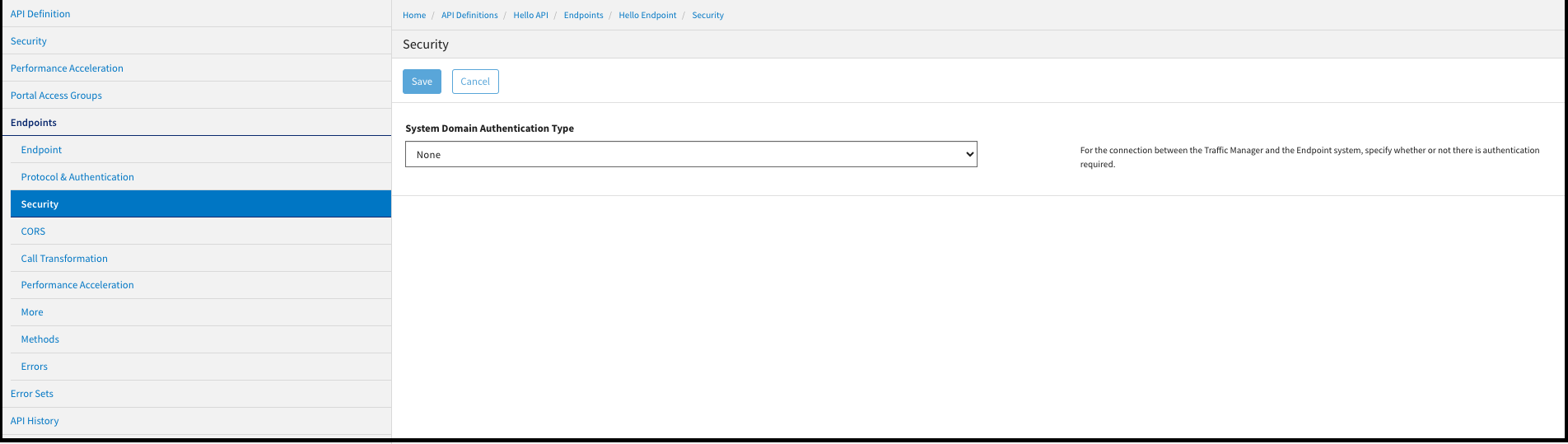
The Security page allows you to enable System Domain Authentication.
CORS
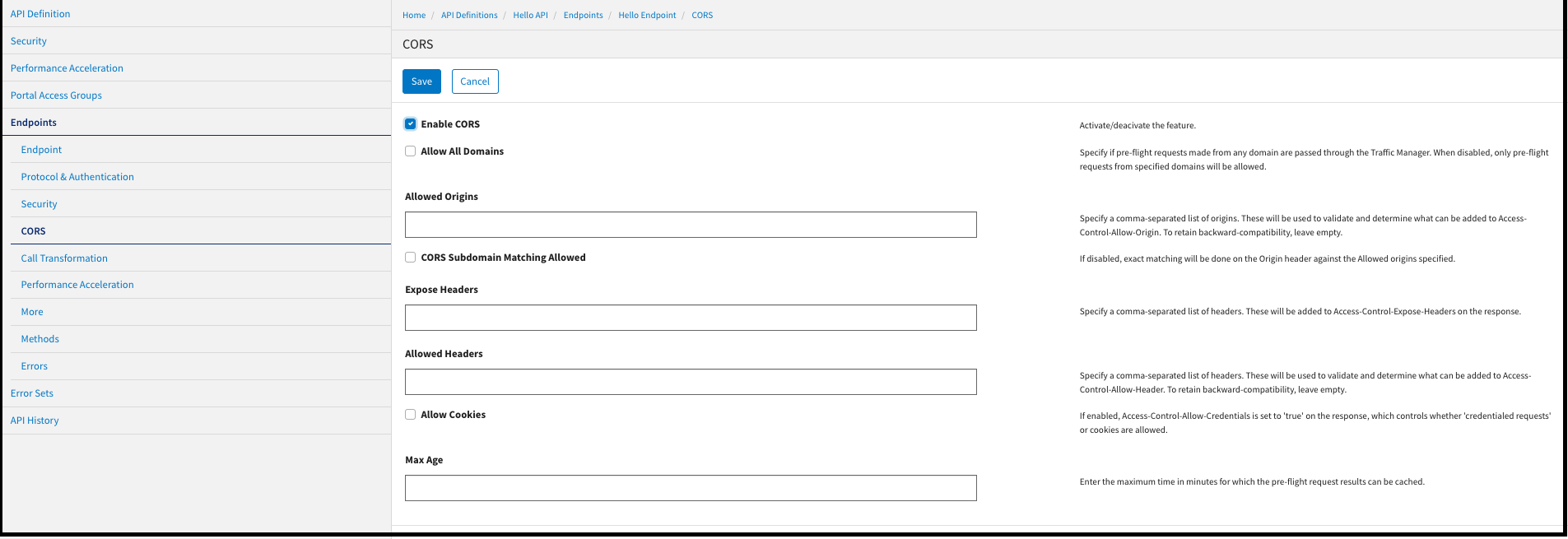
The CORS page allows you to configure Endpoint Cross-Origin Resource Sharing, a W3C standard that defines how the browser and server should interact when cross-domain requests are made.
Call Transformation
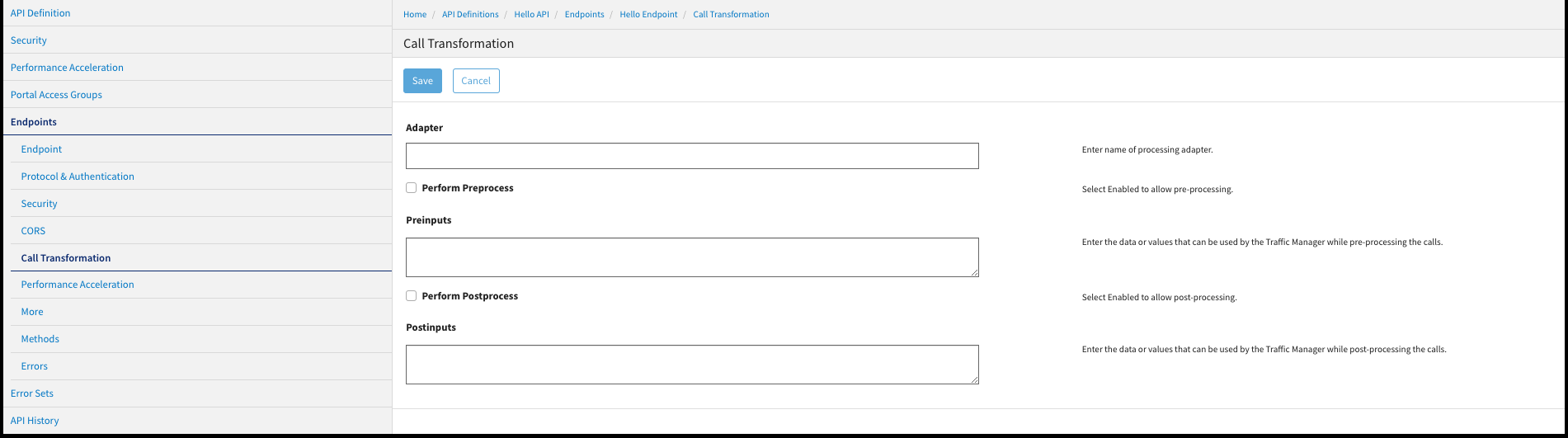
The Call Transformation page allows you to apply processing logic to an API call before it is sent to the host API servers and after the call is returned from the client API servers.
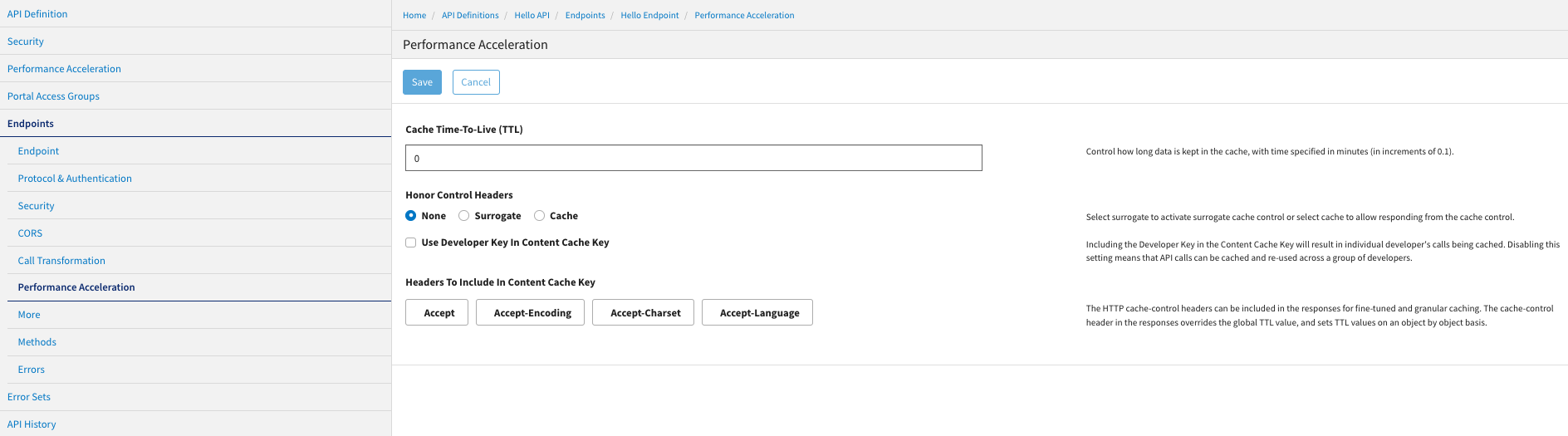
Performance Acceleration
Endpoint performance can be optimized by managing the cache. If your call responses are cacheable, specifying appropriate caching rules reduces the end-to-end latency time of API calls. The caching rules set at an endpoint-level, as shown in the following image, affect all calls made to the endpoint.
More
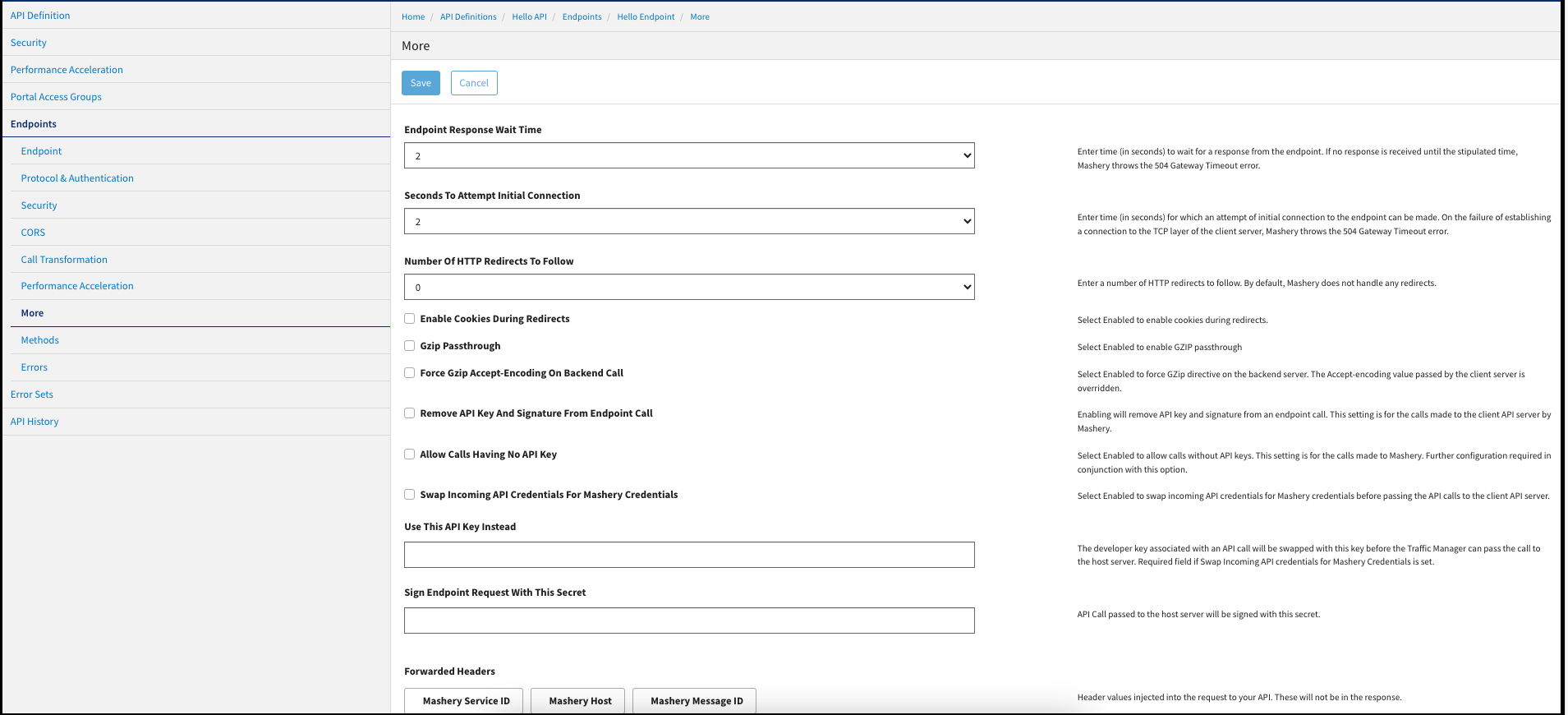
The More page allows for configuring Traffic-Manager-specific settings. You can configure the Traffic Manager to include or exclude headers from the requests and responses.
Methods
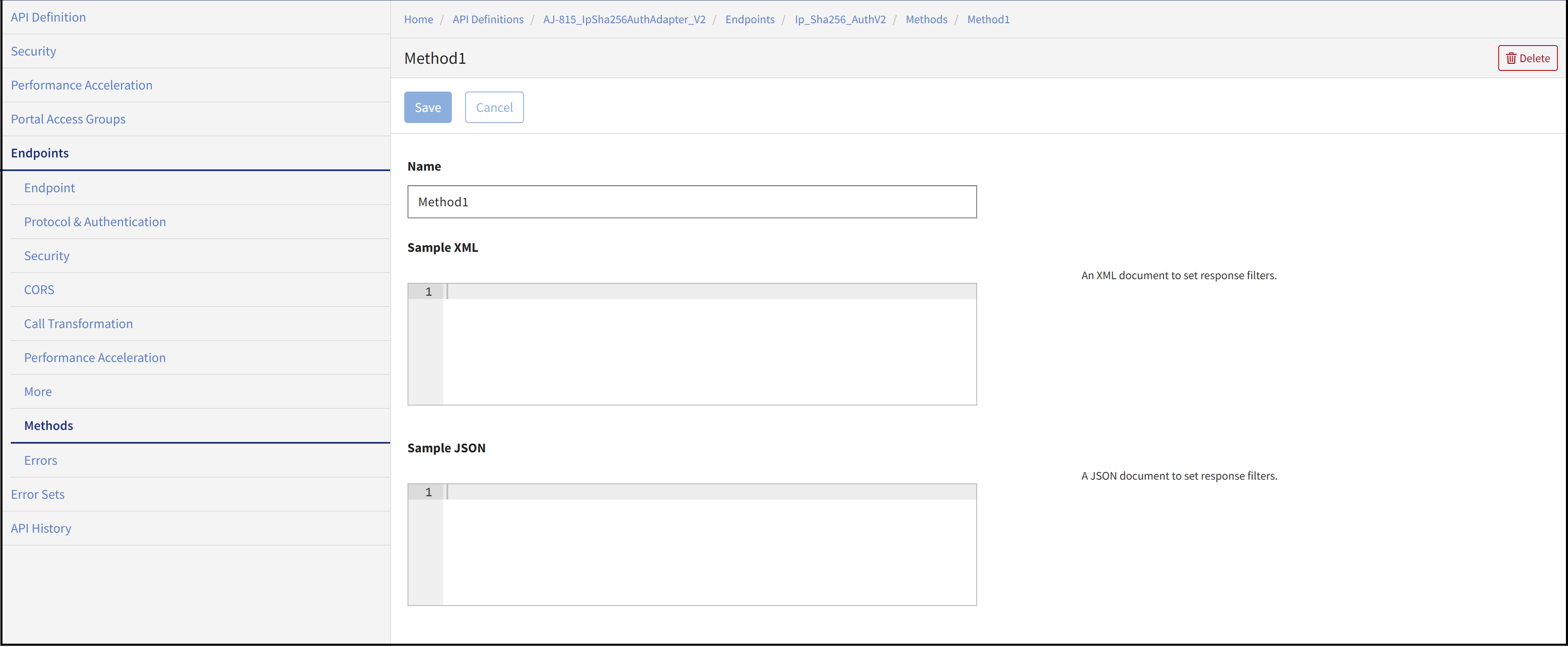
An endpoint is a piece of logic that contains various methods. You can define multiple methods by entering valid schema files.
Errors
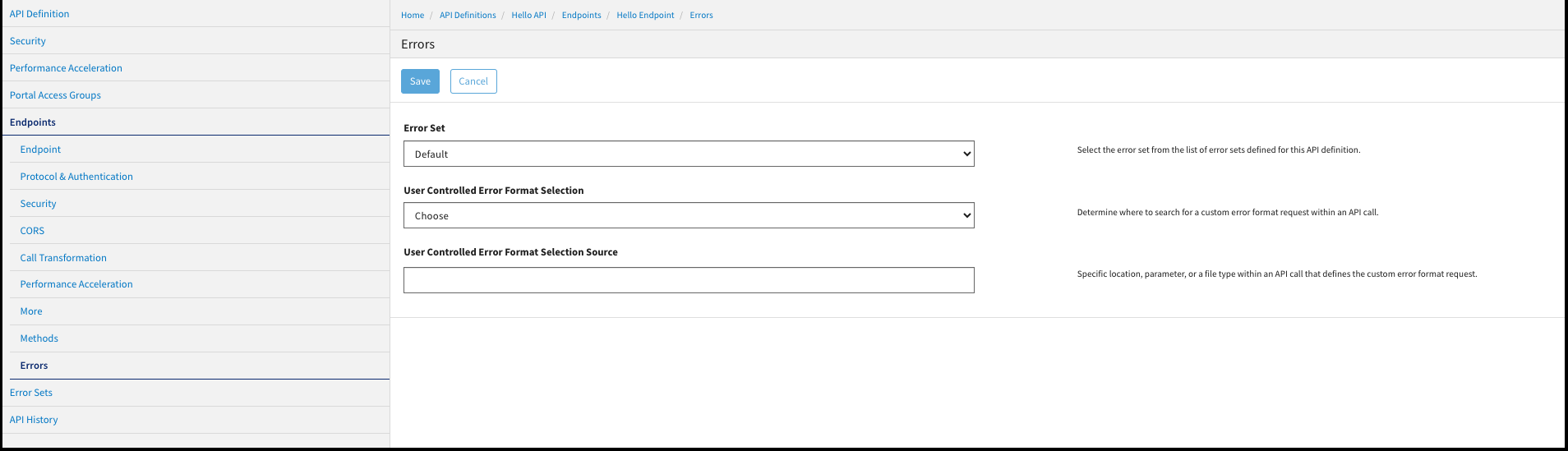
The Errors page allows you to configure endpoint error responses for this API definition.
Error Sets
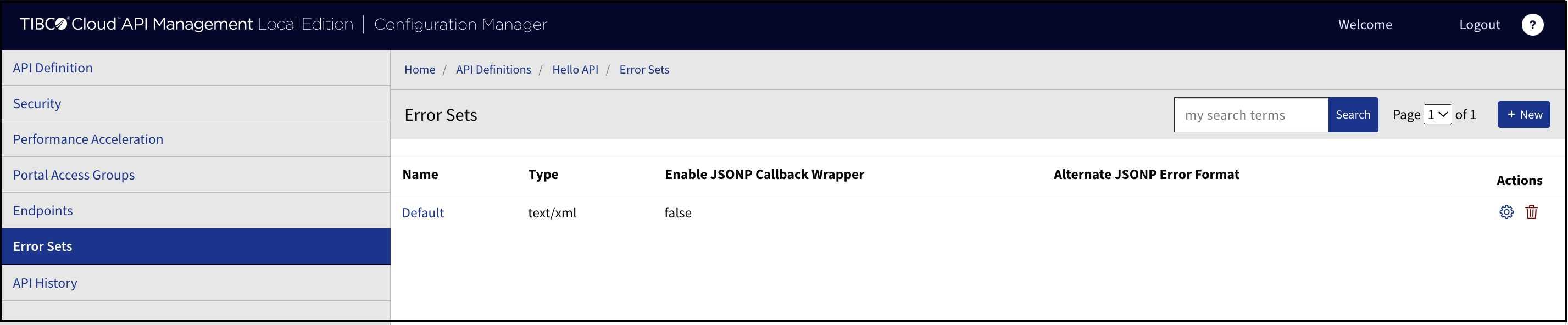
The Error Sets page allows you to create and configure multiple error sets for error conditions.
To create an error set, click New.
Error Messages
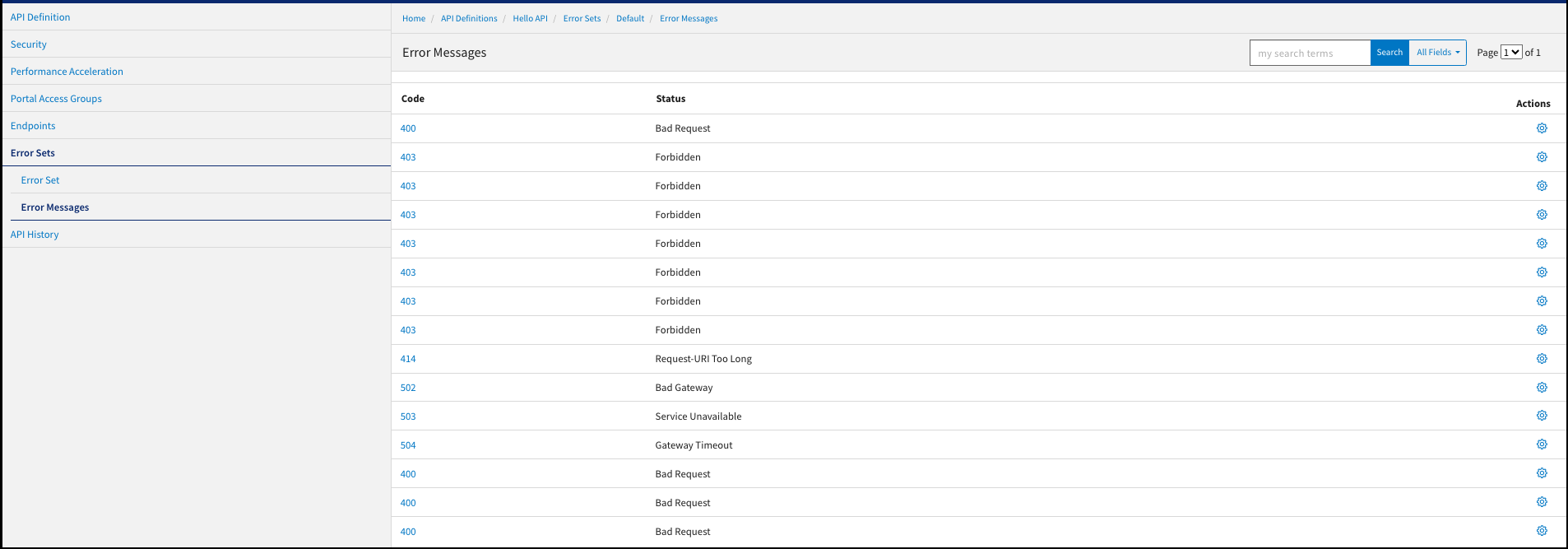
This page displays the error codes and the error status for the developers to identify why an error is displayed. You can edit error code status messages.
API History
The API History page displays the history of changes made for the selected API definition. In addition to viewing historical information, users have the ability to compare versions, and revert to an earlier version of an API definition.
To compare API versions, select the versions using the checkboxes, then click Compare Selected. A pop-up window displays and lists any changes between the selected versions.
To revert to an earlier version of an API, click the Revert icon in the Actions column for the desired API version.
