Creating an Adapter using IntelliJ IDEA
Preparing IntelliJ IDEA:
-
Open IntelliJ IDEA and click Import Project.
-
In the Import Project dialog, navigate to the SDK folder as input for Gradle project.
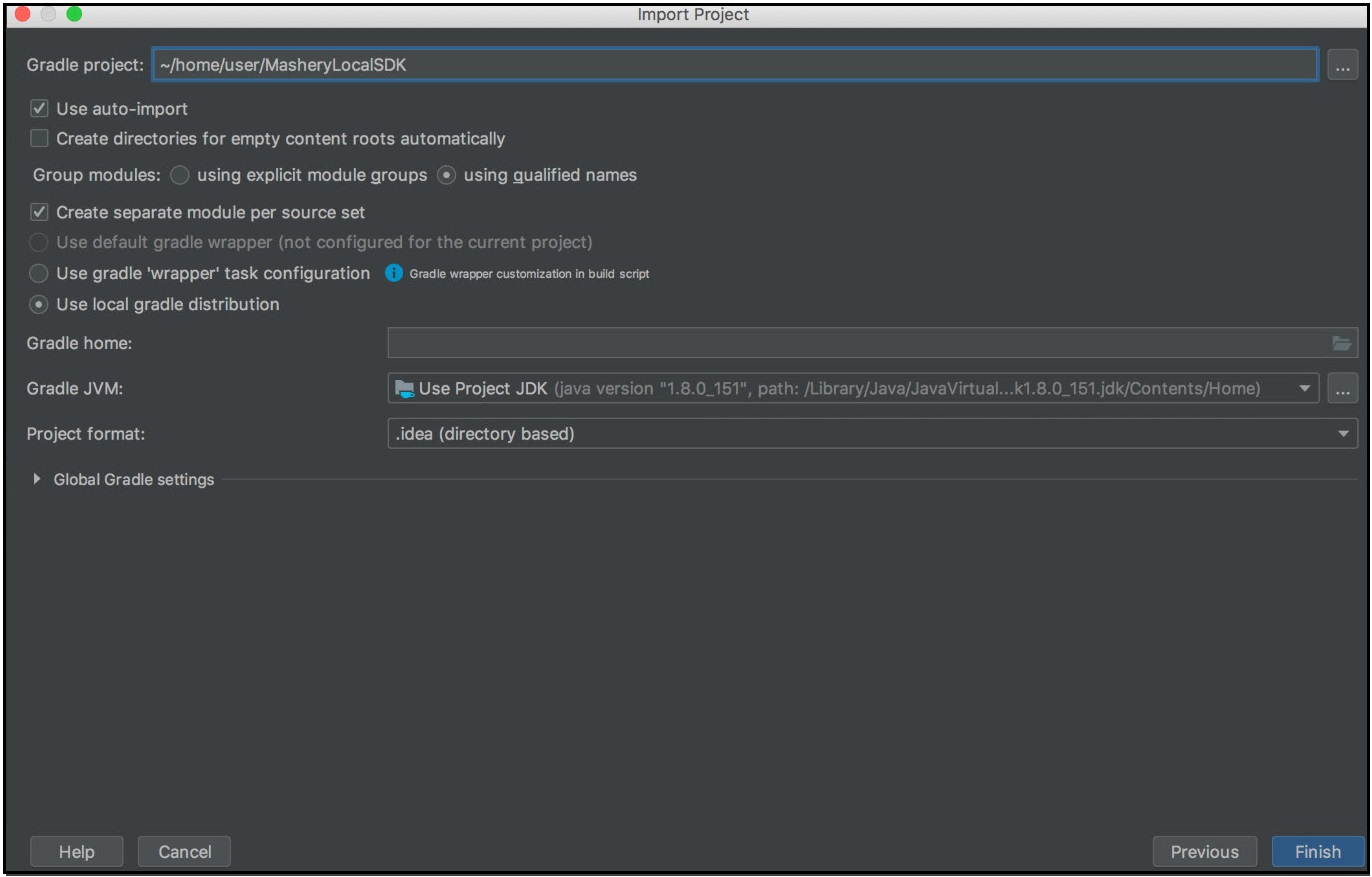
Select the Gradle options as shown in the image.
-
Click Finish to upload the project. The content of the project can be seen in the project view.
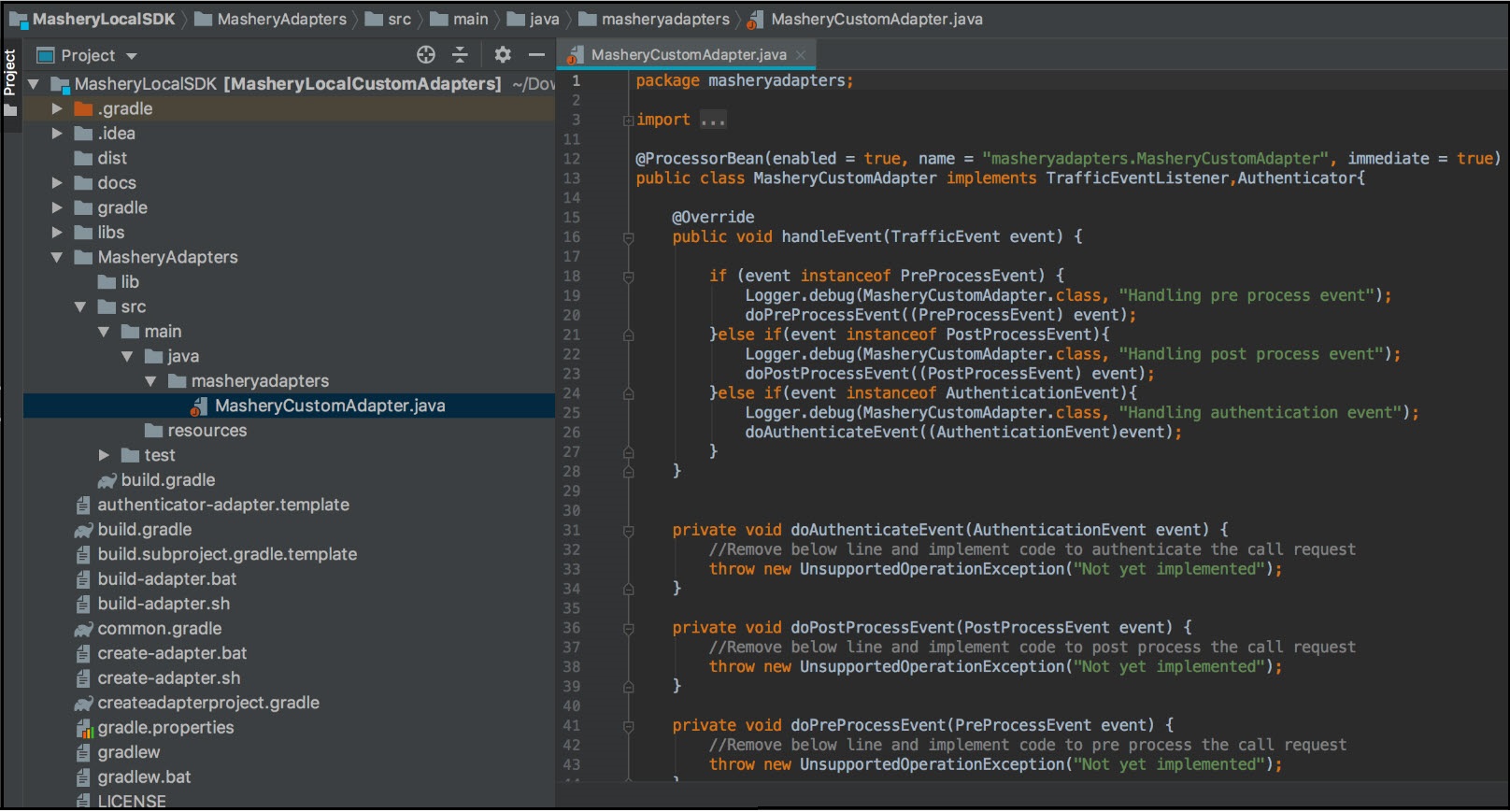
Copy the required third-party libraries in the lib folder of the sub project.
