Viewing a policy template
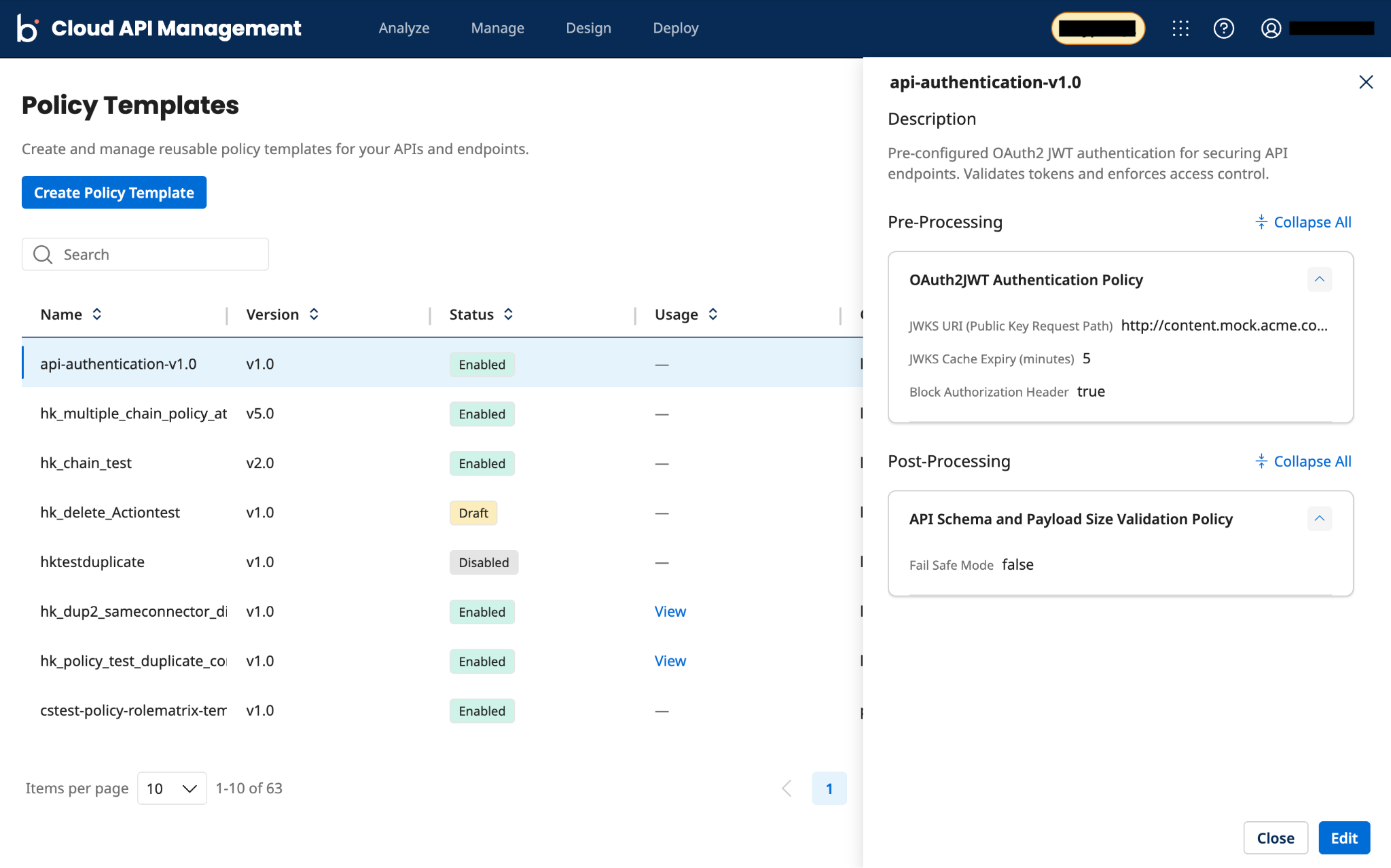
On the Policy Templates list page, you can view policy template details, such as the description and the number of pre-processing and post-processing policies attached, for a template in the Draft, Enabled, or Disabled state.
Procedure
-
On the Policy Templates list page, locate the policy template in the Draft, Enabled, or Disabled state.
-
In the Actions column, click the Actions menu (three-dot icon) next to the policy template row you want to view, and then select Details. This opens the selected policy template details in the side panel.
noteSelecting a policy template row alone doesn't reveal the Details option. You must click the Actions menu (three-dot icon) for that row, and then select Details.
-
Optional: Under the Pre-Processing or Post-Processing section, expand or collapse an individual policy card to view policy-configured field values, or use the Expand All or Collapse All option to toggle all policies in these panels at once.
tipIf a field's value for a policy in the Pre-Processing or Post-Processing section is too long to display in full, hover over it to view the full value, or drag the edge of the side panel to widen it.
You can also modify a policy template while viewing it. Click Edit to open the template for editing. Refer to Modifying a policy template for the full procedure.
-
Click the Close or (x) icon after viewing the template details.
