Enabling or disabling a policy template
On the Policy Templates list page, you can enable or disable a policy template. After you create a policy template, you must enable it to make it available for use at the endpoint level.
You cannot disable a template that is in use (attached to an endpoint). When a policy template is attached to an endpoint, the Usage column on the Policy Templates list page displays a View link. Click View to see which endpoints use this template.
To disable a template in use, first unlink it from the Endpoint Policies page, and then disable it. Refer to Removing an attached policy template for the full procedure.
Procedure
-
On the Policy Templates list page, locate the policy template in the Draft state.
-
In the Actions column, click the Actions menu (three-dot icon) next to the policy template row you want to enable, and then select Enable.
noteSelecting a policy template row alone doesn't reveal the Enable option. You must click the Actions menu (three-dot icon) for that row, and then select Enable.
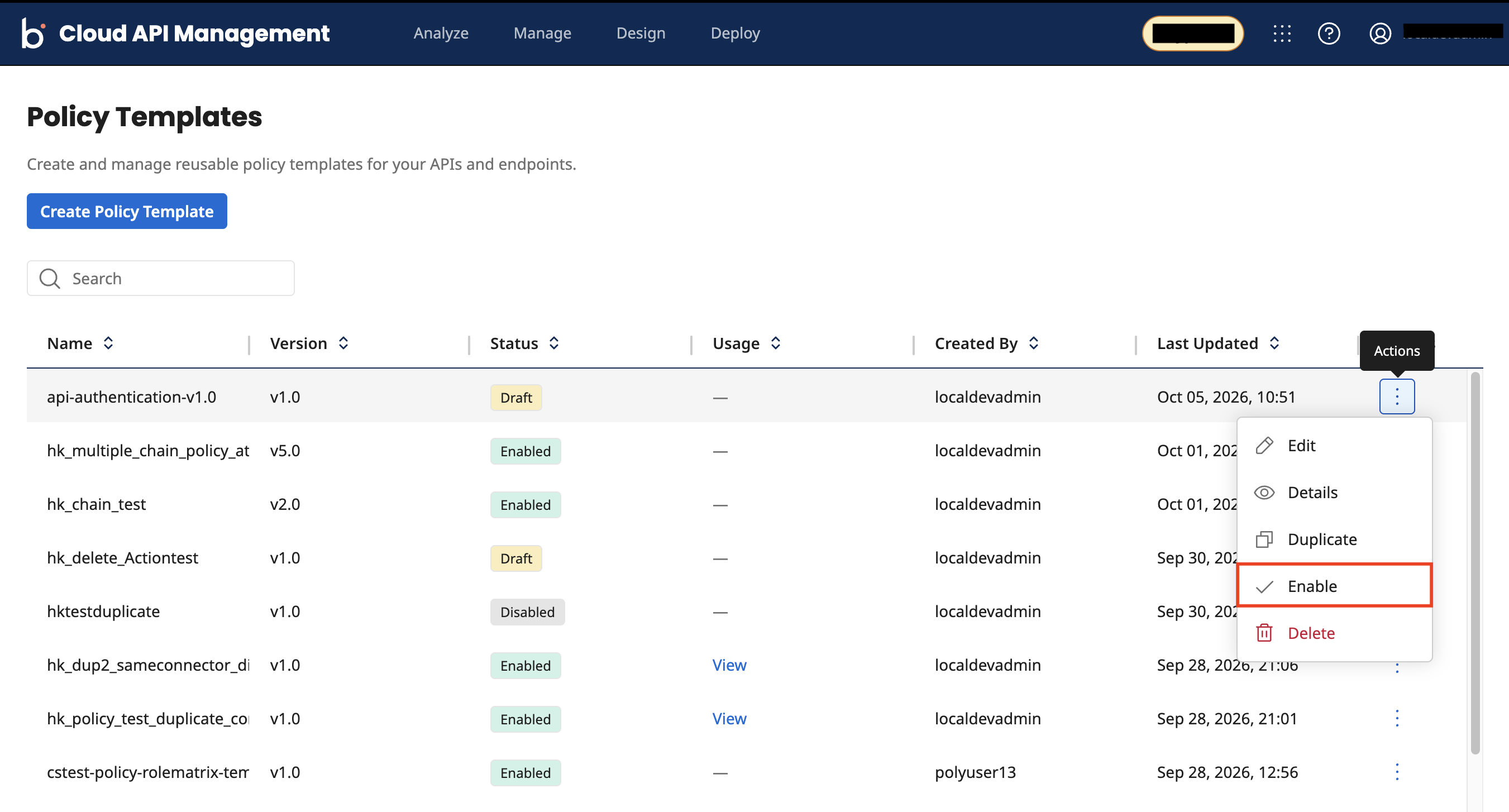
To disable a policy template that is not in use, locate the policy template in the Enabled state on the Policy Templates list page. In the Actions column, click the Actions menu (three-dot icon) next to the policy template row you want to disable, and then select Disable.
Next steps
Attach the Enabled policy template to your API endpoint. Refer to Attaching a policy template to an endpoint for the full procedure.
