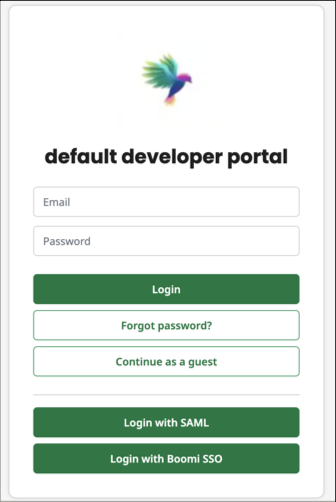
Configuration SAML
Overview
This interface is dedicated to configuring Security Assertion Markup Language (SAML) settings. The purpose of SAML is to enable secure, single sign-on (SSO) capabilities across different domains. This allows an administrator to manage the identity provider (IdP) configuration required to establish a trust relationship between the service provider (the application) and the IdP. SAML is a login standard that helps users access applications based on sessions in another context. It’s a single sign-on (SSO) login method offering more secure authentication than usernames and passwords.
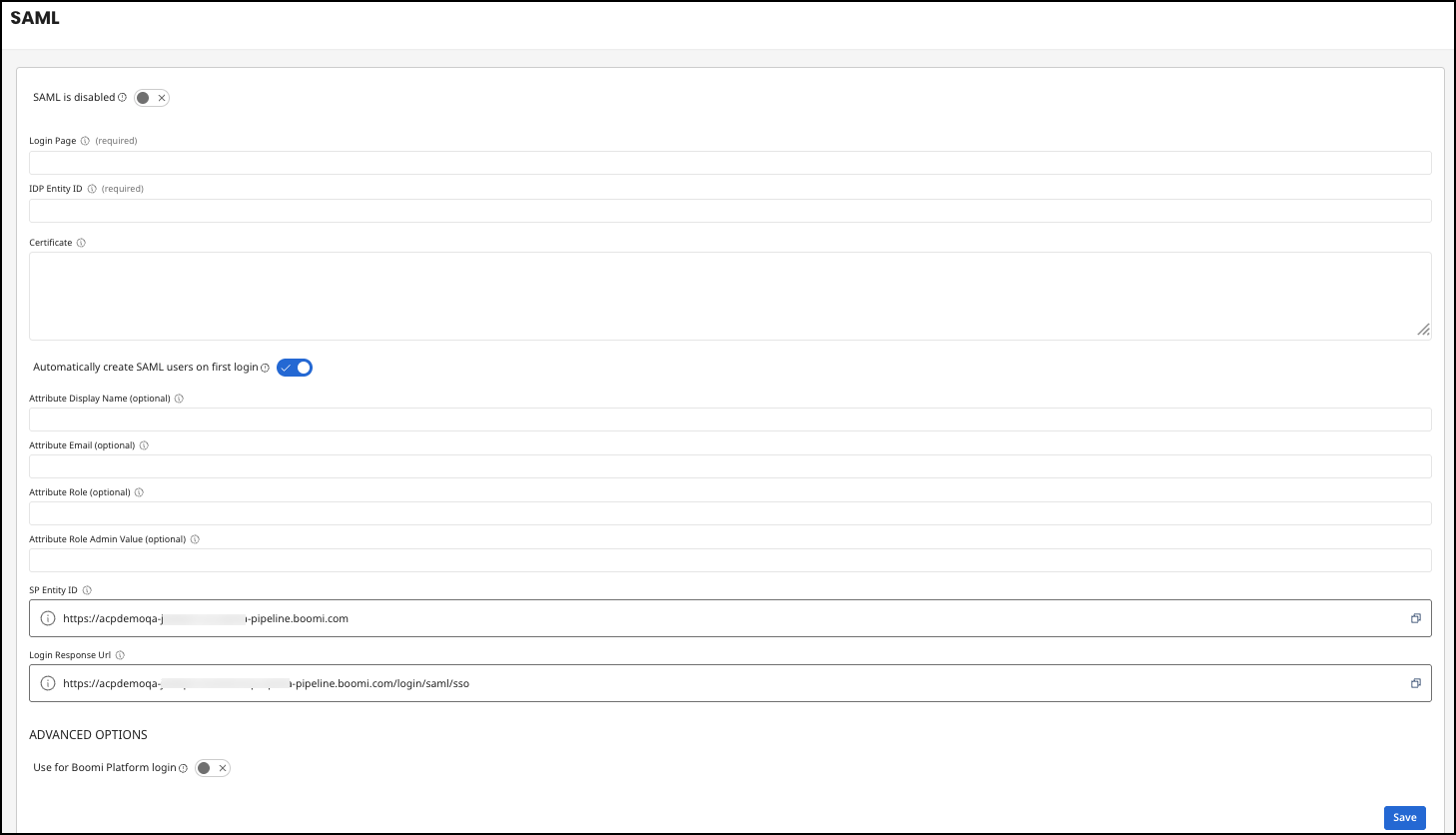
SAML Configuration
| Option | Description |
|---|---|
| SAML is disabled | Indicates if the SAML configuration is currently active. |
| Login Page | A URL that is the entry point for users to initiate a login process via their IdP. |
| IDP Entity ID | A unique identifier for the IdP within the SAML configuration. |
| Certificate | A digital certificate in PEM format. This is crucial for establishing a secure connection, as it contains the public key that will be used to verify SAML assertions from the IdP. |
| Automatically create SAML users on first login | Enabled by default. Users are created automatically upon their first login using the Login with SAML option and their metadata is taken from the SAML assertion, using the attribute display name, email, role, and role admin value options. If disabled, users must be created in advance, unknown users are rejected upon using the Login with SAML login, and the attribute display name, email, role, and role admin value options have no effect. |
| Attribute Display Name | Name of the user attribute that holds the display name. |
| Attribute Email | Name of the user attribute that holds the email address. |
| Attribute Role | Name of the user attribute that holds the user's role. This allows the SAML IdP to assign user roles. |
| Attribute Role Admin Value | Allows the specification of a value that, if received in the role attribute, grants administrative rights to the user. |
| SP Entity ID | Provided by Boomi and cannot be edited. The service provider's unique identifier where the IdP should send its response after authenticating a user. |
| Login Response Url | Provided by Boomi and cannot be edited. The service provider's endpoint where the IdP should send its response after authenticating a user. These endpoints are typically where the application expects to receive SAML assertions. |
Advanced Options
The advanced options allow users to use the SAML configuration on API Control Plane instead of the SSO configuration from the Boomi Platform. This configuration allows you to use the Login with Boomi Platform option on the API Control Plane Developer Portal login page.
Prerequisites
- The user who is logging in must be a Boomi Platform user with access to the API Control Plane.
- The Federation ID must be populated for the user in User Management, and the Federation ID must match what the SAML IDP will return.
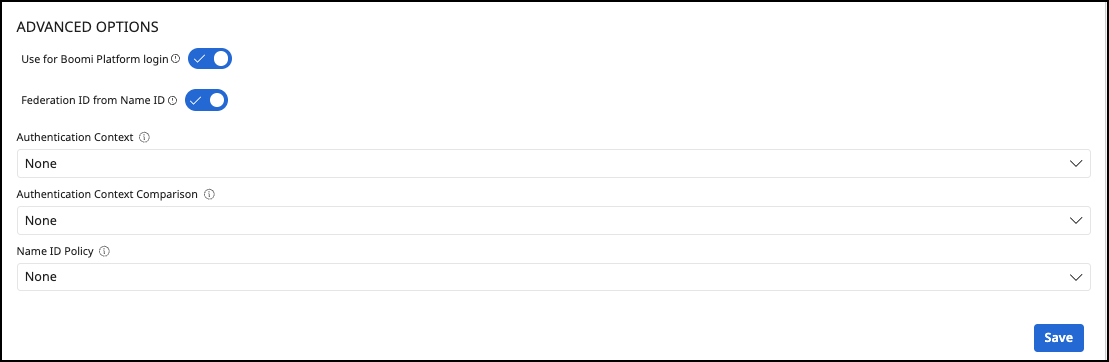
| Option | Description |
|---|---|
| Use for Boomi Platform login | If enabled, Boomi platform users can also log in using this SAML configuration. NOTE: This option is only intended and required for custom domains and self-managed Developer Portals. |
| Federation ID from Name ID | If enabled, the federation ID is extracted from the Name ID of the SAML assertion. |
| Authentication Context | Specifies the authentication context that is requested from the SAML IdP during the authentication process. Password Protected Transport - requests that the user is authenticated using a password over a secure (TLS/HTTPS) connection.Unspecified - Allows the IdP to choose the authentication method without asking for a specific assurance level. None - Does not request any specific authentication context. The IdP uses its default authentication. |
| Authentication Context Comparison | Defines how the requested authentication context should be compared to the contexts supported by the SAML IdP. Exact - Requires the IdP to use an authentication context that exactly matches the one requested. Minimum - Allows the IdP to use the requested context or any stronger authentication context, but not weaker ones. None - Does not require any specific comparison. The IdP can use its default way of evaluating the authentication context. |
| Name ID Policy | Specifies the format of the name ID to use in SAML assertions. Unspecified - No specific format for the Name ID is required. The IdP can use any supported format. Transient - Requests a temporary, session-specific Name ID that changes each time and cannot be linked across sessions. None - A Name ID format is not requested or required in the SAML assertion. |
Configure SAML in Boomi Platform for Administrators
If SAML is enabled in Boomi Platform, SAML settings are applied to the administration portal and developer portal logins for API Control Plane.
Configure SAML in API Control Plane for Developer Portal
If you configure SAML in API Control Plane, the following settings are applied:
- For the administration portal login, use your SAML IDP to login.
- For the developer portal login, if you have users with email and password that were invited from the developer portal or signed on via self-service, they use their email and password to login. If SSO is enabled, users will login using the Login with Boomi SSO option.