API Product Visibility
Within API Products > Visibility, you can adjust the visibility to the Developer Portal, the privacy within the organizations, and MCP status.
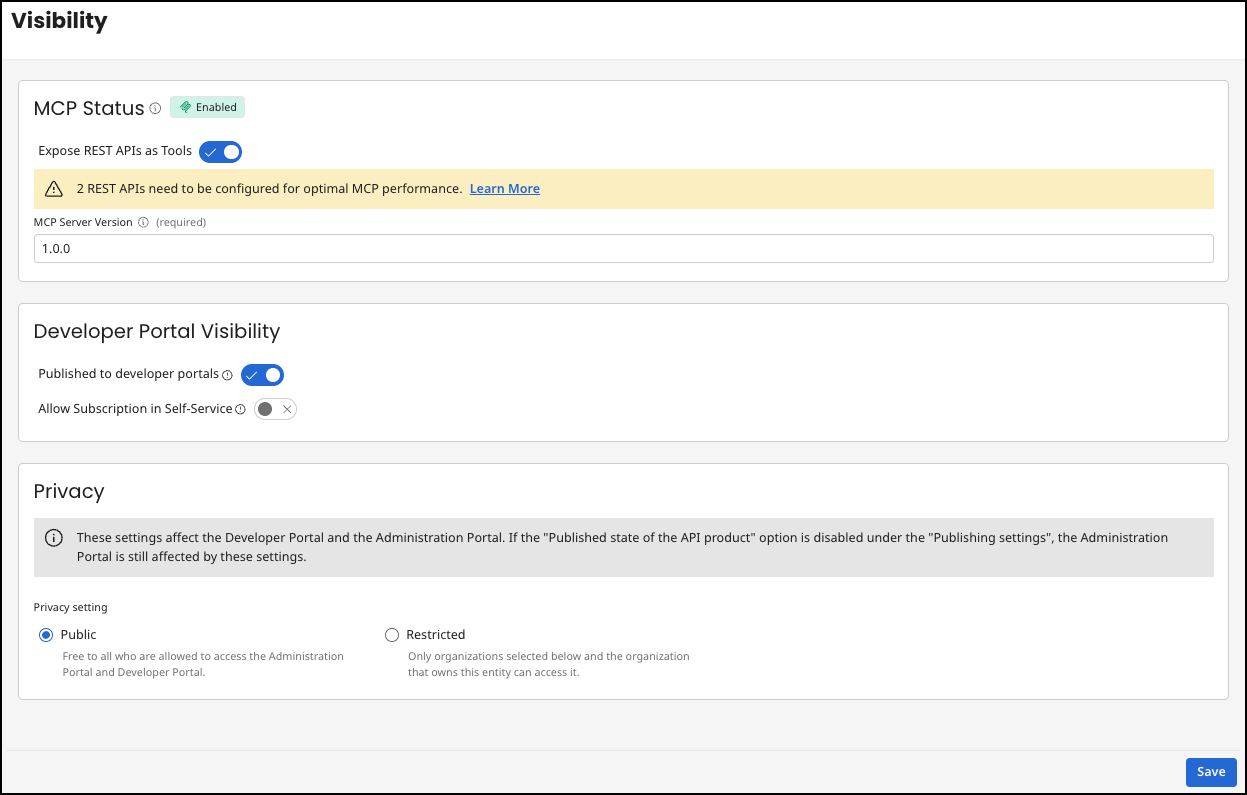
MCP Status
MCP is disabled by default, but can be enabled by selecting Expose REST APIs as Tools. See MCP in API Control Plane.
GraphQL APIs are not supported as tools for MCP-enabled API products.
Developer Portal Visibility
Published to Developer Portals
With this setting you can publish the API Product and its included APIs in your Developer Portal. If you have multiple Developer Portals, this API Product is visible in the one that maps to the same organization.
If you have enabled guest access, the API Products that you want the guest to see must be public and published.
Allow Subscription in Self-Service
This setting controls whether the API product is available for subscription directly through self-service in the Developer Portal. When disabled, the API product will be displayed in the Developer Portal but cannot be subscribed to.
Privacy
A new API product is public by default, so it's visible to everyone in the developer portal until you restrict it. You can add more organizations to this Restricted view.
A Public API Product is visible to all users of all organizations. The guest user in the developer portal only sees the API product if the visibility is set to Public.
Privacy settings also apply to the Developer Portal.
Example
If you have an API product that belongs to organization A and is both published and Public, it is visible to every user in both the administration and in every developer portal (if all organizations have been selected for the developer portal or organization A).
-
If you set published to false, the API product disappears from all developer portals.
-
If you change Public to Restricted, only users from organization A and the selected organizations will see this API product. This also applies to all developer portals.
