Setting up environment configuration for Boomi API Gateway
Configure the URL paths to access APIs on the environment through the API Gateway on the Gateway & Environments tab of the Gateways page (Configure Server > Gateways).
Use the Environment Configuration page to configure the URL paths for accessing APIs in the environment through its attached API Gateway.
The API Gateway forms the URL path by appending the specified endpoint path to the Base URL. This path must be unique across all environments assigned to the API Gateway, and must be specific to the API type.
The URL path only accepts legal characters. If you enter any illegal characters, the system percent-encodes them when you click Save, and updates the provided URL examples accordingly.
Prerequisites
- Access to the Gateway & Environments tab of the Gateways page (Configure Server > Gateways) for an environment attached to an API Gateway.
-
Sign into the Boomi Enterprise Platform.
-
Navigate to the Services tab and select API Management. The Deployed APIs page opens.
-
Navigate to the Configure Server > Gateways. The Gateways page opens.
-
In the Gateway & Environments tab Environments column, click the environment name. The Environment Configuration page opens.
-
Specify the environment endpoint path for REST Endpoints, SOAP Operations, OData Entities, and GraphQL Endpoints.
noteThe default value for the GraphQL Endpoints path field is:
ws/graphqlfor existing environments.- Empty for new environments.
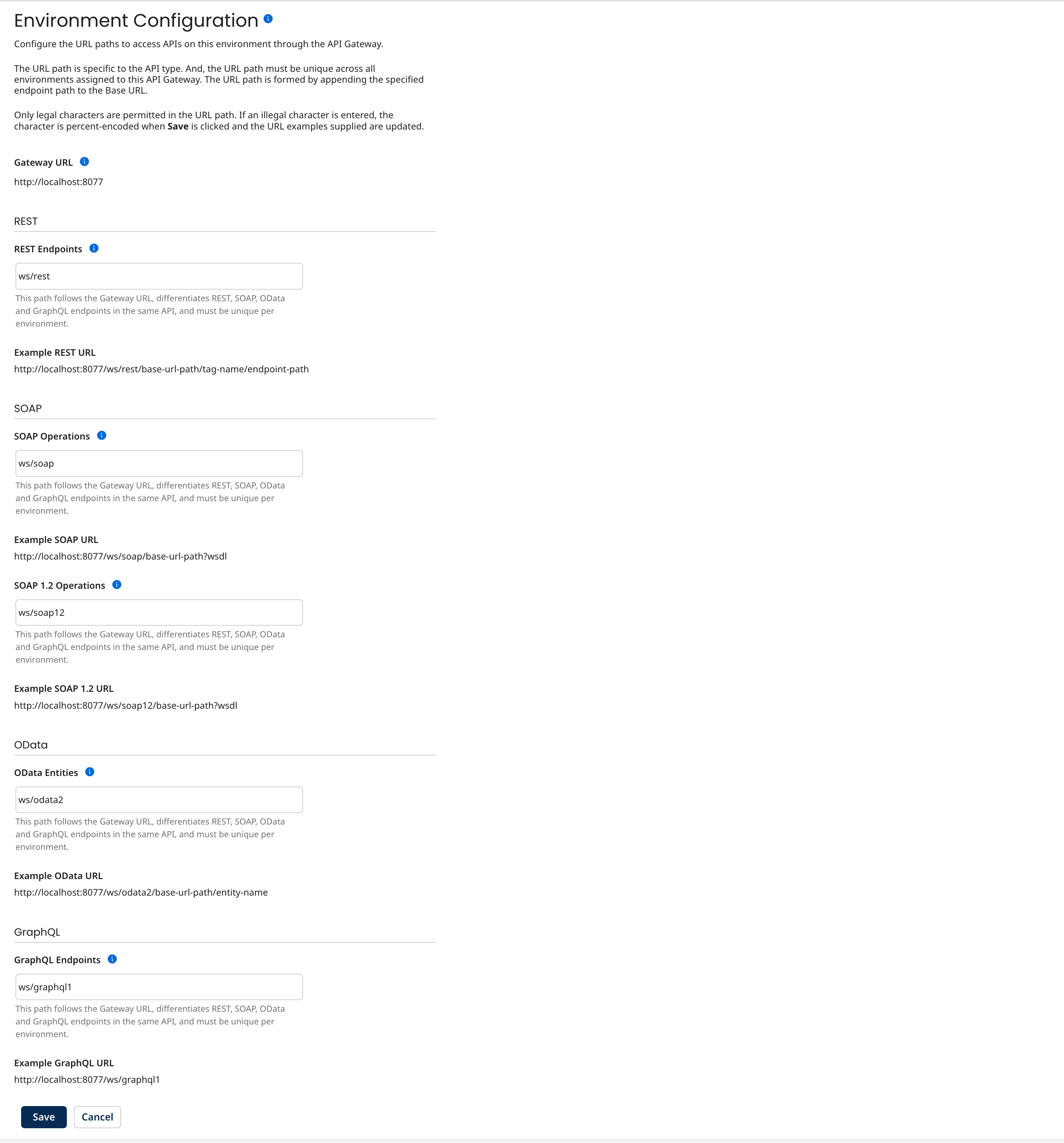
-
Click Save to update the path to the environment.
