Container properties
Container properties allow you to define or control various aspects of a container's behavior. The properties listed here are specific to the API Gateway plugin.
Prerequisites
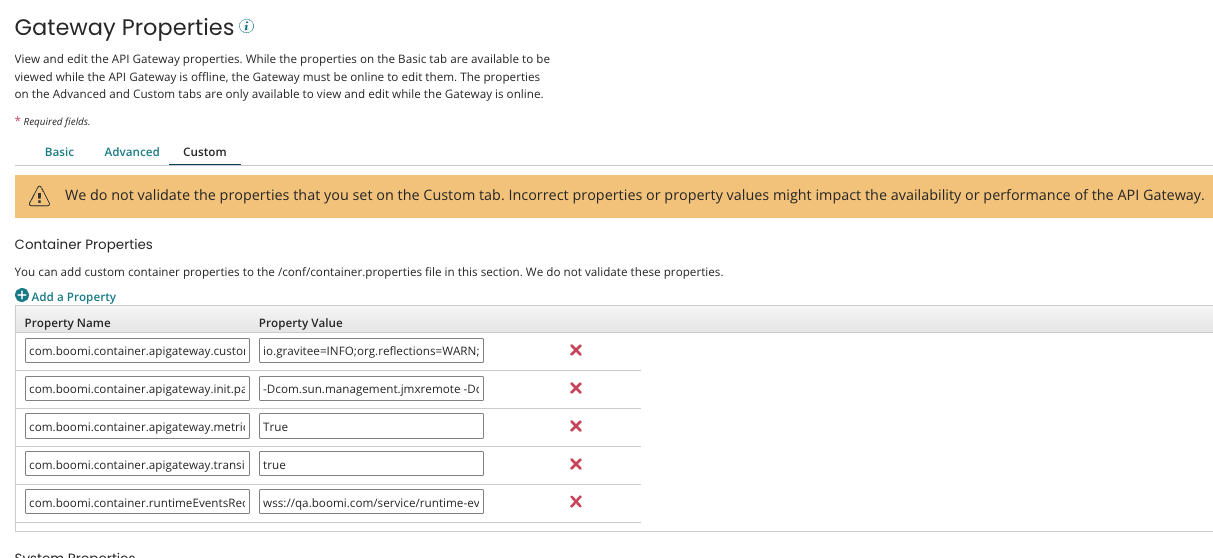
To view or configure these properties, you need access to the Custom or Advanced tab of the container's Properties panel in API Gateway.
| Property Name | Description |
|---|---|
com.boomi.container.apigateway.alwaysUpdateConfig | Defines which Gateway nodes generate API Gateway configuration files. This property defaults to true for all Gateways, and all nodes generate configuration files irrespective of whether they are the head node. The dynamically-generated configuration files include those under <base dir>/apigateway/gateway-settings. If you want only the head node to generate configuration files, set the property to false. |
com.boomi.container.apigateway.cipherSuites | Allows you to configure Cipher suites on the API Gateway. To set ciphers on the API Gateway, go to the Custom tab of the Properties panel and configure the property. When configuring the property, you must mention all the ciphers you want to add. |
com.boomi.container.apigateway.enableDatabaseRecovery | Allows the Gateway to detect database corruption during the restart process and perform a recovery. Default Value: true. Refer to Database Recovery for more information. |
com.boomi.container.apigateway.enableDatabaseAutoRecovery | Enables periodic health checks and automatic recovery for the H2 database. It monitors for corruption and triggers recovery when detected, eliminating the need for a manual restart. Default Value: false. To enable this feature, you must manually add the property through the API Gateway > Properties > Custom tab in the UI and set it to true. You must restart the Gateway for this change to take effect. Refer to Database Recovery for more information. |
com.boomi.container.apigateway.devportal.excludedCipherSuites | TLS ciphers to exclude in a Developer Portal. |
com.boomi.container.apigateway.devportal.includedCipherSuites | TLS ciphers to include in a Developer Portal. |
com.boomi.container.apigateway.devportal.excludedProtocols | Protocols to exclude in a Developer Portal. |
com.boomi.container.apigateway.devportal.includedProtocols | Protocols to include in a Developer Portal. |
com.boomi.container.apigateway.metrics.captureQueryParams | Allows you to capture query parameters in metrics. This is false by default, but when enabled, the Gateway appends query parameters as-is to the URL as part of the requestUrl field. If the requestURL is more than 512 characters, the Gateway truncates it to 512. |
com.boomi.container.apigateway.metrics.maxFileAge | Event file rollover time. The default is six hours and can be set up to 24 hours. |
com.boomi.container.apigateway.metrics.reportNotFound | If true, captures 404 errors for metrics. False by default. |
com.boomi.container.apigateway.healthCheckTimeout | Defines the maximum time the container waits while polling the Gateway's health-check endpoint for a successful response during plugin initialization (if the initial startup timeout was exceeded) and during plugin reload. If the container exceeds this timeout, the system considers the Gateway service unhealthy and unrecoverable, and the plugin restarts that service. This property accepts an integer value in milliseconds, and defaults to five minutes. |
com.boomi.container.apigateway.jwksprovider.refresh.interval | Allows you to configure the refresh interval when retrieving a JWKS (JSON Web Key Set) for a JWT (JSON Web Token) IDP. This property must be in the format specified here. For example, PT1S = every 1 second and P2D = every 2 days. |
com.boomi.container.apigateway.jwksprovider.retry.interval | Allows you to configure the retry interval when retrieving a JWKS (JSON Web Key Set) for a JWT (JSON Web Token) IDP. This property must be in the format specified here. For example, PT1S = every 1 second and P2D = every 2 days |
com.boomi.container.apigateway.jwt_duration.minutes | Defines how long a Developer Portal login is valid. When the time expires, the user must log in again. If not configured, the default is 1440 minutes (24 hours). |
com.boomi.container.apigateway.metrics.maxFileSize | Allows you to configure the maximum size of metrics event files for Gateways. 1 GB (1073741824 bytes) by default. You must define the value of this property in bytes. |
com.boomi.container.apigateway.plugin.database.maxWait | Defines the maximum wait time for the database to come up when using synchronous startup. This accepts an integer value in milliseconds, and defaults to five minutes. |
com.boomi.container.apigateway.plugin.devportal.maxWait | Defines the maximum wait time for the portal services to come up when using synchronous startup. This accepts an integer value in milliseconds, and defaults to five minutes. |
com.boomi.container.apigateway.plugin.gateway.maxWait | Defines the maximum wait time for the Gateway to come up when using synchronous startup. This accepts an integer value in milliseconds, and defaults to five minutes. |
com.boomi.container.apigateway.plugin.startup.async | Controls how the Gateway starts up - asynchronous or synchronous. |
com.boomi.container.apigateway.startupTimeout | Defines the maximum time the container waits while polling the Gateway's health-check endpoint for a successful response during the plugin initialization. If the container exceeds this timeout, the service polls a second time using the health-check timeout. This property accepts an integer value in milliseconds, and defaults to one minute. |
com.boomi.container.apigateway.transitions.enabled | Adds logging that helps diagnose 503 communication issues between a Gateway and runtime containers. True by default. |
com.boomi.container.httpsProtocols | Allows you to configure TLS protocols. The system turns off TLS 1.0 by default on all API Gateways because it has security vulnerabilities. To turn it on and set supported TLS protocols in the API Gateway, go to the Advanced tab of the Properties panel and set the value of the HTTPS Protocols property to TLSv1,TLSv1.1,TLSv1.2. When configuring the property, you must mention all the protocols you want to add. |
com.boomi.container.apigateway.healthcheck.trace.enabled | Controls whether the system exports API health check traces to the OpenTelemetry observability tool. This property applies only if you enable OTel. Default Value: false (disabled). |
com.boomi.container.apigateway.otel.log.batch.size | Defines the number of log records batched together before export. Helps manage performance by controlling batch size during log transmission. This property applies only if you enable OTel. Default Value: 512. |
com.boomi.container.apigateway.otel.log.queue.size | Defines the maximum number of log records the system can queue in memory at one time. This limit helps the system maintain connection stability and prevent overload when it generates logs faster than it can export them. This property applies only if you enable OTel. Default Value: 2048. |
Database recovery
The Gateway detects database corruption during a restart or a periodic health check and performs recovery based on the following property settings.
These custom container properties are not added to the container.properties file by default. They only appear in the file if they are manually configured through API Gateway > Properties > Custom tab. If a property is missing from the file, the Gateway uses the default behavior described below.
- Database recovery during restart property:
com.boomi.container.apigateway.enableDatabaseRecovery
This property is enabled by default with the value set totrue. This property is used to recover the DB file if it gets corrupted by manually restarting the Gateway. You do not need to add this property in the Container Properties section, as it is enabled by default. Add this property only if you want to disable database recovery by setting it tofalse.
- Database recovery during DB health check property:
com.boomi.container.apigateway.enableDatabaseAutoRecovery
This property is disabled by default in the container property. To enable periodic health checks and automatic recovery while the Gateway is running, you must manually add this property through the API Gateway > Properties > Custom tab in the UI. Then set it totrue.
If database corruption is detected, the Gateway performs the following tasks:
-
The old database file is renamed to gravitee.mv.db.YYYY-MM-DD.hh-mm-ss.backup.
-
A new empty database is created with the name gravitee.mv.db.
-
The new database is initialized and is configured to match the current schema configuration ( approximately 15-30 seconds).
-
A DATABASE_RECOVERY message is sent to the Platform in 60 seconds to initiate a full database recovery for the Gateway and Developer Portal.
-
The Platform starts sending messages in chunks to repopulate the data for the Gateway and Developer Portal database.
-
After a few minutes, the Gateway is restored to full operational state.
